
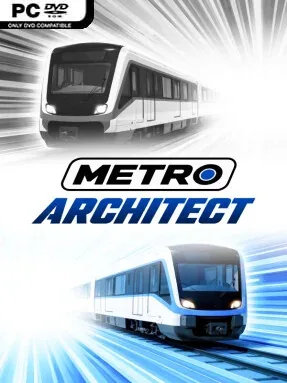
Game Overview
A quiet map quickly becomes a living transit puzzle as coloured lines, crowded platforms, and moving trains reshape familiar geography. Metro Architect is a transport management simulation built around designing subway systems on real-world locations, from major capitals to a small hometown. Its appeal lies in the freedom to sketch an elegant single line or wrestle with a sprawling, expensive network that has to survive commuter peaks. The mood is methodical rather than frantic, but bad planning can turn a clean diagram into a very public rush-hour collapse.
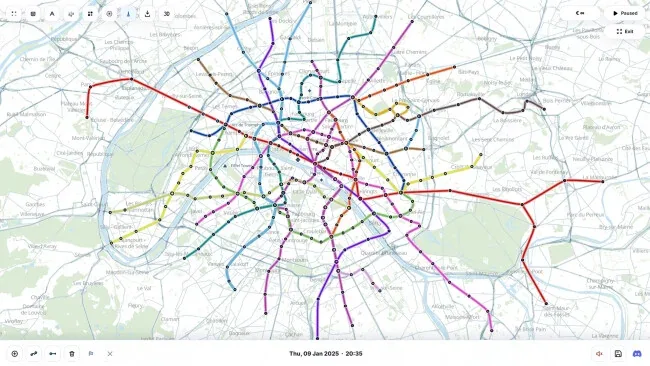
Players place stations, lay straight or curved track, build transfer hubs, and link residential districts with busy commercial centres. Population data influences where riders originate and travel, so a station’s position matters far more than simply covering as much ground as possible. Running the system means selecting trains, setting frequencies and dwell times, establishing fare zones, and balancing operating costs against capacity and passenger satisfaction. Demand changes with the time of day and weather conditions, forcing constant adjustments when packed trains and overloaded interchanges reveal weaknesses in a once-promising layout.
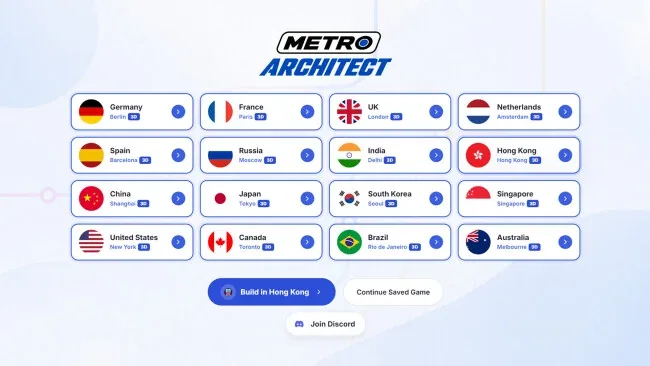
Metro Architect stands out by letting its simulation play out across real-world map data instead of fictional city grids, making route experiments feel grounded even when the network is entirely imaginary. Official locations such as London, Tokyo, Paris, Berlin, New York, Moscow, and Shanghai provide recognisable starting points, while custom maps allow almost any place to become a transit-planning canvas. Daily scenarios offer more focused efficiency tests, and Steam Workshop support opens the door to community-made maps and trains for players who want fresh material. Fans of Mini Metro’s clarity, Cities: Skylines’ public-transport tinkering, or detailed management sandboxes will find plenty to enjoy, although newcomers should expect to learn by untangling a few overcrowded lines.
Recommended For You: If you enjoy this game, also check out Architect Life: A House Design Simulator and Cosmoteer: Starship Architect & Commander Free Download and Graveyard Architect Free Download for more top-rated gameplay.
Screenshots
Installation
- Select the <strong>Download</strong> button at the top of this page to open UploadHaven.
- On UploadHaven, wait for any countdown, then select <strong>Free Download</strong>. Optional: UploadHaven Pro for faster downloads.
- When complete, extract the archive to a <strong>Metro Architect</strong> folder using 7-Zip.
- Open the extracted folder and start the game normally.
- For errors, check <strong>Setup Guide & Troubleshooting</strong> below. Keep your security software enabled.
System Requirements
- OS: Windows 10 64-bit
- Processor: Intel Core i5-8400 / AMD Ryzen 3 3300X
- Memory: 4096 MB RAM
- Graphics: Intel UHD 630 / NVIDIA GeForce GTX 750 / AMD Radeon RX 550
- Storage: 1500 MB available space
- Sound Card: Any compatible sound card
- VR Support: N/A
Setup Guide & Troubleshooting
Is Metro Architect free and safe to download on SteamUnlocked?
Yes, Metro Architect is 100% verified clean and tested before publication. All mirrors are free from malware, adware, or intrusive installers.
Does this release include the latest update build and all DLC?
Yes, this download comes pre-updated to the latest version (0.1.122) with all official patches, hotfixes, and expansion DLC packs included.
How do I install and run Metro Architect on Windows PC?
Extract the downloaded .zip or .rar archive using 7-Zip or WinRAR into a folder of your choice. Open the extracted folder and run the game executable or setup as Administrator.
What should I do if I get a missing DLL or DirectX error when launching?
Missing DLL errors (like MSVCP140.dll or XINPUT1_3.dll) indicate missing Windows libraries. Install the Visual C++ All-In-One Redistributables and update DirectX to resolve them immediately.