
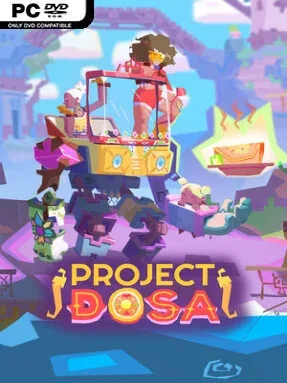
Game Overview
A road trip between estranged sisters becomes a colorful rebellion against a fast-food corporation that turns whole communities into obedient customers. Dosa Divas is a narrative-focused turn-based RPG built around Samara, Amani, and Goddess, their enormous ancient spirit-mech companion. Its bright villages, expressive characters, and food-centered theme create a warm, playful tone, but the family drama and corporate satire give the journey real emotional stakes. The central goal is not merely to defeat villains, but to reconnect with people, restore local culture, and make one last shared meal matter.
Combat asks for more than selecting the strongest move. Attacks and defenses reward well-timed inputs, while each party member uses abilities associated with five flavor types; exploiting what an opponent craves weakens their resistance and helps charge powerful team ultimates. Between fights, Goddess serves as a traversal tool, using upgrades such as drilling, grappling, and double-jumping to reach tucked-away ingredients, side paths, and new quest opportunities. Cooking is equally important: forage, fish, trade with locals, then prepare dishes that snap villagers out of their processed-food stupor, improve reputation, and provide valuable battle buffs for health, damage, defense, or Spirit Power.
Its best idea is the way food connects every system rather than functioning as a simple healing item. Helping a town changes your relationship with it, while experimentation in the kitchen and mech customization give exploration a personal, relaxed rhythm between tactical encounters. Goddess can be outfitted with different limbs, body parts, and accessories, letting the giant mechanical companion reflect your preferred look as well as its growing utility. Players who enjoy the character-driven heart of Mario & Luigi, the timing-based battles of Paper Mario, and the community flavor of modern indie RPGs should find plenty to savor, while the approachable mechanics make it inviting for newcomers to the genre.
Installation
- Click the green button below to be redirected to UploadHaven.
- Wait 15 seconds, then hit “Free Download.” (Free downloads may be slower — upgrade to UploadHaven Pro for faster speeds.)
- Once downloaded, right-click the .zip file and choose “Extract to Dosa Divas.” (You’ll need 7-Zip for this.)
- Open the extracted folder and run the game as administrator.
- Enjoy! 🎮 If you see missing DLL errors, check the <strong>_Redist</strong> folder inside and install what’s needed.
System Requirements
- Requires a 64-bit processor and operating system
- OS: Windows 10 / 11
- Processor: Intel Core i3-2100 or AMD Phenom II X4 965
- Graphics: NVIDIA GeForce GTX 750 Ti, 2 GB or AMD Radeon HD 6950, 2 GB or Intel Arc A380, 6 GB
Setup Guide & Troubleshooting
How do I fix missing DLL errors for Dosa Divas?
After extracting Dosa Divas, navigate to the _Redist or _CommonRedist folder inside the game directory and install DirectX, Vcredist, and any other dependencies included.
What should I do if the downloaded file is corrupted?
The full archive is 2.37 GB — make sure your download completed fully before extracting. Use 7-Zip to extract the files. If you still see a "file corrupted" error, re-download and try again.
Why should I run the game as administrator?
Right-click the game executable and select "Run as Administrator" to avoid save file issues and permission errors. This is especially important on the first launch.
How do I update my GPU drivers for this game?
Dosa Divas requires a NVIDIA GeForce GTX 750 Ti, 2 GB or AMD Radeon HD 6950, 2 GB or Intel Arc A380, 6 GB or equivalent. Update your NVIDIA or AMD drivers to the latest version for the best performance.
The game won't launch — what should I try?
Try running in compatibility mode, install the latest DirectX runtime, or install the All-in-One VC Redist Package.
My antivirus is blocking the game — is it safe?
Antivirus false positives are common with pre-installed games. Temporarily pause your antivirus during extraction to prevent it from quarantining game files. You can re-enable it after the extraction completes.