
Game Overview
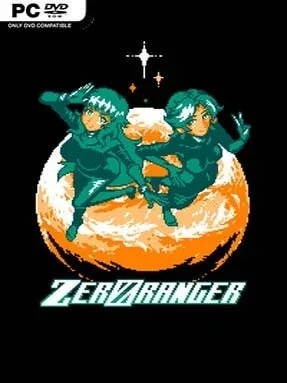
A neon alien war unfolds in a vertically scrolling shooter that looks deceptively simple before revealing an unusually ambitious, mysterious structure beneath its arcade surface. Two remaining pilots face GREEN ORANGE, an invading force whose bizarre machines, shifting colors, and ominous messages make every stage feel like part of a larger puzzle. ZeroRanger delivers dense bullet patterns, rapid-fire destruction, and a gloriously retro audiovisual style inspired by classic Japanese shoot-’em-ups, but it balances that old-school intensity with a surprisingly welcoming learning curve. The mood moves from heroic space opera to surreal cosmic mystery as its story gradually peels back the meaning behind the conflict.
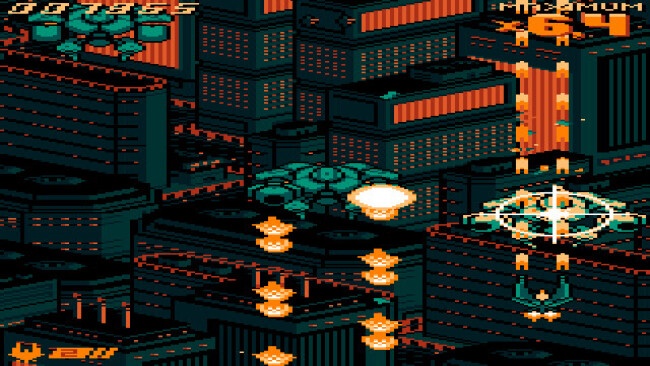
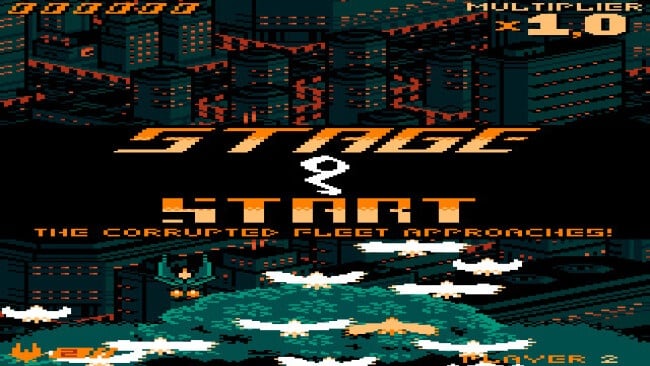
Players steer a compact fighter through continuously advancing stages, weaving through enemy formations and destroying bosses while collecting power-ups that alter the ship’s weapons and capabilities. The central loop is about reading bullet patterns, choosing smart positions, and using your evolving arsenal aggressively rather than merely surviving; defeated enemies can often be converted into resources that fuel stronger attacks. Multiple ship forms and weapon configurations encourage experimentation, while a forgiving continuation system means newcomers can see more than the opening levels without removing the challenge for score-chasers. Boss fights demand concentration and pattern recognition, but their attacks are carefully designed to become manageable through practice rather than luck.
What makes ZeroRanger memorable is the way progression is tied to discovery: apparent endings, new abilities, alternate possibilities, and story revelations make repeat runs feel meaningful instead of routine. Its pixel art uses a restricted but vivid palette to create striking alien landscapes, while the soundtrack gives every encounter the urgency of a lost arcade classic. Fans of Dodonpachi, Gunbird, and other precision-focused shmups will appreciate its mechanical depth, though its accessible survival systems also make it an excellent entry point for players intimidated by the genre. Anyone wanting a short, replayable shooter with secrets well beyond its first credits should find plenty to master here.
Installation
- Click the green button below to be redirected to UploadHaven.
- Wait 15 seconds, then hit “Free Download.” (Free downloads may be slower — upgrade to UploadHaven Pro for faster speeds.)
- Once downloaded, right-click the .zip file and choose “Extract to ZeroRanger.” (You’ll need 7-Zip for this.)
- Open the extracted folder and run the game as administrator.
- Enjoy! 🎮 If you see missing DLL errors, check the <strong>_Redist</strong> folder inside and install what’s needed.
System Requirements
- OS: Vista, 7, 8, 10
- Processor: 2+ GHz
- Memory: 1 GB RAM
- DirectX: Version 9.0
- Storage: 150 MB available space
Setup Guide & Troubleshooting
How do I fix missing DLL errors for ZeroRanger (v2022.09.29)?
After extracting ZeroRanger (v2022.09.29), navigate to the _Redist or _CommonRedist folder inside the game directory and install DirectX, Vcredist, and any other dependencies included.
What should I do if the downloaded file is corrupted?
The full archive is 258.00 MB — make sure your download completed fully before extracting. Use 7-Zip to extract the files. If you still see a "file corrupted" error, re-download and try again.
Why should I run the game as administrator?
Right-click the game executable and select "Run as Administrator" to avoid save file issues and permission errors. This is especially important on the first launch.
How do I update my GPU drivers for this game?
Update your NVIDIA or AMD drivers to the latest version for the best performance and compatibility.
The game won't launch — what should I try?
This game requires Version 9.0. Try running in compatibility mode, install the latest DirectX runtime, or install the All-in-One VC Redist Package.
My antivirus is blocking the game — is it safe?
Antivirus false positives are common with pre-installed games. Temporarily pause your antivirus during extraction to prevent it from quarantining game files. You can re-enable it after the extraction completes.