
Game Overview
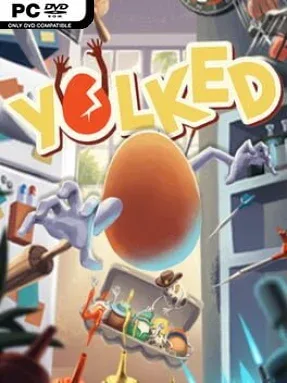
An egg with tiny arms becomes an unlikely platforming hero in a fast, funny escape adventure built around momentum, balance, and the constant threat of disaster. Set across a hostile house and its surrounding spaces, Yolked – The Egg Game turns ordinary locations such as the kitchen, attic, and backyard into oversized obstacle courses full of hazards and enemies. The tone is playful and cartoonish, but the stakes remain surprisingly tense: one bad landing can leave your fragile protagonist cracked. It is a compact indie challenge that treats every jump, grab, and desperate swing as a potential triumph or catastrophe.
Movement drives the entire experience, with players flinging the egg through levels, climbing ledges, mantling over obstacles, and using its arms to swing past dangerous gaps. Success depends on reading the environment, maintaining speed when a route demands it, and slowing down when precision matters more than momentum. Stages offer more than one path, encouraging repeat runs for cleaner times and safer or faster solutions. Costume unlocks provide a light collectible incentive, while the egg’s physicality makes even straightforward traversal unpredictable enough to demand patience and control.
What separates Yolked from a standard mascot platformer is its deliberately awkward physics and its focus on fragility; the hero is not a nimble superhuman, but a breakable breakfast item trying to survive a world built to smash it. The household setting gives hazards an appealing toy-box scale, and cheering fellow eggs add personality without distracting from the platforming. Fans of physics-driven frustration games such as Getting Over It or Human: Fall Flat should appreciate its mix of slapstick failure and skill-based improvement, though its level-based format is more focused and approachable. It suits players who enjoy mastering short, demanding courses, chasing faster routes, and laughing when a near-perfect run ends in an eggshell disaster.
Installation
- Click the green button below to be redirected to UploadHaven.
- Wait 15 seconds, then hit “Free Download.” (Free downloads may be slower — upgrade to UploadHaven Pro for faster speeds.)
- Once downloaded, right-click the .zip file and choose “Extract to Yolked - The Egg Game.” (You’ll need 7-Zip for this.)
- Open the extracted folder and run the game as administrator.
- Enjoy! 🎮 If you see missing DLL errors, check the <strong>_Redist</strong> folder inside and install what’s needed.
System Requirements
- OS: Windows 7 or better
- Processor: Intel Core i7 2.8 GHz or better
- Memory: 16 GB RAM
- Graphics: GTX 960 2GB or better
- DirectX: Version 11
Setup Guide & Troubleshooting
How do I fix missing DLL errors for Yolked – The Egg Game (v0.13)?
After extracting Yolked – The Egg Game (v0.13), navigate to the _Redist or _CommonRedist folder inside the game directory and install DirectX, Vcredist, and any other dependencies included.
What should I do if the downloaded file is corrupted?
The full archive is 1.84 GB — make sure your download completed fully before extracting. Use 7-Zip to extract the files. If you still see a "file corrupted" error, re-download and try again.
Why should I run the game as administrator?
Right-click the game executable and select "Run as Administrator" to avoid save file issues and permission errors. This is especially important on the first launch.
How do I update my GPU drivers for this game?
Yolked – The Egg Game (v0.13) requires a GTX 960 2GB or better or equivalent. Update your NVIDIA or AMD drivers to the latest version for the best performance.
The game won't launch — what should I try?
This game requires Version 11. Try running in compatibility mode, install the latest DirectX runtime, or install the All-in-One VC Redist Package.
My antivirus is blocking the game — is it safe?
Antivirus false positives are common with pre-installed games. Temporarily pause your antivirus during extraction to prevent it from quarantining game files. You can re-enable it after the extraction completes.