
Game Overview
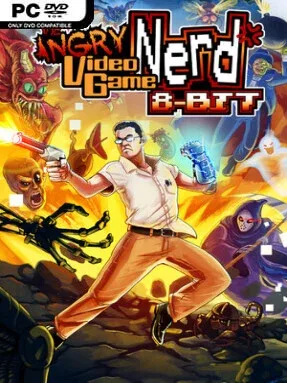
Pixelated monsters, cruel traps, and weaponized frustration drive this compact action-platformer through the exaggerated horror-comedy world of the Angry Video Game Nerd. Players control the famously foul-mouthed reviewer as he shoots his way across stages filled with zombies, skeletal machines, reapers, and other deliberately ridiculous threats. The presentation leans hard into NES-era color palettes, chunky sprites, and demanding arcade rhythm, while its tone balances spooky set pieces with the series’ irreverent attitude. It is a brisk, hostile throwback built for players who enjoy mastering a level rather than simply seeing its ending.
Each stage asks you to run, jump, fire, duck beneath hazards, and make quick decisions around enemy patterns and environmental dangers. Power-ups improve your offensive options, while branching paths encourage repeat runs and reward players willing to investigate suspicious platforms or take riskier routes. Boss encounters act as the main tests of timing and pattern recognition, demanding cleaner movement than the average corridor fight. The campaign provides structured themed levels, but Endless Challenge gives the game longer-term bite by assembling randomized rooms that become increasingly punishing as a run continues.
What separates Angry Video Game Nerd 8-bit from a standard retro imitation is its use of AVGN-inspired absurdity alongside roguelite-style variation in Endless Challenge. Defeated bosses can lead to rewards or curses from the Game Weenie, meaning a successful run can become more powerful, stranger, or substantially harder depending on what you receive. A concealed boss within that mode gives dedicated players another reason to learn its room layouts, enemy behavior, and item combinations. Fans of Mega Man’s precise shooting, Castlevania’s old-school pressure, and the earlier AVGN Adventures games should feel at home, though newcomers should expect a challenge that values persistence and sharp reflexes.
Screenshots


Installation
- Select the <strong>Download</strong> button at the top of this page to open UploadHaven.
- On UploadHaven, wait for any countdown, then select <strong>Free Download</strong>. Optional: UploadHaven Pro for faster downloads.
- When complete, extract the archive to a <strong>Angry Video Game Nerd 8-bit</strong> folder using 7-Zip.
- Open the extracted folder and start the game normally.
- For errors, check <strong>Setup Guide & Troubleshooting</strong> below. Keep your security software enabled.
System Requirements
- Requires a 64-bit processor and operating system
- OS: Windows 10 64-Bit
- Processor: Intel Core i5-4300 or equivalent
- Memory: 4 GB RAM
- Graphics: Integrated Graphics
- DirectX: Version 11
- Storage: 500 MB available space
Setup Guide & Troubleshooting
How do I fix missing DLL errors for Angry Video Game Nerd 8-bit?
After extracting Angry Video Game Nerd 8-bit, navigate to the _Redist or _CommonRedist folder inside the game directory and install DirectX, Vcredist, and any other dependencies included.
What should I do if the downloaded file is corrupted?
The full archive is 3.14 GB — make sure your download completed fully before extracting. Use 7-Zip to extract the files. If you still see a "file corrupted" error, re-download and try again.
Why should I run the game as administrator?
Right-click the game executable and select "Run as Administrator" to avoid save file issues and permission errors. This is especially important on the first launch.
How do I update my GPU drivers for this game?
Angry Video Game Nerd 8-bit requires a Integrated Graphics or equivalent. Update your NVIDIA or AMD drivers to the latest version for the best performance.
The game won't launch — what should I try?
This game requires Version 11. Try running in compatibility mode, install the latest DirectX runtime, or install the All-in-One VC Redist Package.
My antivirus is blocking the game — is it safe?
Antivirus false positives are common with pre-installed games. Temporarily pause your antivirus during extraction to prevent it from quarantining game files. You can re-enable it after the extraction completes.