
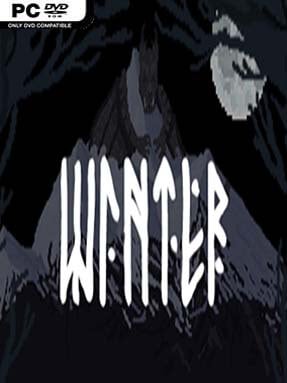
Game Overview
A snowbound woodland settlement stands between its people and a hostile season that seems determined to become permanent. Winter blends pixel-art economic strategy with survival defense, placing players in command of a small community surrounded by creatures drawn from Slavic folklore. Its story revolves around a fire-hearted child whose stolen power becomes tangled in a struggle among Frost, water spirits, and fallen nature gods. The mood is harsh but not hopeless: every secure night and expanded village feels like another push toward a long-awaited spring.
Days revolve around gathering resources, assigning settlers to useful work, and turning a fragile camp into a functioning stronghold. Silver supports growth, while recruitment and training supply the soldiers needed to repel nighttime assaults and strike back at supernatural enemies. Heated defenses play a central role, keeping frost-born threats at bay while walls, buildings, and other camp improvements make later attacks more manageable. Nearby settlements offer valuable opportunities for scouting and annexation, but growing too quickly can leave a poorly defended population exposed when weather shifts or a fresh crisis arrives.
Winter stands out through its use of Slavic myth rather than the usual medieval-fantasy monster roster, giving its snowy forests an unsettling identity. The 2D pixel presentation keeps the scale readable, while the constant balance between labor, expansion, offerings to gods, and military readiness gives each day meaningful pressure. Procedural-feeling events and the need to adapt plans prevent the settlement routine from becoming purely mechanical. Players who enjoy the broad village-management tension of Banished, Kingdom, or Northgard, but want a more folkloric and combat-focused setting, are likely to find plenty to like here; strategy newcomers can learn its core loop, while veterans can chase cleaner defenses and faster expansion.
Installation
- Click the green button below to be redirected to UploadHaven.
- Wait 15 seconds, then hit “Free Download.” (Free downloads may be slower — upgrade to UploadHaven Pro for faster speeds.)
- Once downloaded, right-click the .zip file and choose “Extract to Winter.” (You’ll need 7-Zip for this.)
- Open the extracted folder and run the game as administrator.
- Enjoy! 🎮 If you see missing DLL errors, check the <strong>_Redist</strong> folder inside and install what’s needed.
System Requirements
- OS: Windows 7/8/8.1/10
- Processor: 2.3 GHz Dual Core
- Memory: 2048 MB RAM
- Graphics: Intel HD Graphics
- Storage: 200 MB available space
Setup Guide & Troubleshooting
How do I fix missing DLL errors for Winter?
After extracting Winter, navigate to the _Redist or _CommonRedist folder inside the game directory and install DirectX, Vcredist, and any other dependencies included.
What should I do if the downloaded file is corrupted?
The full archive is 119.74 MB — make sure your download completed fully before extracting. Use 7-Zip to extract the files. If you still see a "file corrupted" error, re-download and try again.
Why should I run the game as administrator?
Right-click the game executable and select "Run as Administrator" to avoid save file issues and permission errors. This is especially important on the first launch.
How do I update my GPU drivers for this game?
Winter requires a Intel HD Graphics or equivalent. Update your NVIDIA or AMD drivers to the latest version for the best performance.
The game won't launch — what should I try?
Try running in compatibility mode, install the latest DirectX runtime, or install the All-in-One VC Redist Package.
My antivirus is blocking the game — is it safe?
Antivirus false positives are common with pre-installed games. Temporarily pause your antivirus during extraction to prevent it from quarantining game files. You can re-enable it after the extraction completes.