
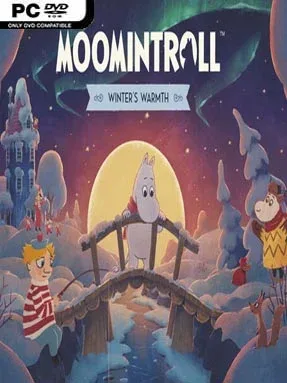
Game Overview
Winter turns Moominvalley into a quiet, unfamiliar place where the usual comfort of home gives way to snowdrifts, isolation, and a lingering supernatural chill. Moomintroll: Winter’s Warmth follows its young hero after he wakes from hibernation far too soon, finding that everyone else is still asleep while the Lady of the Cold holds the valley in her grasp. The result is a gentle adventure with a faintly melancholy edge: a story about feeling small in an overwhelming season, then finding courage through compassion. Its tone stays cozy and hopeful rather than threatening, making every warm shelter and friendly face feel meaningful.
Players guide Moomintroll through wintry paths, forests, mountains, and familiar locations transformed by ice and snow. Exploration centers on speaking with residents, helping strangers, investigating the environment, and solving accessible puzzles that open new routes or move quests forward. Instead of demanding reflexes or punishing challenges, the game emphasizes observation and thoughtful problem-solving, letting its characters and setting carry the momentum. Progress comes from steadily making the valley less lonely, as small acts of kindness build connections and reveal more of the winter’s mysteries.
Hyper Games brings the same appreciation for Tove Jansson’s world seen in Snufkin: Melody of Moominvalley, but shifts the focus toward Moomintroll and a more intimate seasonal tale. Nordic-inspired scenery, storybook-like presentation, and a cast mixing recognizable figures with new personalities give the journey a strong sense of place without requiring deep knowledge of the books. The winter setting also distinguishes it from brighter, more carefree cozy adventures, balancing picturesque beauty with loneliness and uncertainty. Fans of Snufkin, calm narrative puzzlers, and games such as Alba or A Short Hike should find plenty to like, while newcomers get an approachable introduction to Moominvalley’s warmth and odd charm.
Installation
- Click the green button below to be redirected to UploadHaven.
- Wait 15 seconds, then hit “Free Download.” (Free downloads may be slower — upgrade to UploadHaven Pro for faster speeds.)
- Once downloaded, right-click the .zip file and choose “Extract to Moomintroll: Winter's Warmth.” (You’ll need 7-Zip for this.)
- Open the extracted folder and run the game as administrator.
- Enjoy! 🎮 If you see missing DLL errors, check the <strong>_Redist</strong> folder inside and install what’s needed.
System Requirements
- OS: Windows 10
- Processor: Intel Core i5-3570K or AMD equivalent
- Memory: 8 GB RAM
- Graphics: NVIDIA GeForce GTX 780
- DirectX: Version 11
Setup Guide & Troubleshooting
How do I fix missing DLL errors for Moomintroll: Winter’s Warmth?
After extracting Moomintroll: Winter’s Warmth, navigate to the _Redist or _CommonRedist folder inside the game directory and install DirectX, Vcredist, and any other dependencies included.
What should I do if the downloaded file is corrupted?
The full archive is 3.08 GB — make sure your download completed fully before extracting. Use 7-Zip to extract the files. If you still see a "file corrupted" error, re-download and try again.
Why should I run the game as administrator?
Right-click the game executable and select "Run as Administrator" to avoid save file issues and permission errors. This is especially important on the first launch.
How do I update my GPU drivers for this game?
Moomintroll: Winter’s Warmth requires a NVIDIA GeForce GTX 780 or equivalent. Update your NVIDIA or AMD drivers to the latest version for the best performance.
The game won't launch — what should I try?
This game requires Version 11. Try running in compatibility mode, install the latest DirectX runtime, or install the All-in-One VC Redist Package.
My antivirus is blocking the game — is it safe?
Antivirus false positives are common with pre-installed games. Temporarily pause your antivirus during extraction to prevent it from quarantining game files. You can re-enable it after the extraction completes.