

Game Overview
A desk full of case files, witness notes, and increasingly suspicious alibis forms the heart of Who Did It?, a compact detective puzzler built around deduction rather than action. You serve as an intern investigator at the Federal State Police, working through murders that demand careful reading and sharper logic. Each case asks a simple question with plenty of complicated answers: which suspect belongs in which room, and who has the motive, opportunity, and evidence to be the killer? The tone is more methodical than grim, making it feel like a series of tabletop logic mysteries with a light narrative thread tying the investigations together.
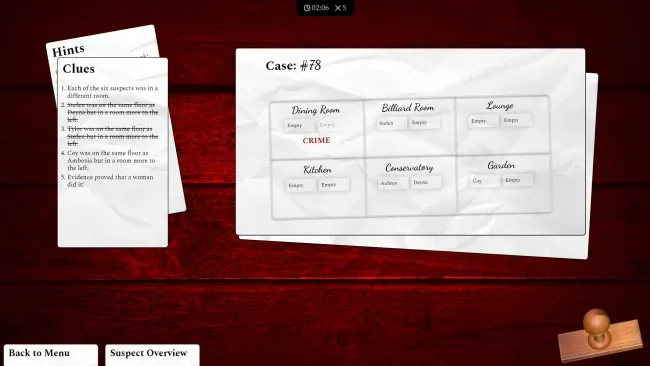
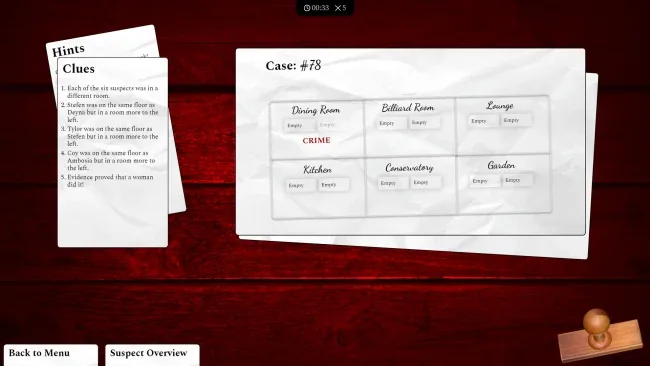
Every investigation presents suspect profiles and written clues that must be compared, cross-referenced, and gradually eliminated. Players assign people to the correct locations, using statements, relationships, and details from the case material to narrow down the solution before committing to an answer. Difficulty settings change the margin for error, so easier modes allow room to test theories while the toughest setting turns each wrong choice into a serious risk. Thirty separate cases provide the main progression, with completion statistics tracking solved mysteries and giving determined players a reason to return and improve their record.
What stands out is the focus on pure deduction: there are no reflex challenges or elaborate crime-scene minigames to distract from the puzzle itself. The cases are designed as individual logic problems, while atmospheric audio and a soundtrack give the reading-heavy format a little extra tension. Fans of clue-grid puzzles, escape-room reasoning, or the quieter investigative side of games such as The Case of the Golden Idol should appreciate its straightforward structure. Who Did It? suits newcomers who want accessible mysteries, but its stricter modes are best for players who enjoy proving every conclusion before they make their final accusation.
Screenshots
Installation
- Select the <strong>Download</strong> button at the top of this page to open UploadHaven.
- On UploadHaven, wait for any countdown, then select <strong>Free Download</strong>. Optional: UploadHaven Pro for faster downloads.
- When complete, extract the archive to a <strong>Who Did It?</strong> folder using 7-Zip.
- Open the extracted folder and start the game normally.
- For errors, check <strong>Setup Guide & Troubleshooting</strong> below. Keep your security software enabled.
System Requirements
- OS: Windows (64bit)
- Processor: 2 GHz dual core
- Memory: 1 GB RAM
- Graphics: Integrated Graphics or better
- Network: Broadband Internet connection
- Storage: 3 GB available space
- Sound Card: Basic audio interface (stereo or mono audio)
- Additional Notes: Screen resolutions of 720p and below are NOT supported!
Setup Guide & Troubleshooting
How do I fix missing DLL errors for Who Did It? (v1.0)?
After extracting Who Did It? (v1.0), navigate to the _Redist or _CommonRedist folder inside the game directory and install DirectX, Vcredist, and any other dependencies included.
What should I do if the downloaded file is corrupted?
The full archive is 1.07 GB — make sure your download completed fully before extracting. Use 7-Zip to extract the files. If you still see a "file corrupted" error, re-download and try again.
Why should I run the game as administrator?
Right-click the game executable and select "Run as Administrator" to avoid save file issues and permission errors. This is especially important on the first launch.
How do I update my GPU drivers for this game?
Who Did It? (v1.0) requires a Integrated Graphics or better or equivalent. Update your NVIDIA or AMD drivers to the latest version for the best performance.
The game won't launch — what should I try?
Try running in compatibility mode, install the latest DirectX runtime, or install the All-in-One VC Redist Package.
My antivirus is blocking the game — is it safe?
Antivirus false positives are common with pre-installed games. Temporarily pause your antivirus during extraction to prevent it from quarantining game files. You can re-enable it after the extraction completes.