
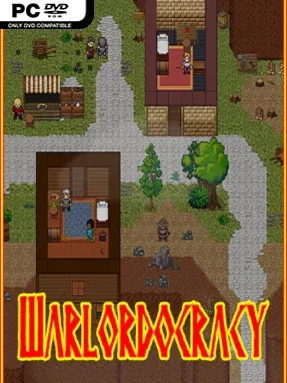
Game Overview
Warlordocracy is a ruthless party-based fantasy RPG built around the collapse of a republic and the opportunists fighting over its ashes. You begin in the cliffside town of Lockdell as one of Salvio “the Scorcher” Tevani’s unwilling recruits, caught in a campaign to reclaim the capital from a rival noble house. The setting is harsh, politically unstable, and populated by raiders, pirates, slavers, strange nonhuman tribes, and feuding aristocrats, giving every alliance an air of temporary convenience. Rather than presenting a clean hero’s journey, it asks whether survival is worth loyalty to any would-be ruler.
Control begins with a central group of up to five distinct characters, each carrying their own skills, views, and allegiances, while battlefield encounters can expand to include twenty additional henchmen. Five upgradeable skill paths open access to a broad collection of combat, social, magical, and crafting abilities, allowing a party to lean toward brute force, manipulation, utility, or a blend of all four. Chapters function as compact open-world regions with settlements to visit, dungeons to clear, quests to pursue, and several possible conclusions. Your party roster, equipment, and standing with factions persist between chapters, so theft, murder, favors, and betrayals create consequences that follow the campaign rather than vanishing after a single mission.
Freedom is the defining feature here: merchants can be robbed, allies can be killed, and the faction that recruits you can be abandoned if a better deal—or a personal grudge—demands it. That choice-driven structure gives the adventure a tabletop-RPG feel, especially when shifting reputations and surviving companions reshape later situations. A complete world editor also invites players to alter the existing campaign or build and share entirely new stories, extending its value beyond the main route. Warlordocracy suits players who enjoy the reactive party management of tactical RPGs and the moral messiness of games such as Fallout, but it is especially appealing to veterans who want to experiment with factions, outcomes, and custom scenarios.
Installation
- Click the green button below to be redirected to UploadHaven.
- Wait 15 seconds, then hit “Free Download.” (Free downloads may be slower — upgrade to UploadHaven Pro for faster speeds.)
- Once downloaded, right-click the .zip file and choose “Extract to Warlordocracy.” (You’ll need 7-Zip for this.)
- Open the extracted folder and run the game as administrator.
- Enjoy! 🎮 If you see missing DLL errors, check the <strong>_Redist</strong> folder inside and install what’s needed.
System Requirements
- OS *: Windows 7
- Processor: 2 GHz
- Memory: 2 MB RAM
- Graphics: NVIDIA GeForce 8000 or ATI Radeon HD 2000 (or better)
- DirectX: Version 7.1
- Storage: 1 GB available space
Setup Guide & Troubleshooting
How do I fix missing DLL errors for Warlordocracy (v13.1 & DLC)?
After extracting Warlordocracy (v13.1 & DLC), navigate to the _Redist or _CommonRedist folder inside the game directory and install DirectX, Vcredist, and any other dependencies included.
What should I do if the downloaded file is corrupted?
The full archive is 384.57 MB — make sure your download completed fully before extracting. Use 7-Zip to extract the files. If you still see a "file corrupted" error, re-download and try again.
Why should I run the game as administrator?
Right-click the game executable and select "Run as Administrator" to avoid save file issues and permission errors. This is especially important on the first launch.
How do I update my GPU drivers for this game?
Warlordocracy (v13.1 & DLC) requires a NVIDIA GeForce 8000 or ATI Radeon HD 2000 (or better) or equivalent. Update your NVIDIA or AMD drivers to the latest version for the best performance.
The game won't launch — what should I try?
This game requires Version 7.1. Try running in compatibility mode, install the latest DirectX runtime, or install the All-in-One VC Redist Package.
My antivirus is blocking the game — is it safe?
Antivirus false positives are common with pre-installed games. Temporarily pause your antivirus during extraction to prevent it from quarantining game files. You can re-enable it after the extraction completes.