
Game Overview
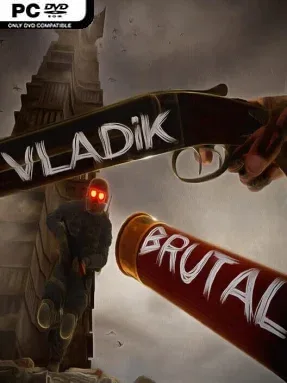
A decaying Eastern European police state provides the grim backdrop for VLADiK BRUTAL, a single-player first-person shooter built around violent resistance and oppressive industrial spaces. You play through a fictional dictatorship where surveillance chips, numbered uniforms, prison labor, and a paranoid ruler keep the population under control. The regime’s research complex turns captives into tools for its enforcers, giving the campaign a bleak, deliberately exaggerated dystopian tone. It is an unapologetically rough-edged action game that favors blood, chaos, and hostile environments over subtlety.
Gunfights drive the experience, with a dozen weapons offering different ways to clear soldiers, experiments, and other dangerous opponents while allies occasionally share the battlefield. Combat emphasizes a brutal damage model, so enemies react visibly to punishment and encounters carry more impact than simple target practice. Progression moves through directed, hand-built locations rather than an open world, but side rooms, hidden details, environmental puzzles, and secrets reward players who check every corridor. Expect a linear campaign structure with bursts of exploration between firefights, as well as occasional technical roughness and uneven polish consistent with a project made by one developer.
What makes VLADiK BRUTAL interesting is its willingness to pair old-school shooter sensibilities with a distinctly post-Soviet visual identity: concrete facilities, militarized streets, bleak institutions, and absurdly sinister state machinery create a setting few FPS games use this directly. The game does not chase the smooth spectacle of a major-budget military shooter; its appeal lies in its handmade atmosphere, strange plot turns, hidden easter eggs, and bluntly satisfying shooting. Fans of indie shooters in the vein of classic Doom-inspired campaigns, especially players who enjoy scavenging for secrets amid a dark political nightmare, are the natural audience. Newcomers can enjoy its straightforward action, while veterans who can forgive bugs and budget limitations are more likely to appreciate its personality.
Installation
- Click the green button below to be redirected to UploadHaven.
- Wait 15 seconds, then hit “Free Download.” (Free downloads may be slower — upgrade to UploadHaven Pro for faster speeds.)
- Once downloaded, right-click the .zip file and choose “Extract to VLADiK BRUTAL.” (You’ll need 7-Zip for this.)
- Open the extracted folder and run the game as administrator.
- Enjoy! 🎮 If you see missing DLL errors, check the <strong>_Redist</strong> folder inside and install what’s needed.
System Requirements
- OS *: Windows 7/8/10/11
- Processor: Quad-Core Intel or AMD, 1.5 GHz or faster
- Memory: 4 GB RAM
- Graphics: NVIDIA GeForce MX150
- DirectX: Version 11
- Storage: 14 GB available space
- Sound Card: DirectX Compatible Sound Card with latest drivers
- Additional Notes: It is advisable to use ssd
Setup Guide & Troubleshooting
How do I fix missing DLL errors for VLADiK BRUTAL (v1.0.2.3)?
After extracting VLADiK BRUTAL (v1.0.2.3), navigate to the _Redist or _CommonRedist folder inside the game directory and install DirectX, Vcredist, and any other dependencies included.
What should I do if the downloaded file is corrupted?
The full archive is 13.33 GB — make sure your download completed fully before extracting. Use 7-Zip to extract the files. If you still see a "file corrupted" error, re-download and try again.
Why should I run the game as administrator?
Right-click the game executable and select "Run as Administrator" to avoid save file issues and permission errors. This is especially important on the first launch.
How do I update my GPU drivers for this game?
VLADiK BRUTAL (v1.0.2.3) requires a NVIDIA GeForce MX150 or equivalent. Update your NVIDIA or AMD drivers to the latest version for the best performance.
The game won't launch — what should I try?
This game requires Version 11. Try running in compatibility mode, install the latest DirectX runtime, or install the All-in-One VC Redist Package.
My antivirus is blocking the game — is it safe?
Antivirus false positives are common with pre-installed games. Temporarily pause your antivirus during extraction to prevent it from quarantining game files. You can re-enable it after the extraction completes.