
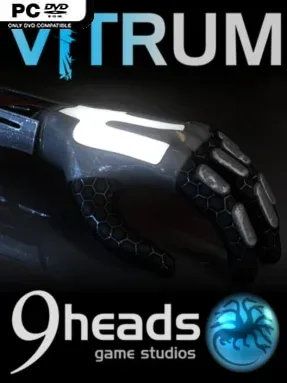
Game Overview
A silent desert laboratory becomes a physics playground where an energy-harvesting android learns to manipulate the environment one crystal at a time. Vitrum is a first-person puzzle platformer built around colored crystal energy, with each new power changing how you read a room and approach its obstacles. Its clean sci-fi setting feels isolated rather than threatening, putting the emphasis on experimentation, spatial awareness, and the satisfaction of finding an unexpected route through a chamber. The central attraction is gravity control: floors, walls, and ceilings can all become potential paths when the right energy is in your hands.
Each stage asks you to locate useful crystals, absorb their energy, and apply the resulting abilities to reach an exit. Powers include reversing gravity, creating temporary crystal platforms, and launching the android into unusually high jumps, while hazardous crystals force more careful movement and planning. Because energy can be held in both hands, later puzzles encourage combining abilities instead of relying on a single obvious trick; a platform might need to be created before gravity is flipped, for example. More than 45 stages provide a steady ramp from simple tutorials to demanding spatial tests, and collectible shards unlock the tougher Insane levels for players who want stricter challenges.
Vitrum stands out through its freeform approach to gravity inversion, which makes it feel less like a conventional corridor puzzle game and more like navigating a small 3D maze with constantly shifting orientation. The visual design uses bold crystal colors to communicate functions clearly, though players still need to learn through trial, observation, and a few failed jumps. A built-in stage editor also gives puzzle-minded players room to construct and share their own obstacle courses, extending the value beyond the main set of levels. Fans of Portal-style first-person problem solving, Antichamber’s spatial confusion, or straightforward indie platform challenges should find plenty to enjoy, especially if they prefer clever mechanics over story-heavy presentation.
Installation
- Click the green button below to be redirected to UploadHaven.
- Wait 15 seconds, then hit “Free Download.” (Free downloads may be slower — upgrade to UploadHaven Pro for faster speeds.)
- Once downloaded, right-click the .zip file and choose “Extract to Vitrum.” (You’ll need 7-Zip for this.)
- Open the extracted folder and run the game as administrator.
- Enjoy! 🎮 If you see missing DLL errors, check the <strong>_Redist</strong> folder inside and install what’s needed.
System Requirements
- OS: XP/Vista/7/8
- Processor: 2.0+ GHz (dual core recommended);
- Memory: 2 GB RAM
- Graphics: ATI Radeon HD 2000+, nVidia GeForce FX 6 series
- Storage: 214 MB available space
Setup Guide & Troubleshooting
How do I fix missing DLL errors for Vitrum?
After extracting Vitrum, navigate to the _Redist or _CommonRedist folder inside the game directory and install DirectX, Vcredist, and any other dependencies included.
What should I do if the downloaded file is corrupted?
The full archive is 265.79 MB — make sure your download completed fully before extracting. Use 7-Zip to extract the files. If you still see a "file corrupted" error, re-download and try again.
Why should I run the game as administrator?
Right-click the game executable and select "Run as Administrator" to avoid save file issues and permission errors. This is especially important on the first launch.
How do I update my GPU drivers for this game?
Vitrum requires a ATI Radeon HD 2000+, nVidia GeForce FX 6 series or equivalent. Update your NVIDIA or AMD drivers to the latest version for the best performance.
The game won't launch — what should I try?
Try running in compatibility mode, install the latest DirectX runtime, or install the All-in-One VC Redist Package.
My antivirus is blocking the game — is it safe?
Antivirus false positives are common with pre-installed games. Temporarily pause your antivirus during extraction to prevent it from quarantining game files. You can re-enable it after the extraction completes.