
Game Overview
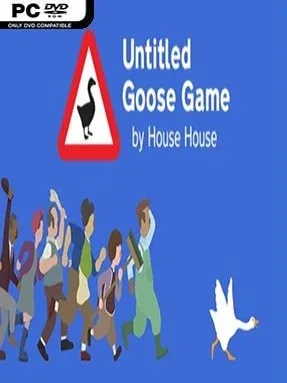
A quiet English village becomes a playground for petty chaos when one determined waterfowl decides everyone else’s to-do list is a personal challenge. Untitled Goose Game is a mischievous stealth sandbox built around being an unapologetically awful goose: you honk, steal, drag objects around, and engineer small disasters for people who only want to garden, shop, or enjoy their lunch. Its humor is gentle rather than cruel, with hand-drawn scenery and lively piano cues that turn every successful prank into a miniature silent-film gag. The result is a relaxed, charming puzzle adventure where the greatest reward is watching a carefully arranged nuisance unfold exactly as planned.
Each area gives you a handwritten list of disruptive objectives, such as making a groundskeeper wear a sunhat, locking someone out of a garden, or swiping items for an improvised collection. You move through spaces from an isometric view, using the goose’s beak to carry objects, its wings to attract attention, and an essential honk to distract, irritate, or lure villagers into position. Most challenges rely on observation and timing rather than reflexes; residents follow believable routines, and their reactions create opportunities for clever setups. Progress unlocks new sections of the village, while optional tasks and alternate solutions encourage revisiting familiar locations with a more inventive mindset.
What makes the prankster fantasy work is how physical every joke feels: a rake placed in the right spot, a radio hidden out of reach, or a stolen slipper can trigger an entire chain of escalating confusion. Villagers are expressive without much dialogue, and the adaptive piano soundtrack speeds up as someone chases you, making even a failed escape amusing. It is primarily a short solo experience, but its compact runtime suits an evening of playful experimentation far better than a long grind. Fans of Hitman’s environmental mischief, Katamari Damacy’s oddball charm, or light puzzle games will find plenty to enjoy, and newcomers can jump in easily thanks to its simple controls and forgiving tone.
Installation
- Click the green button below to be redirected to UploadHaven.
- Wait 15 seconds, then hit “Free Download.” (Free downloads may be slower — upgrade to UploadHaven Pro for faster speeds.)
- Once downloaded, right-click the .zip file and choose “Extract to Untitled Goose Game.” (You’ll need 7-Zip for this.)
- Open the extracted folder and run the game as administrator.
- Enjoy! 🎮 If you see missing DLL errors, check the <strong>_Redist</strong> folder inside and install what’s needed.
System Requirements
- OS: Windows
- Storage: 399.85 MB available space
- License: Free
Setup Guide & Troubleshooting
How do I fix missing DLL errors for Untitled Goose Game (v1.1.4)?
After extracting Untitled Goose Game (v1.1.4), navigate to the _Redist or _CommonRedist folder inside the game directory and install DirectX, Vcredist, and any other dependencies included.
What should I do if the downloaded file is corrupted?
The full archive is 399.85 MB — make sure your download completed fully before extracting. Use 7-Zip to extract the files. If you still see a "file corrupted" error, re-download and try again.
Why should I run the game as administrator?
Right-click the game executable and select "Run as Administrator" to avoid save file issues and permission errors. This is especially important on the first launch.
How do I update my GPU drivers for this game?
Update your NVIDIA or AMD drivers to the latest version for the best performance and compatibility.
The game won't launch — what should I try?
Try running in compatibility mode, install the latest DirectX runtime, or install the All-in-One VC Redist Package.
My antivirus is blocking the game — is it safe?
Antivirus false positives are common with pre-installed games. Temporarily pause your antivirus during extraction to prevent it from quarantining game files. You can re-enable it after the extraction completes.