
Game Overview
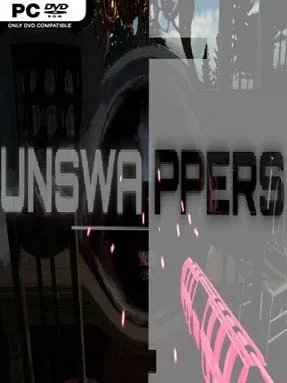
Reality is already broken when each assignment begins, but the people trapped inside it have no idea anything is wrong. Unswappers is a tense indie anomaly-hunting game that casts you as an operative for an organization working beyond normal time, dispatched to seal dangerous Reality Rifts before they grow into universe-ending disasters. Every mission takes place in a frozen setting where ordinary life hangs motionless, creating an eerie contrast with the impossible details beginning to bleed into the scene. Its tone leans more toward observation and mounting pressure than action spectacle: you are a detective with a very limited margin for error.
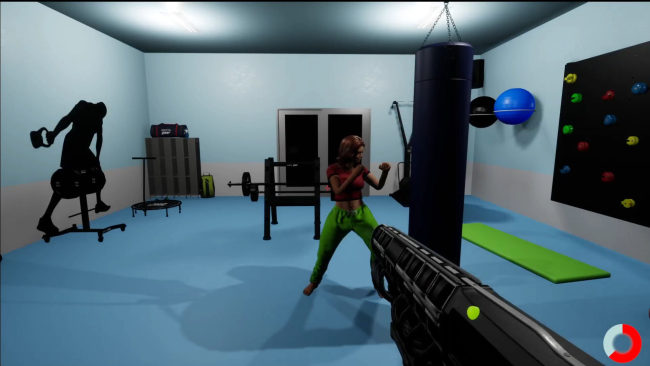
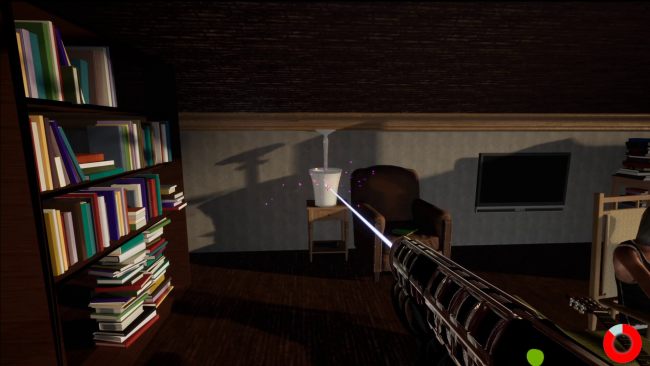
Assignments start with a one-minute inspection period, giving you time to study the environment and build a mental picture of what belongs there. Once the Rift starts manifesting, objects, details, or elements of the scene become “Swaps,” and you must identify them quickly before using the AAV, an anomaly-removal device, to set reality straight. The catch is that firing at anything that is not an actual anomaly counts as a mistake, and three bad calls trigger a catastrophic failure. Meanwhile, unresolved Swaps pile up and push the Rift closer to opening completely, so success depends on sharp visual memory, careful scanning, and the ability to make quick decisions under pressure.
Rather than asking you to fight monsters or rewrite events, Unswappers makes restraint part of the challenge: each scenario tells a story, yet the agent’s job is to repair the disturbance without meddling in the lives around it. That premise gives its timed hidden-object structure a stronger sense of place than a simple spot-the-difference puzzle, especially when the familiar environment starts feeling subtly untrustworthy. Players who enjoy observation-driven games, escape-room logic, and the escalating stress of anomaly titles such as The Exit 8 are likely to appreciate its focused mission design. It suits newcomers because the central rule is easy to grasp, but perfectionists and fast visual readers get the most from mastering its risk-reward rhythm.
Installation
- Click the green button below to be redirected to UploadHaven.
- Wait 15 seconds, then hit “Free Download.” (Free downloads may be slower — upgrade to UploadHaven Pro for faster speeds.)
- Once downloaded, right-click the .zip file and choose “Extract to Unswappers.” (You’ll need 7-Zip for this.)
- Open the extracted folder and run the game as administrator.
- Enjoy! 🎮 If you see missing DLL errors, check the <strong>_Redist</strong> folder inside and install what’s needed.
System Requirements
- Requires a 64-bit processor and operating system
- OS: Windows 10 or later (64-Bit)
- Processor: Intel Core i5 2.8 GHz
- Memory: 8 GB RAM
- Graphics: Dedicated graphics card, GTX 770 2GB
- DirectX: Version 12
- Storage: 5 GB available space
Setup Guide & Troubleshooting
How do I fix missing DLL errors for Unswappers (v1.0)?
After extracting Unswappers (v1.0), navigate to the _Redist or _CommonRedist folder inside the game directory and install DirectX, Vcredist, and any other dependencies included.
What should I do if the downloaded file is corrupted?
The full archive is 1.72 GB — make sure your download completed fully before extracting. Use 7-Zip to extract the files. If you still see a "file corrupted" error, re-download and try again.
Why should I run the game as administrator?
Right-click the game executable and select "Run as Administrator" to avoid save file issues and permission errors. This is especially important on the first launch.
How do I update my GPU drivers for this game?
Unswappers (v1.0) requires a Dedicated graphics card, GTX 770 2GB or equivalent. Update your NVIDIA or AMD drivers to the latest version for the best performance.
The game won't launch — what should I try?
This game requires Version 12. Try running in compatibility mode, install the latest DirectX runtime, or install the All-in-One VC Redist Package.
My antivirus is blocking the game — is it safe?
Antivirus false positives are common with pre-installed games. Temporarily pause your antivirus during extraction to prevent it from quarantining game files. You can re-enable it after the extraction completes.