
Game Overview
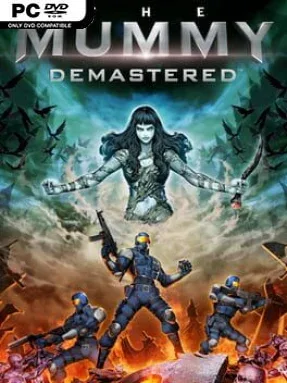
London’s ruined streets, flooded sewers, ancient tombs, and military facilities become a hostile labyrinth in this sharp 16-bit-style action adventure. The Mummy Demastered turns a movie tie-in into a surprisingly confident Metroidvania, casting you as a Prodigium operative sent to stop Princess Ahmanet and recover a missing squad. Its mood is grim without losing the colorful energy of classic cartridge-era shooters, pairing grotesque undead monsters with moody pixel-art environments and a driving chiptune score. Expect a fast, tense campaign built around surviving an escalating supernatural outbreak rather than simply retracing the film’s plot.
Combat revolves around responsive run-and-gun shooting, with pistols, assault rifles, shotguns, grenades, flamethrowers, and other tools gradually expanding your options. Connected areas reward careful backtracking as new weapons and upgrades open blocked routes, while health increases, armor, and strange relics make deeper expeditions more manageable. Death carries an especially clever penalty: your fallen agent returns as an armed undead enemy, and a replacement operative must hunt that former character down to reclaim the lost equipment. Boss battles, swarming enemies, environmental hazards, and 50 hidden relics keep the exploration loop demanding, though the overall structure remains accessible for players familiar with side-scrolling action games.
WayForward’s strongest idea is how it treats failure as part of the adventure rather than a simple restart screen. The corpse-recovery system adds real pressure to each risky push into unexplored territory, especially when valuable gear is on the line, while the world remains compact enough that backtracking rarely feels aimless. Its pixel visuals evoke the Super Nintendo and Game Boy Advance era without becoming a mere nostalgia exercise, and the enemy designs sell the cursed, monster-filled setting. Fans of Metroid, Castlevania: Symphony of the Night, and Contra-style shooting find plenty to enjoy, while newcomers get a focused, approachable introduction to the genre.
Installation
- Click the green button below to be redirected to UploadHaven.
- Wait 15 seconds, then hit “Free Download.” (Free downloads may be slower — upgrade to UploadHaven Pro for faster speeds.)
- Once downloaded, right-click the .zip file and choose “Extract to The Mummy Demastered.” (You’ll need 7-Zip for this.)
- Open the extracted folder and run the game as administrator.
- Enjoy! 🎮 If you see missing DLL errors, check the <strong>_Redist</strong> folder inside and install what’s needed.
System Requirements
- OS: Windows 7 SP1 or later
- Processor: Intel Core 2 Quad @2.33 GHz or equivalent
- Memory: 4 GB RAM
- Graphics: NVIDIA GeForce GTS 450 or ATI Radeon HD 5700 Series or higher
- DirectX: Version 11
- Storage: 500 MB available space
Setup Guide & Troubleshooting
How do I fix missing DLL errors for The Mummy Demastered (v1.02)?
After extracting The Mummy Demastered (v1.02), navigate to the _Redist or _CommonRedist folder inside the game directory and install DirectX, Vcredist, and any other dependencies included.
What should I do if the downloaded file is corrupted?
The full archive is 209.54 MB — make sure your download completed fully before extracting. Use 7-Zip to extract the files. If you still see a "file corrupted" error, re-download and try again.
Why should I run the game as administrator?
Right-click the game executable and select "Run as Administrator" to avoid save file issues and permission errors. This is especially important on the first launch.
How do I update my GPU drivers for this game?
The Mummy Demastered (v1.02) requires a NVIDIA GeForce GTS 450 or ATI Radeon HD 5700 Series or higher or equivalent. Update your NVIDIA or AMD drivers to the latest version for the best performance.
The game won't launch — what should I try?
This game requires Version 11. Try running in compatibility mode, install the latest DirectX runtime, or install the All-in-One VC Redist Package.
My antivirus is blocking the game — is it safe?
Antivirus false positives are common with pre-installed games. Temporarily pause your antivirus during extraction to prevent it from quarantining game files. You can re-enable it after the extraction completes.