
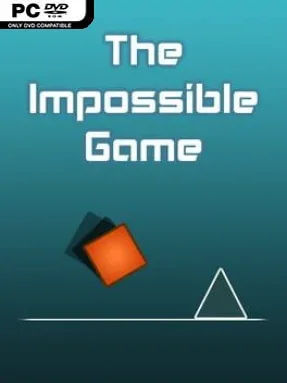
Game Overview
An orange square, a relentless forward scroll, and a wall of precisely placed hazards create one of PC gaming’s purest tests of timing. The Impossible Game is a stripped-back rhythm platformer in which every spike, ledge, and gap demands an exact jump, while failure instantly sends you back to the start or your latest practice marker. Its clean geometric visuals keep the focus on the challenge, but the energetic electronic soundtrack gives each attempt a satisfying pulse. The mood is deliberately unforgiving, yet its fast restarts turn frustration into the familiar urge to try one more run.
Control is limited to jumping, but that simplicity hides demanding level knowledge and muscle-memory execution. Your square moves automatically, so success comes from reading patterns ahead, learning the rhythm of obstacles, and committing to jumps with almost no room for hesitation. Practice Mode lets players place checkpoints to dissect difficult sections before attempting a full uninterrupted clear, while normal runs demand consistency from beginning to end. Medals and achievements add extra goals, including clean completions that avoid using checkpoint flags, giving dedicated players reasons to revisit every course.
What makes it memorable is how much tension it builds from such minimal ingredients: there are no weapons, upgrades, or elaborate systems to hide behind, only your timing against the level design. The soundtrack is closely matched to each stage’s pace, making the experience feel like an early, more punishing cousin to Geometry Dash. Five core levels provide a focused campaign, while the included editor expands the package by allowing players to build brutal custom stages and share challenges online. It suits rhythm-platform veterans and score-chasers best, though newcomers who enjoy hard games with immediate retries can quickly understand why its simple square becomes so addictive.
Installation
- Click the green button below to be redirected to UploadHaven.
- Wait 15 seconds, then hit “Free Download.” (Free downloads may be slower — upgrade to UploadHaven Pro for faster speeds.)
- Once downloaded, right-click the .zip file and choose “Extract to The Impossible Game.” (You’ll need 7-Zip for this.)
- Open the extracted folder and run the game as administrator.
- Enjoy! 🎮 If you see missing DLL errors, check the <strong>_Redist</strong> folder inside and install what’s needed.
System Requirements
- OS: Windows Vista
- Processor: 2 GHz
- Memory: 2 GB RAM
- Graphics: OpenGL 2.0 support
- Storage: 150 MB available space
Setup Guide & Troubleshooting
How do I fix missing DLL errors for The Impossible Game?
After extracting The Impossible Game, navigate to the _Redist or _CommonRedist folder inside the game directory and install DirectX, Vcredist, and any other dependencies included.
What should I do if the downloaded file is corrupted?
The full archive is 65.05 MB — make sure your download completed fully before extracting. Use 7-Zip to extract the files. If you still see a "file corrupted" error, re-download and try again.
Why should I run the game as administrator?
Right-click the game executable and select "Run as Administrator" to avoid save file issues and permission errors. This is especially important on the first launch.
How do I update my GPU drivers for this game?
The Impossible Game requires a OpenGL 2.0 support or equivalent. Update your NVIDIA or AMD drivers to the latest version for the best performance.
The game won't launch — what should I try?
Try running in compatibility mode, install the latest DirectX runtime, or install the All-in-One VC Redist Package.
My antivirus is blocking the game — is it safe?
Antivirus false positives are common with pre-installed games. Temporarily pause your antivirus during extraction to prevent it from quarantining game files. You can re-enable it after the extraction completes.