
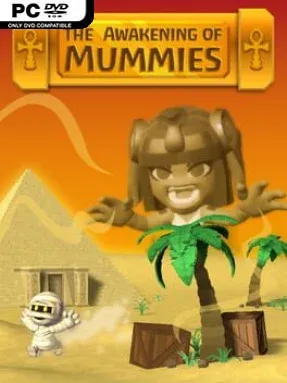
The Awakening of Mummies Cover Art

The Awakening of Mummies

INDIE 167.98 MB v1.2.0

Game Overview

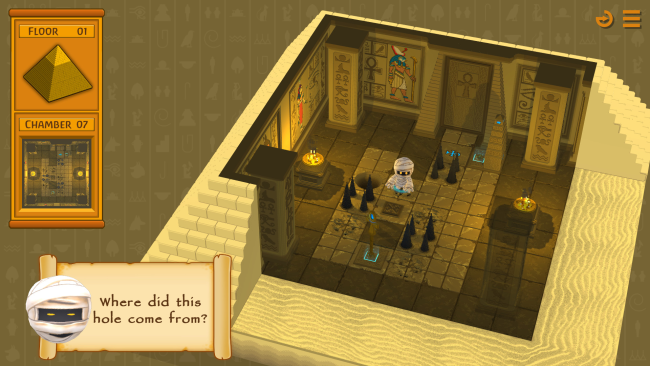
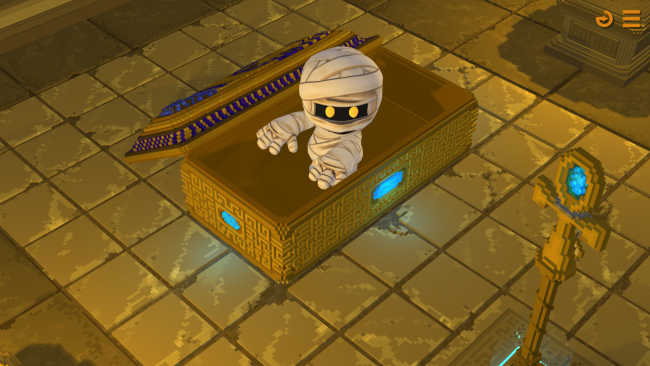
A cursed pharaoh holds a band of mummies captive, and every escape attempt becomes a compact exercise in planning several moves ahead. The Awakening of Mummies is a grid-based indie puzzle game built around guiding an entire group through hazardous tomb chambers rather than shepherding one hero at a time. Its ancient-Egyptian setting stays playful rather than frightening, but the pressure comes from knowing that one careless instruction can send an undead traveller into a fatal pit or a wall of spears.

Each directional input moves the whole mummy group at once, forcing you to account for every character’s position before committing. The usual goal is to route each mummy toward the staff matching its color, then bring it to the appropriate totem so the exit portal becomes available. Chambers introduce holes, spear traps, fragile-looking floor sections, slowing mud, and magical mist that demands you secure a crown before attempting to cross safely. Early rooms teach these rules clearly, while later puzzles turn spacing, timing, and the order in which you collect items into the real challenge.

The shared-control mechanic gives the game the clean, demanding logic of Sokoban-style puzzlers, although the focus is on synchronized movement and color-coded objectives instead of pushing crates. Mud is especially useful because a slowdown can separate the group’s timing and create routes that initially seem impossible, while dangerous terrain prevents solutions from being reduced to simple trial and error. The Awakening of Mummies suits players who enjoy short, self-contained brainteasers with restart-friendly rooms and steadily tougher layouts. Puzzle veterans looking for elegant multi-character problems should find the central idea rewarding, while newcomers can appreciate the straightforward controls before the tombs begin asking for sharper planning.

Installation

  1. Click the green button below to be redirected to UploadHaven.
  2. Wait 15 seconds, then hit “Free Download.” (Free downloads may be slower — upgrade to UploadHaven Pro for faster speeds.)
  3. Once downloaded, right-click the .zip file and choose “Extract to The Awakening of Mummies.” (You’ll need 7-Zip for this.)
  4. Open the extracted folder and run the game as administrator.
  5. Enjoy! 🎮 If you see missing DLL errors, check the <strong>_Redist</strong> folder inside and install what’s needed.

System Requirements

  • Requires a 64-bit processor and operating system
  • OS: Windows 7 SP1+
  • Processor: 2 Ghz Dual Core
  • Memory: 2 MB RAM
  • Graphics: Graphics card supporting DirectX 9.0c
  • DirectX: Version 9.0
  • Storage: 1 GB available space
  • Sound Card: Any
  • Additional Notes: Requires a 64-bit processor and operating system

Setup Guide & Troubleshooting

How do I fix missing DLL errors for The Awakening of Mummies (v1.2.0)?

After extracting The Awakening of Mummies (v1.2.0), navigate to the _Redist or _CommonRedist folder inside the game directory and install DirectX, Vcredist, and any other dependencies included.

What should I do if the downloaded file is corrupted?

The full archive is 167.98 MB — make sure your download completed fully before extracting. Use 7-Zip to extract the files. If you still see a "file corrupted" error, re-download and try again.

Why should I run the game as administrator?

Right-click the game executable and select "Run as Administrator" to avoid save file issues and permission errors. This is especially important on the first launch.

How do I update my GPU drivers for this game?

The Awakening of Mummies (v1.2.0) requires a Graphics card supporting DirectX 9.0c or equivalent. Update your NVIDIA or AMD drivers to the latest version for the best performance.

The game won't launch — what should I try?

This game requires Version 9.0. Try running in compatibility mode, install the latest DirectX runtime, or install the All-in-One VC Redist Package.

My antivirus is blocking the game — is it safe?

Antivirus false positives are common with pre-installed games. Temporarily pause your antivirus during extraction to prevent it from quarantining game files. You can re-enable it after the extraction completes.

Need more help? Browse our FAQ & Troubleshooting Guide for solutions to common issues.
Looking for something else? Explore all games on Steam Unlocked