
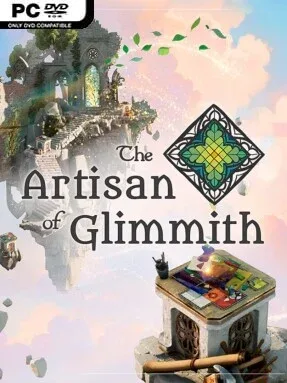
Game Overview
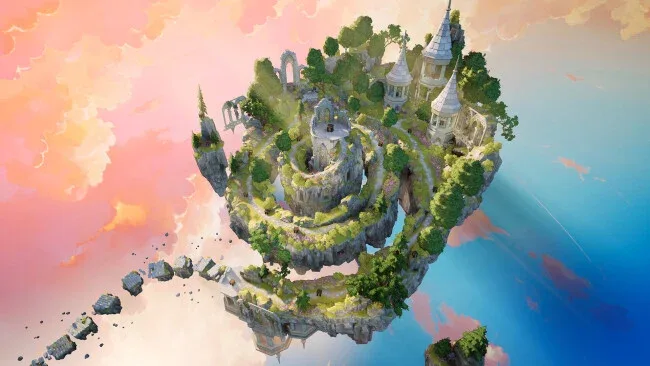
A kingdom suspended above the clouds needs more than a hero with a sword: it needs an artist who can put broken beauty back together. The Artisan of Glimmith is a thoughtful indie puzzle adventure built around the unusual craft of stained-glass restoration, sending you through a peaceful hamlet, a magical wood, and a melancholy castle under the direction of an unknown patron. Its atmosphere is gentle and storybook-like, but the puzzles demand concentration rather than casual clicking. Color, shape, and placement become the tools with which you gradually restore a faded realm.
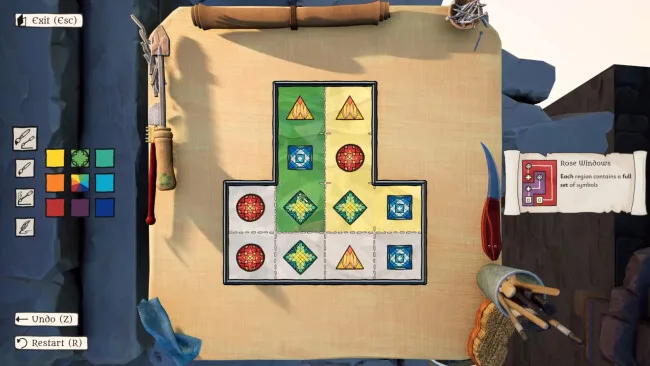
Each puzzle asks you to cut, color, and connect glass pieces while obeying specific logical restrictions, often allowing creative freedom in one area while tightly controlling another. More than 20 rule variations steadily expand the challenge, so solutions depend on carefully reading the board, spotting relationships between pieces, and applying techniques learned in earlier locations. Hidden routes and optional secrets encourage close observation of each environment instead of treating the journey as a straight sequence of isolated brainteasers. Difficulty builds toward demanding endgame challenges that test whether you truly understand every major system, making progress feel earned without turning the game into an action reflex test.
What makes Glimmith memorable is how naturally it combines a tactile-looking artistic process with the disciplined logic of a handcrafted puzzle game. The freedom to choose colors gives many challenges an expressive layer, while the underlying rules prevent that freedom from becoming arbitrary; it feels closer to solving a visual logic grid than simply completing a coloring book. An included level editor also gives dedicated players room to build and share their own stained-glass challenges after the main journey ends. Fans of elegant, rule-driven puzzlers such as Patrick’s Parabox or The Witness, especially those who prefer a warmer and more handcrafted fantasy setting, should find plenty to enjoy, while newcomers can ease in through its gradually introduced mechanics.
Screenshots
Installation
- Select the <strong>Download</strong> button at the top of this page to open UploadHaven.
- On UploadHaven, wait for any countdown, then select <strong>Free Download</strong>. Optional: UploadHaven Pro for faster downloads.
- When complete, extract the archive to a <strong>The Artisan of Glimmith</strong> folder using 7-Zip.
- Open the extracted folder and start the game normally.
- For errors, check <strong>Setup Guide & Troubleshooting</strong> below. Keep your security software enabled.
System Requirements
- OS *: Windows 7
- Processor: Intel Core i3-8100 or i5-6600, AMD Ryzen 3 1300X
- Memory: 4 GB RAM
- Graphics: NVidia GTX 970 or 1050 Ti, AMD Radeon Pro 570, or a recent integrated GPU (e.g. Ryzen with Radeon Graphics)
- DirectX: Version 11
- Storage: 2 GB available space
Setup Guide & Troubleshooting
How do I fix missing DLL errors for The Artisan of Glimmith (v2026.04.04)?
After extracting The Artisan of Glimmith (v2026.04.04), navigate to the _Redist or _CommonRedist folder inside the game directory and install DirectX, Vcredist, and any other dependencies included.
What should I do if the downloaded file is corrupted?
The full archive is 0.96 GB — make sure your download completed fully before extracting. Use 7-Zip to extract the files. If you still see a "file corrupted" error, re-download and try again.
Why should I run the game as administrator?
Right-click the game executable and select "Run as Administrator" to avoid save file issues and permission errors. This is especially important on the first launch.
How do I update my GPU drivers for this game?
The Artisan of Glimmith (v2026.04.04) requires a NVidia GTX 970 or 1050 Ti, AMD Radeon Pro 570, or a recent integrated GPU (e.g. Ryzen with Radeon Graphics) or equivalent. Update your NVIDIA or AMD drivers to the latest version for the best performance.
The game won't launch — what should I try?
This game requires Version 11. Try running in compatibility mode, install the latest DirectX runtime, or install the All-in-One VC Redist Package.
My antivirus is blocking the game — is it safe?
Antivirus false positives are common with pre-installed games. Temporarily pause your antivirus during extraction to prevent it from quarantining game files. You can re-enable it after the extraction completes.