
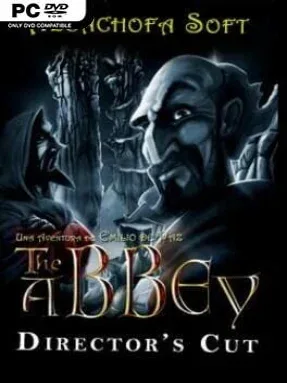
The Abbey – Director’s Cut Cover Art

The Abbey – Director’s Cut

INDIE 5.27 GB

Game Overview

A murder at an isolated medieval monastery turns a quiet scholarly visit into a tense investigation shaped by superstition, political suspicion, and real danger. You play Fray Leonardo de Toledo, a former imperial adviser whose sharp mind makes him the abbey’s best hope after its gatekeeper dies under troubling circumstances. Strange events in the library and an attempted assassination quickly suggest that someone is determined to keep the truth buried. The Abbey – Director’s Cut delivers an old-school point-and-click mystery with a serious, atmospheric tone rather than a comedy adventure’s playful irreverence.

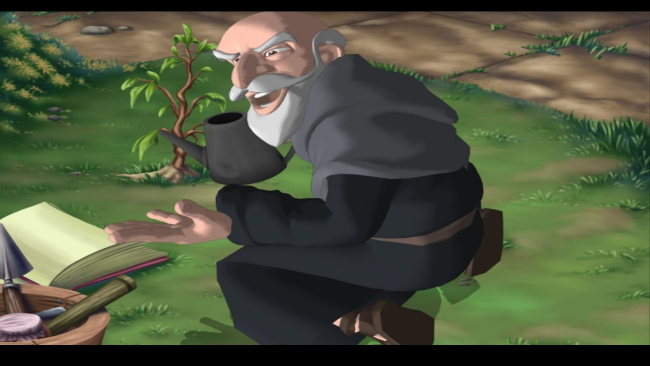
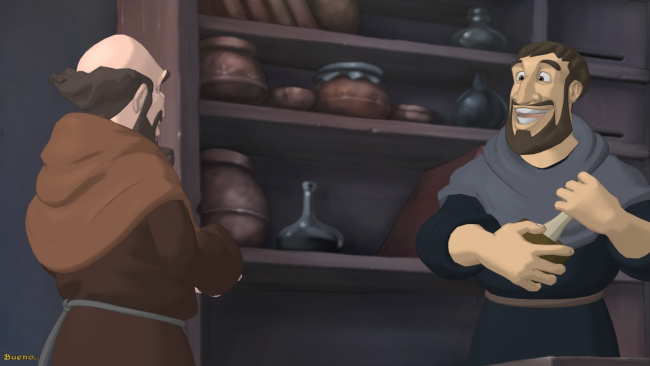
Most of the time is spent questioning monks, examining hand-painted locations, collecting evidence, and combining objects or information to open the next lead. Puzzles range from inventory-based problems to logic challenges tied directly to the monastery’s secrets, so progress feels like detective work instead of a disconnected series of obstacles. The Director’s Cut improves the original’s flow with faster movement, a convenient map shortcut, revised dialogue, added scenes, and more freedom in the order you pursue certain threads. Solving puzzles uncovers clues that can alter available story options, while a completion score tracks how much of the case you have truly uncovered and rewards thorough players with an additional scene.

Its strongest feature is the setting: the remote abbey feels claustrophobic and hostile, with its rocky surroundings, shadowed corridors, religious imagery, and whispered fears creating a distinctly European historical-thriller mood. Polished backgrounds, additional characters, refreshed sound work, and improved animation give this edition more presence than the 2008 release, even if its interface and puzzle design still carry the deliberate pace of classic adventures. Fans of The Name of the Rose, Broken Sword, or traditional LucasArts-era investigation games should find plenty to enjoy in its clue-driven structure. Newcomers who can accept occasional adventure-game trial and error get a compact mystery with multiple investigative paths and a satisfyingly grim atmosphere.

Installation

  1. Click the green button below to be redirected to UploadHaven.
  2. Wait 15 seconds, then hit “Free Download.” (Free downloads may be slower — upgrade to UploadHaven Pro for faster speeds.)
  3. Once downloaded, right-click the .zip file and choose “Extract to The Abbey - Director's Cut.” (You’ll need 7-Zip for this.)
  4. Open the extracted folder and run the game as administrator.
  5. Enjoy! 🎮 If you see missing DLL errors, check the <strong>_Redist</strong> folder inside and install what’s needed.

System Requirements

  • OS: Windows XP
  • Processor: 1.4 GHz
  • Memory: 512 MB RAM
  • Graphics: 128 MB GeForce 4 / Radeon 9500
  • Storage: 8 GB available space

Setup Guide & Troubleshooting

How do I fix missing DLL errors for The Abbey – Director’s Cut?

After extracting The Abbey – Director’s Cut, navigate to the _Redist or _CommonRedist folder inside the game directory and install DirectX, Vcredist, and any other dependencies included.

What should I do if the downloaded file is corrupted?

The full archive is 5.27 GB — make sure your download completed fully before extracting. Use 7-Zip to extract the files. If you still see a "file corrupted" error, re-download and try again.

Why should I run the game as administrator?

Right-click the game executable and select "Run as Administrator" to avoid save file issues and permission errors. This is especially important on the first launch.

How do I update my GPU drivers for this game?

The Abbey – Director’s Cut requires a 128 MB GeForce 4 / Radeon 9500 or equivalent. Update your NVIDIA or AMD drivers to the latest version for the best performance.

The game won't launch — what should I try?

Try running in compatibility mode, install the latest DirectX runtime, or install the All-in-One VC Redist Package.

My antivirus is blocking the game — is it safe?

Antivirus false positives are common with pre-installed games. Temporarily pause your antivirus during extraction to prevent it from quarantining game files. You can re-enable it after the extraction completes.

Need more help? Browse our FAQ & Troubleshooting Guide for solutions to common issues.
Looking for something else? Explore all games on Steam Unlocked