
Game Overview
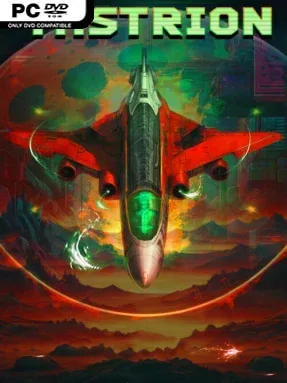
A rogue planet, hollowed out by a civilization-ending genetic weapon, becomes the battlefield for a desperate last stand. Tastrion is a fast, hostile side-scrolling shoot ’em up that channels the hard-edged energy of 1990s space shooters, with grotesque infestation imagery, industrial sci-fi environments, and a dark-synth soundtrack driving every encounter. You pilot the Desolazor, a gunship launched from the Ginsaria 9 colony to stop the Tastrion mutagen before its corruption reaches the rest of the galaxy. The tone is unapologetically arcade-focused: survival depends on reflexes, positioning, and knowing when to unleash the right tool.
Combat revolves around a deliberately accessible five-button control layout, but the range of attacks gives each fight real tactical pressure. Photon lasers handle direct forward damage, Ion fire spreads across multiple angles to manage swarms, and the rail gun punches through tougher armored threats; Focus mode and a devastating solar-powered bomb provide answers when the screen turns chaotic. Pickups found during missions steadily upgrade the Desolazor’s weapons up to eight levels, turning a vulnerable craft into a formidable clearing machine if you can stay alive long enough to build momentum. Six main stages, sixteen bosses, and hidden routes keep the single-player campaign moving, while secret containers and rare equipment reward players willing to probe dangerous corners of each level.
What separates Tastrion from a simple retro tribute is its emphasis on secrets alongside score-chasing firepower. Alternate stages, a concealed superweapon, and an exceptionally difficult hidden mission give repeat runs more purpose than merely reaching the credits again, while the industrial soundtrack reinforces the bleak alien atmosphere. Its mechanics are less elaborate than modern bullet-hell shooters, making the fundamentals easy to grasp, but demanding boss patterns and survival-oriented resource use leave room for genre veterans to master. Fans of Gradius, Gleylancer, and Arrow Flash who want a compact, aggressive shooter with old-school structure should find plenty to like here.
Installation
- Click the green button below to be redirected to UploadHaven.
- Wait 15 seconds, then hit “Free Download.” (Free downloads may be slower — upgrade to UploadHaven Pro for faster speeds.)
- Once downloaded, right-click the .zip file and choose “Extract to Tastrion.” (You’ll need 7-Zip for this.)
- Open the extracted folder and run the game as administrator.
- Enjoy! 🎮 If you see missing DLL errors, check the <strong>_Redist</strong> folder inside and install what’s needed.
System Requirements
- OS *: Windows 7
- Processor: Intel Core2 Duo
- Memory: 2 GB RAM
- Graphics: Shader Model 3
- DirectX: Version 9.0b
- Storage: 1 GB available space
- Additional Notes: Requires controller for best experience
Setup Guide & Troubleshooting
How do I fix missing DLL errors for Tastrion?
After extracting Tastrion, navigate to the _Redist or _CommonRedist folder inside the game directory and install DirectX, Vcredist, and any other dependencies included.
What should I do if the downloaded file is corrupted?
The full archive is 0.94 GB — make sure your download completed fully before extracting. Use 7-Zip to extract the files. If you still see a "file corrupted" error, re-download and try again.
Why should I run the game as administrator?
Right-click the game executable and select "Run as Administrator" to avoid save file issues and permission errors. This is especially important on the first launch.
How do I update my GPU drivers for this game?
Tastrion requires a Shader Model 3 or equivalent. Update your NVIDIA or AMD drivers to the latest version for the best performance.
The game won't launch — what should I try?
This game requires Version 9.0b. Try running in compatibility mode, install the latest DirectX runtime, or install the All-in-One VC Redist Package.
My antivirus is blocking the game — is it safe?
Antivirus false positives are common with pre-installed games. Temporarily pause your antivirus during extraction to prevent it from quarantining game files. You can re-enable it after the extraction completes.