
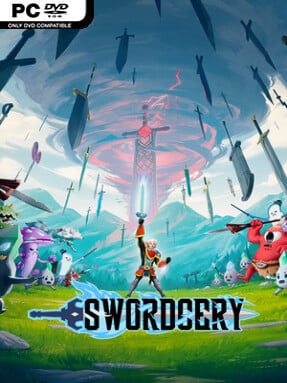
Game Overview
A kingdom is slowly being smothered beneath a supernatural storm of falling blades, and the only person able to turn that disaster into a weapon is Colt. Swordcery is a fast, fantasy-themed action roguelite built around close-range duels, split-second dodges, and an ever-changing collection of enchanted swords. Its world of Armorial has a colorful but dangerous storybook feel, while the threat at its center—a colossal blade draining the land’s power—gives every descent a satisfyingly urgent purpose. The tone sits between arcade immediacy and demanding combat, with lethal enemies and towering bosses constantly asking players to stay alert.
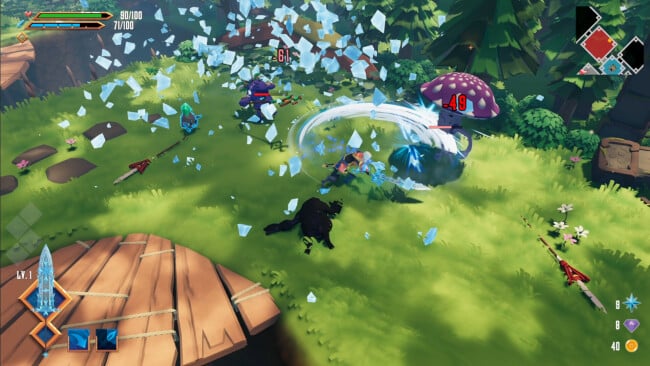
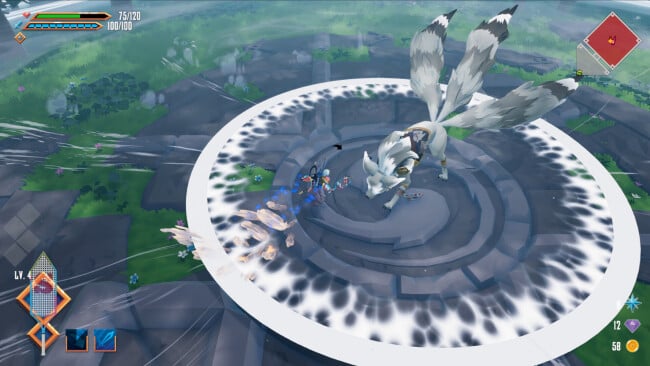
Runs send Colt through randomized dungeon layouts, where combat revolves around reading enemy tells, avoiding incoming attacks, and choosing the right moment to commit to sword combos or magic. Every weapon belongs to a distinct Sword Class, meaning a heavy blade, agile cutter, or specialized weapon can change basic attacks, combo options, and the way an encounter unfolds. The real hook comes from Swordceries: individual magical powers tied to swords that can turn a weapon into a returning projectile, call down lightning, tear open fiery ground, or create a defensive circle of icy blades. Relics and class upgrades add another layer of build-making, encouraging players to combine passive bonuses with a weapon’s moveset instead of relying on one reliable strategy.
Rather than treating loot as simple stat increases, Swordcery makes each newly found blade a potential new playstyle. Terrain, enemy behavior, and limited resources force players to consider which class and magical effect best suit the current room, giving repeated runs a tactical edge beyond pure reflexes. Procedural dungeons and rotating weapon discoveries provide the expected roguelite replay value, but the sword-focused combat gives it a clearer identity than many upgrade-heavy genre peers. Fans of Hades-style repeat runs who want more deliberate melee spacing and weapon experimentation should feel at home, while newcomers should expect a learning curve built around recognizing patterns and accepting that early failures are part of the progression.
Screenshots
Installation
- Click the green button below to be redirected to UploadHaven.
- Wait 15 seconds, then hit “Free Download.” (Free downloads may be slower — upgrade to UploadHaven Pro for faster speeds.)
- Once downloaded, right-click the .zip file and choose “Extract to Swordcery.” (You’ll need 7-Zip for this.)
- Open the extracted folder and run the game as administrator.
- Enjoy! 🎮 If you see missing DLL errors, check the <strong>_Redist</strong> folder inside and install what’s needed.
System Requirements
- Requires a 64-bit processor and operating system
- OS: Windows 10 64-bit
- Processor: Intel Core i3
- Memory: 4 GB RAM
- Graphics: NVIDIA GeForce GTX 960M
- DirectX: Version 10
- Storage: 8 GB available space
- Additional Notes: Requires a 64-bit processor and operating system
Setup Guide & Troubleshooting
How do I fix missing DLL errors for Swordcery (v0.5.72)?
After extracting Swordcery (v0.5.72), navigate to the _Redist or _CommonRedist folder inside the game directory and install DirectX, Vcredist, and any other dependencies included.
What should I do if the downloaded file is corrupted?
The full archive is 1.61 GB — make sure your download completed fully before extracting. Use 7-Zip to extract the files. If you still see a "file corrupted" error, re-download and try again.
Why should I run the game as administrator?
Right-click the game executable and select "Run as Administrator" to avoid save file issues and permission errors. This is especially important on the first launch.
How do I update my GPU drivers for this game?
Swordcery (v0.5.72) requires a NVIDIA GeForce GTX 960M or equivalent. Update your NVIDIA or AMD drivers to the latest version for the best performance.
The game won't launch — what should I try?
This game requires Version 10. Try running in compatibility mode, install the latest DirectX runtime, or install the All-in-One VC Redist Package.
My antivirus is blocking the game — is it safe?
Antivirus false positives are common with pre-installed games. Temporarily pause your antivirus during extraction to prevent it from quarantining game files. You can re-enable it after the extraction completes.