
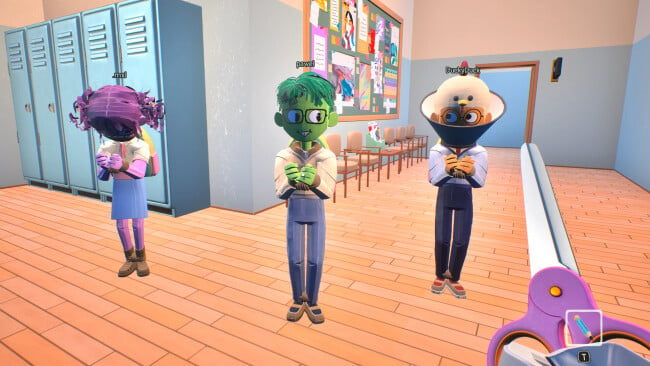
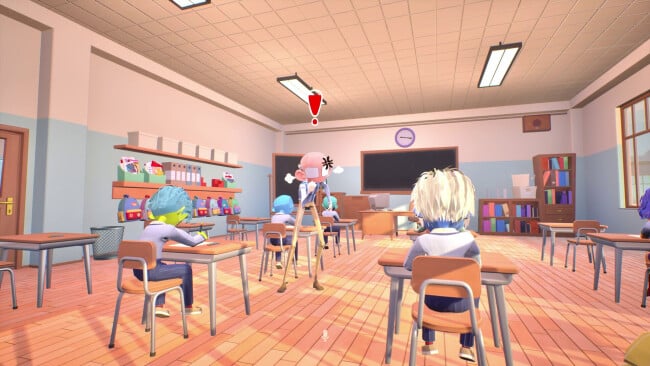
Screenshots
Installation
- Select the <strong>Download</strong> button at the top of this page to open UploadHaven.
- On UploadHaven, wait for any countdown, then select <strong>Free Download</strong>. Optional: UploadHaven Pro for faster downloads.
- When complete, extract the archive to a <strong>Finals Week</strong> folder using 7-Zip.
- Open the extracted folder and start the game normally.
- For errors, check <strong>Setup Guide & Troubleshooting</strong> below. Keep your security software enabled.
System Requirements
- Requires a 64-bit processor and operating system
- OS: Windows 10
- Processor: Core i7-3820 or equivalent
- Memory: 8 GB RAM
- Graphics: Nvidia 970 or equivalent
- DirectX: Version 11
- Network: Broadband Internet connection
- Storage: 2 GB available space
- Additional Notes: Microphone strongly recommended
Setup Guide & Troubleshooting
Is Finals Week completely free?
Yes. This listing offers Finals Week as a free pre-installed PC download, with the license type listed as Free. The archive is 1.32 GB and requires Windows.
How do I install Finals Week?
Click the Download button to open UploadHaven, wait for any countdown, then select Free Download. Once the archive finishes, extract it to a Finals Week folder using a tool like 7-Zip and launch the game from inside that folder. No separate installer run is needed because the build is pre-installed.
What are the system requirements for Finals Week?
You'll need a 64-bit Windows 10 system, a Core i7-3820 or equivalent processor, 8 GB of RAM, an Nvidia 970 or equivalent graphics card, DirectX Version 11, a broadband internet connection, and 2 GB of available storage. A microphone is strongly recommended for co-op communication.
Does Finals Week support online co-op?
The game is built around cooperative play where the whole class must share answers to pass, and the system requirements list a broadband internet connection plus a strongly recommended microphone, pointing to online voice-coordinated sessions with friends.
What should I do if the download is corrupted?
Make sure the full 1.32 GB archive completed before extracting, and use 7-Zip to unpack it. If you still see a file-corrupted error, re-download and try again.
Is the download safe?
A warning from your antivirus needs investigation regardless of the source. Keep your security software enabled, review any detection details, and only restore a flagged file after confirming it's a false positive. If you're unsure, leave it quarantined.