
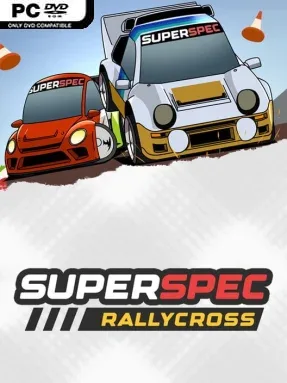
Game Overview
Mixed-surface circuits, screaming jumps, and compact top-down handling give SuperSpec Rallycross the feel of a lost arcade cabinet brought back for modern couch play. Built around the real-world rallycross format, it trades long point-to-point stages for short, aggressive races where dirt, tarmac, tight corners, and airborne shortcuts constantly disrupt the ideal racing line. The mood is colorful, approachable, and knowingly retro rather than simulation-heavy, with an 80s-and-90s arcade sensibility driving every slide. It is a racer designed for immediate laughs and close finishes, while still leaving room for smart decisions behind the wheel.
Races revolve around getting cleanly through mixed-grip courses, managing drifts, carrying speed over jumps, and wrestling for track position against rivals. The central wrinkle is the mandatory joker lap: every driver must use an alternate route once per event, turning the timing of that detour into a tactical choice. Take it early to escape traffic, save it for a late surprise, or risk losing places when the pack is closest; the route itself matters as much as raw lap speed. Straightforward controls keep the action welcoming for newcomers, but momentum management and route timing give regular players enough to refine. Local split-screen supports up to four players, making the racing especially suited to quick competitive sessions in the same room.
SuperSpec Rallycross stands apart from more technical rally titles by treating the sport’s distinctive joker-lap rule as the heart of its arcade racing strategy. Its overhead view makes every corner, rival, and alternate lane easy to read, while the mixed surfaces preserve the lively unpredictability that defines rallycross. Fans of Micro Machines-style multiplayer energy, old-school top-down racers, or simple party-friendly competition find an easy fit here, even if they have no prior knowledge of rallycross. Veterans looking for deep vehicle tuning or hardcore physics may want more complexity, but anyone after fast, nostalgic racing with a clever tactical hook gets exactly that.
Screenshots
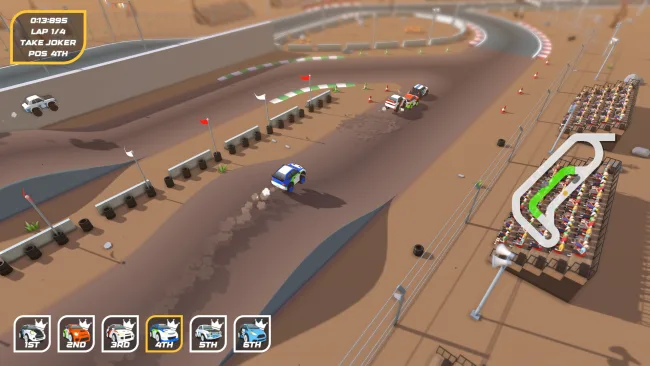
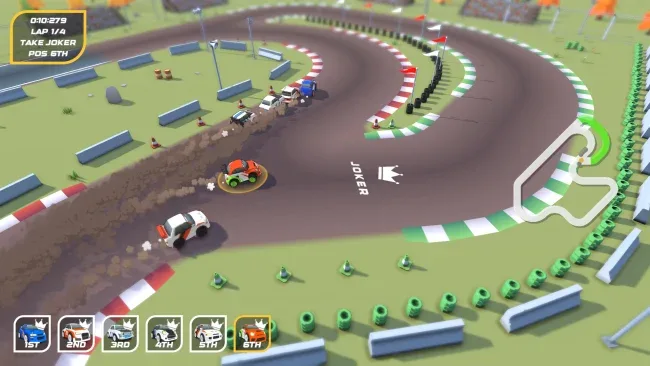
Installation
- Select the <strong>Download</strong> button at the top of this page to open UploadHaven.
- On UploadHaven, wait for any countdown, then select <strong>Free Download</strong>. Optional: UploadHaven Pro for faster downloads.
- When complete, extract the archive to a <strong>SuperSpec Rallycross</strong> folder using 7-Zip.
- Open the extracted folder and start the game normally.
- For errors, check <strong>Setup Guide & Troubleshooting</strong> below. Keep your security software enabled.
System Requirements
- OS *: Windows 7
- Processor: i5
- Memory: 500 MB RAM
- Graphics: Nvidia GTX 760
- Storage: 1000 MB available space
- Sound Card: Integrated
Setup Guide & Troubleshooting
How do I fix missing DLL errors for SuperSpec Rallycross (v1.1.6)?
After extracting SuperSpec Rallycross (v1.1.6), navigate to the _Redist or _CommonRedist folder inside the game directory and install DirectX, Vcredist, and any other dependencies included.
What should I do if the downloaded file is corrupted?
The full archive is 420.23 MB — make sure your download completed fully before extracting. Use 7-Zip to extract the files. If you still see a "file corrupted" error, re-download and try again.
Why should I run the game as administrator?
Right-click the game executable and select "Run as Administrator" to avoid save file issues and permission errors. This is especially important on the first launch.
How do I update my GPU drivers for this game?
SuperSpec Rallycross (v1.1.6) requires a Nvidia GTX 760 or equivalent. Update your NVIDIA or AMD drivers to the latest version for the best performance.
The game won't launch — what should I try?
Try running in compatibility mode, install the latest DirectX runtime, or install the All-in-One VC Redist Package.
My antivirus is blocking the game — is it safe?
Antivirus false positives are common with pre-installed games. Temporarily pause your antivirus during extraction to prevent it from quarantining game files. You can re-enable it after the extraction completes.