
Game Overview
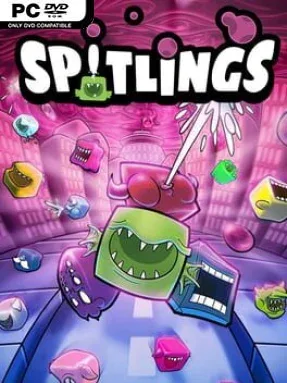
Bubbles turn a cheerful skyscraper city into a frantic vertical disaster zone, and the only defense comes from tiny toothy creatures that fire spit like ammunition. SPITLINGS is a sharp, colorful arcade action game built around fast reactions, tight platforming, and the kind of cooperative pressure that can turn a friendly session into glorious shouting. Rain creates dangerous bouncing blobs that trap residents and wreck each floor, sending players downward through a cartoon catastrophe to clear the infestation. Its bright characters and playful presentation keep the mood light, even when the screen becomes an absolute mess of ricocheting hazards.
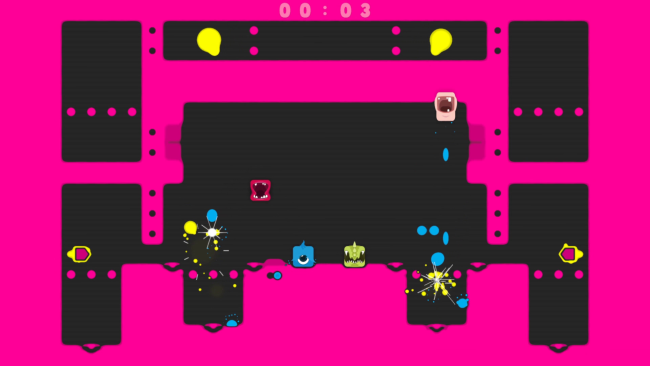
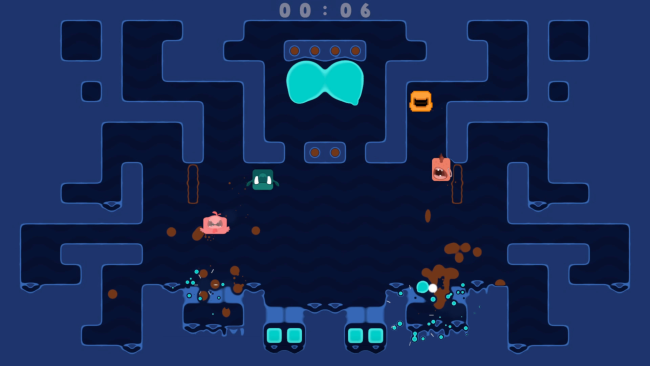
Each level asks players to destroy every bubble while avoiding contact, using spit shots to split larger bubbles into smaller, faster threats and using the same ability to propel themselves through the air. Ammunition is limited, so every jump, shot, and panic-induced miss matters; successful play means reading bounce patterns, preserving resources, and making rapid adjustments as the arena fills up. Up to four players can tackle the full campaign locally or online, but cooperation comes with a brutal rule: when one person fails, the entire team restarts. Timed completions unlock tougher B-side versions of stages, while medals, playable Spitlings, and cosmetic themes provide reasons to revisit levels and refine strategies.
The all-or-nothing co-op rule is the game’s strongest twist, creating the tension of a competitive party game while still demanding genuine teamwork. More than 100 compact stages ensure that the action rarely overstays its welcome, and interactive comic scenes give the campaign more character than its simple arcade premise initially suggests. Party mode adds customizable mutators, including altered gravity, forced jumping, and other rule changes that make familiar arenas feel unpredictable. Players who enjoy the escalating chaos of Bubble Bobble, the precision of arcade platformers, or the shared failures of Overcooked will find a demanding, energetic co-op game that rewards both quick hands and patient coordination.
Installation
- Click the green button below to be redirected to UploadHaven.
- Wait 15 seconds, then hit “Free Download.” (Free downloads may be slower — upgrade to UploadHaven Pro for faster speeds.)
- Once downloaded, right-click the .zip file and choose “Extract to SPITLINGS.” (You’ll need 7-Zip for this.)
- Open the extracted folder and run the game as administrator.
- Enjoy! 🎮 If you see missing DLL errors, check the <strong>_Redist</strong> folder inside and install what’s needed.
System Requirements
- Requires a 64-bit processor and operating system
- OS: Windows 7, Windows 8, Windows 10
- Processor: 2.3 GHz Intel i3 or comparable
- Memory: 2 GB RAM
- Graphics: Shader Model 3.0 capabilities
- DirectX: Version 10
- Storage: 1 GB available space
Setup Guide & Troubleshooting
How do I fix missing DLL errors for SPITLINGS?
After extracting SPITLINGS, navigate to the _Redist or _CommonRedist folder inside the game directory and install DirectX, Vcredist, and any other dependencies included.
What should I do if the downloaded file is corrupted?
The full archive is 389.12 MB — make sure your download completed fully before extracting. Use 7-Zip to extract the files. If you still see a "file corrupted" error, re-download and try again.
Why should I run the game as administrator?
Right-click the game executable and select "Run as Administrator" to avoid save file issues and permission errors. This is especially important on the first launch.
How do I update my GPU drivers for this game?
SPITLINGS requires a Shader Model 3.0 capabilities or equivalent. Update your NVIDIA or AMD drivers to the latest version for the best performance.
The game won't launch — what should I try?
This game requires Version 10. Try running in compatibility mode, install the latest DirectX runtime, or install the All-in-One VC Redist Package.
My antivirus is blocking the game — is it safe?
Antivirus false positives are common with pre-installed games. Temporarily pause your antivirus during extraction to prevent it from quarantining game files. You can re-enable it after the extraction completes.