
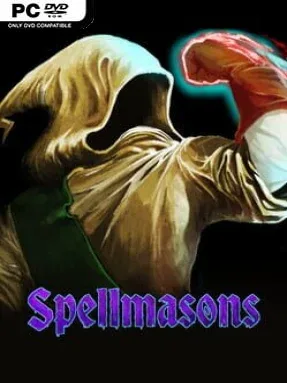
Game Overview
Arcane warfare becomes a chain-reaction puzzle in this tactical roguelike, where every spell can save a run or turn the battlefield into a crater. Spellmasons sends a band of mages through procedurally assembled arenas filled with corrupt enemies, hazardous terrain, traps, and a looming dark wizard at the end of the carnage. Its mood is gleefully grim but never humorless, finding real satisfaction in watching a carefully engineered magical plan collapse into explosive chaos. Death is frequent, often spectacular, and usually a lesson in why standing near your own spell combo is a terrible idea.
Each encounter unfolds through deliberate, turn-based positioning and casting, with walls, pits, obstacles, enemies, and allies all serving as potential ingredients in a larger setup. Spells come from a growing pool and interact in ways that reward experimentation: a simple attack can become devastating when paired with movement, terrain manipulation, delayed effects, or another caster’s setup. Procedural levels prevent players from relying on one fixed solution, encouraging improvised use of environmental dangers and creative escapes when a fight turns ugly. Runs escalate toward absurdly strong late-game combinations, but the same systems that erase an entire enemy force can just as easily wipe out the party.
Online co-op is the standout feature, supporting up to eight players and using faction-based turns that let allied mages act simultaneously rather than waiting through a long rotation. That structure makes coordinated ambushes, chained casts, rescue plays, and accidental friendly-fire disasters feel central rather than incidental. Its appeal sits somewhere between the emergent spellcraft of Noita and the measured grid tactics of classic roguelikes, though the emphasis is firmly on multiplayer collaboration and system-driven mayhem. Players who enjoy slow, thoughtful tactical planning, replayable runs, and learning intricate interactions through experimentation find plenty to master, while action-first players may need patience for its methodical pace.
Installation
- Click the green button below to be redirected to UploadHaven.
- Wait 15 seconds, then hit “Free Download.” (Free downloads may be slower — upgrade to UploadHaven Pro for faster speeds.)
- Once downloaded, right-click the .zip file and choose “Extract to Spellmasons.” (You’ll need 7-Zip for this.)
- Open the extracted folder and run the game as administrator.
- Enjoy! 🎮 If you see missing DLL errors, check the <strong>_Redist</strong> folder inside and install what’s needed.
System Requirements
- OS: Windows 7, Windows 8, Windows 8.1, Windows 10 or later
- Processor: An Intel Pentium 4 processor or later that’s SSE3 capable
- Memory: 4 GB RAM
- Graphics: NVIDIA GTX 770
- Storage: 360 MB available space
Setup Guide & Troubleshooting
How do I fix missing DLL errors for Spellmasons (v1.74.7 & ALL DLC)?
After extracting Spellmasons (v1.74.7 & ALL DLC), navigate to the _Redist or _CommonRedist folder inside the game directory and install DirectX, Vcredist, and any other dependencies included.
What should I do if the downloaded file is corrupted?
The full archive is 299.02 MB — make sure your download completed fully before extracting. Use 7-Zip to extract the files. If you still see a "file corrupted" error, re-download and try again.
Why should I run the game as administrator?
Right-click the game executable and select "Run as Administrator" to avoid save file issues and permission errors. This is especially important on the first launch.
How do I update my GPU drivers for this game?
Spellmasons (v1.74.7 & ALL DLC) requires a NVIDIA GTX 770 or equivalent. Update your NVIDIA or AMD drivers to the latest version for the best performance.
The game won't launch — what should I try?
Try running in compatibility mode, install the latest DirectX runtime, or install the All-in-One VC Redist Package.
My antivirus is blocking the game — is it safe?
Antivirus false positives are common with pre-installed games. Temporarily pause your antivirus during extraction to prevent it from quarantining game files. You can re-enable it after the extraction completes.