

Game Overview
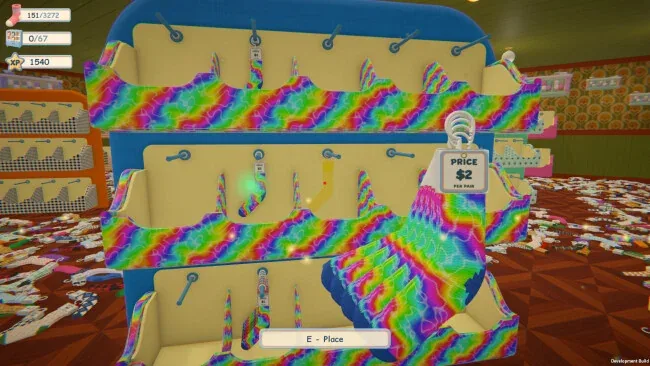
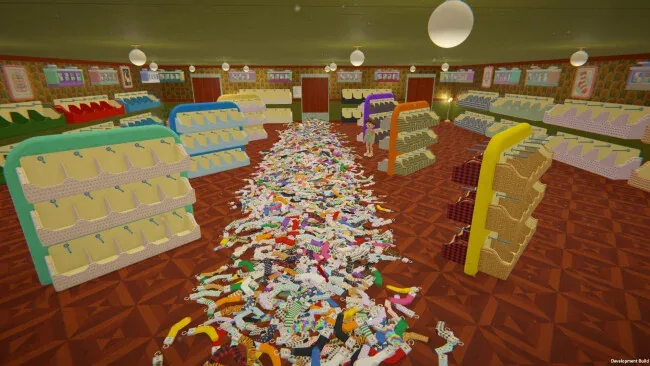
Sort Them Socks opens with 3,272 pairs of socks on the floor and 64 empty cabinets lining the walls. Somewhere in that heap are tartan socks, leopard spots, and little avocados, all waiting for a place on display. You work in first person, picking up a pair and turning it in your hands to inspect the design. The pattern tells you which section to visit, while the price determines how high it belongs. Even two pairs of identical avocado socks can end up on different shelves.
There’s a small reward for getting the details right. A correctly placed pair glows green, and when you finish a rod, the whole row gives a little hop. A red glow means you can lift the pair off and try another spot. In Normal mode, each match earns experience to spend on skills. You might start by carrying a bigger armful to save yourself a trip across the shop, then unlock a magnet that draws matching pairs straight into your hands.
How you tackle the mess depends on the kind of afternoon you have in mind. Relax mode gives you every skill from the outset, while Hardcore leaves the sorting entirely to your eye for detail. Dark mode turns out the lights and puts a flashlight in your hand. You can also invite a friend into Normal mode and divide the shop between you. Both players contribute to the same upgrades, and your time goes on the cooperative leaderboard under both of your names.
Screenshots
Installation
- Select the <strong>Download</strong> button at the top of this page to open UploadHaven.
- On UploadHaven, wait for any countdown, then select <strong>Free Download</strong>. Optional: UploadHaven Pro for faster downloads.
- When complete, extract the archive to a <strong>Sort Them Socks</strong> folder using 7-Zip.
- Open the extracted folder and start the game normally.
- For errors, check <strong>Setup Guide & Troubleshooting</strong> below. Keep your security software enabled.
System Requirements
- OS: Windows 10
- Processor: Dual Core CPU
- Memory: 2 GB RAM
- Graphics: 1 GB
- Storage: 1500 MB available space