
Game Overview
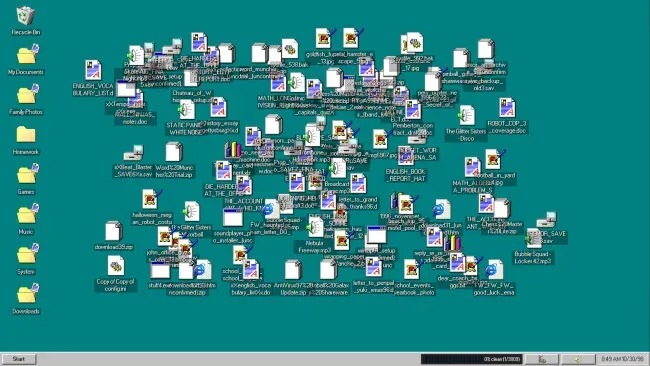
A lightning strike turns a family computer into a late-’90s disaster zone, scattering its contents across an enormous, tangled directory structure. DESKTOP CLEANER 98: Tidy Up the Desktop turns the humble act of filing documents into a cozy detective game, asking you to restore order to thousands of misplaced files. Its deliberately dated PC aesthetic, complete with chunky interfaces and era-appropriate sound, makes every folder feel like a small piece of digital archaeology. The mood stays gentle and amusing rather than stressful, even when the desktop becomes an overwhelming sea of icons.
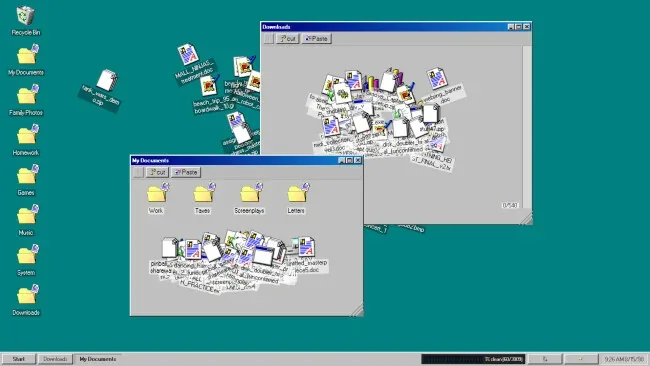
Your job is to inspect filenames, folder themes, and contextual clues, then drag each item to the location where it belongs. Some decisions are obvious—financial records belong with finances, games go with games—but stranger files demand attention, deduction, and occasionally a willingness to throw junk into the recycle bin. Useful utilities are hidden among the clutter, rewarding thorough searching by making large-scale sorting more manageable. A full solo campaign involves roughly 3,000 files, while randomized layouts ensure that repeat runs do not simply become an exercise in memorization.
Three visual skins let you sort through the chaos on a 1998-style desktop, an XP-inspired interface, or a cleaner modern mobile-flavored presentation. Hidden music tracks expand the soundtrack through an in-game media player and visualizer, giving the game a collectible layer beyond pure organization. For players who prefer pressure to relaxation, a shorter timed mode strips the idea down into a leaderboard-focused speedrun challenge. It suits fans of Unpacking, A Little to the Left, and other satisfying organization games, but its mock-operating-system presentation and unusually deep folder maze give it a personality of its own; patient newcomers can enjoy it at leisure, while completionists and speedrunners find plenty to master.
Screenshots
Installation
- Select the <strong>Download</strong> button at the top of this page to open UploadHaven.
- On UploadHaven, wait for any countdown, then select <strong>Free Download</strong>. Optional: UploadHaven Pro for faster downloads.
- When complete, extract the archive to a <strong>DESKTOP CLEANER 98: Tidy Up the Desktop</strong> folder using 7-Zip.
- Open the extracted folder and start the game normally.
- For errors, check <strong>Setup Guide & Troubleshooting</strong> below. Keep your security software enabled.
System Requirements
- OS: Windows 10
- Processor: Intel Core i5-3470
- Memory: 4 GB RAM
- Graphics: NVIDIA GeForce GTX 480
- Storage: 1 GB available space