
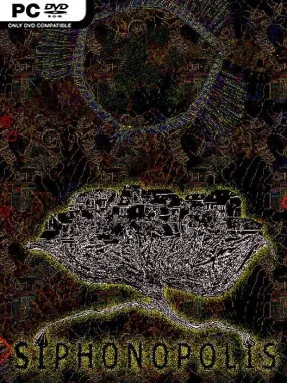
Siphonopolis Cover Art

Siphonopolis

INDIE 197.65 MB

Game Overview

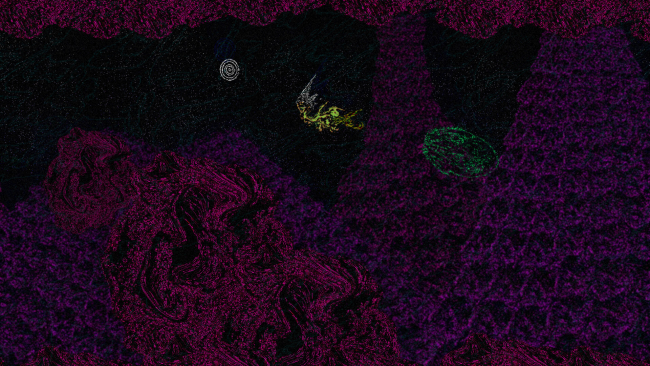
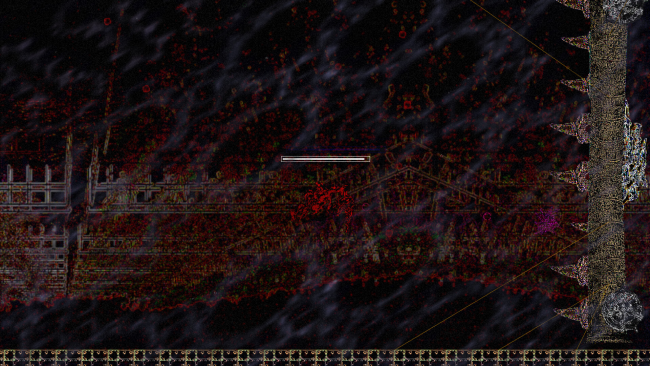
A dead, distorted city calls you back for one final descent, and its demand is simple: locate the Heart hidden somewhere in its decaying depths. Siphonopolis is an experimental indie adventure that mixes point-and-click interaction with swimming, chase sequences, and sudden bullet-hell firefights. Its mood is deliberately uncanny rather than traditionally frightening, using collaged photographs, old renders, and pixel-art fragments to make every screen feel like a damaged memory. The result is a compact, strange trip through a place that seems rebuilt incorrectly after being thrown away.

Movement carries the experience more than inventory puzzles do. You guide a protagonist through 70 brief stages, inspect peculiar environments, evade threats too dangerous to confront, and fire back at grotesque enemies during dense arcade-style combat encounters. Levels frequently introduce a new hazard or mechanical wrinkle before moving on, giving the campaign an episodic rhythm instead of asking you to master one large map. Puzzles exist, but they serve the momentum and surreal storytelling rather than becoming elaborate adventure-game roadblocks, while the short format keeps failure and experimentation from becoming exhausting.

What separates Siphonopolis from conventional retro-inspired indies is its openly salvaged identity: it feels like an abandoned project resurrected into something stranger, with its rough history becoming part of the atmosphere. The visual style is not polished in a mainstream sense, but its clashing media and intentionally warped imagery give the city a memorable personality that cleaner games often lack. Finishing the central route does not close the book, as additional playable protagonists alter the main campaign with their own gimmicks, and an extra recovered bullet-hell title rewards completion. Players who enjoy the dream logic of Yume Nikki, the uncomfortable oddity of Hylics, or compact experimental horror-adjacent games should find plenty to appreciate, especially if they value mood and surprise over deep mechanical complexity.

Installation

  1. Click the green button below to be redirected to UploadHaven.
  2. Wait 15 seconds, then hit “Free Download.” (Free downloads may be slower — upgrade to UploadHaven Pro for faster speeds.)
  3. Once downloaded, right-click the .zip file and choose “Extract to Siphonopolis.” (You’ll need 7-Zip for this.)
  4. Open the extracted folder and run the game as administrator.
  5. Enjoy! 🎮 If you see missing DLL errors, check the <strong>_Redist</strong> folder inside and install what’s needed.

System Requirements

  • OS: 10
  • Processor: Intel(R) Core(TM) i7-4702MQ CPU @ 2.20GHz
  • Memory: 4 GB RAM
  • Graphics: Intel Corporation 4th Gen Core Processor Integrated Graphics Controller
  • DirectX: Version 12
  • Storage: 322 MB available space
  • Sound Card: AMD High Definition Audio Device

Setup Guide & Troubleshooting

How do I fix missing DLL errors for Siphonopolis?

After extracting Siphonopolis, navigate to the _Redist or _CommonRedist folder inside the game directory and install DirectX, Vcredist, and any other dependencies included.

What should I do if the downloaded file is corrupted?

The full archive is 197.65 MB — make sure your download completed fully before extracting. Use 7-Zip to extract the files. If you still see a "file corrupted" error, re-download and try again.

Why should I run the game as administrator?

Right-click the game executable and select "Run as Administrator" to avoid save file issues and permission errors. This is especially important on the first launch.

How do I update my GPU drivers for this game?

Siphonopolis requires a Intel Corporation 4th Gen Core Processor Integrated Graphics Controller or equivalent. Update your NVIDIA or AMD drivers to the latest version for the best performance.

The game won't launch — what should I try?

This game requires Version 12. Try running in compatibility mode, install the latest DirectX runtime, or install the All-in-One VC Redist Package.

My antivirus is blocking the game — is it safe?

Antivirus false positives are common with pre-installed games. Temporarily pause your antivirus during extraction to prevent it from quarantining game files. You can re-enable it after the extraction completes.

Need more help? Browse our FAQ & Troubleshooting Guide for solutions to common issues.
Looking for something else? Explore all games on Steam Unlocked