
Game Overview
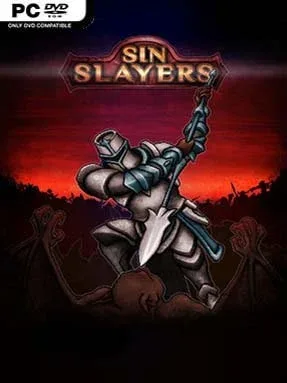
The Valley of Fallen Sinners turns every expedition into a grim calculation of risk, guilt, and survival. Sin Slayers is a dark-fantasy RPG that blends party-based JRPG combat with roguelike uncertainty, casting fallen souls into a hostile afterlife ruled by powerful Sin Lords. Its ruined forests, crypt-packed burial grounds, and decaying roads create a bleak but readable adventure where danger is rarely far from the next screen. The mood is deliberately oppressive, yet the steady improvement of a battered party gives the journey a satisfying sense of momentum.
Players assemble a squad of distinct heroes, equip weapons, armor, and amulets, then guide them across interconnected regions in search of quests, loot, crafting materials, and boss encounters. Battles use traditional turn-based commands, but success depends on understanding each character’s strengths, weaknesses, skills, and role within the team rather than simply attacking every round. Choices made while traveling influence the Valley’s Sin level, which in turn makes enemies and encounters more punishing, giving decisions real mechanical weight. Safe stops at fountains and an old church offer opportunities to recover, while gathered resources become potions and equipment through crafting or the local blacksmith.
Its strongest idea is the way morality doubles as a difficulty system: reckless or selfish actions can make an already dangerous run considerably harsher. Randomized elements, varied party builds, loot hunting, and several paths through each area encourage repeat attempts, even when an unlucky fight or trap sends plans sideways. The presentation is modest and indie-scale, but its gloomy art direction and focused tactical battles fit the cursed-world premise well. Fans of classic turn-based RPGs, Darkest Dungeon’s attritional atmosphere, or roguelites that reward preparation over reflexes should find plenty to enjoy, while newcomers can still learn its systems through careful, deliberate play.
Installation
- Click the green button below to be redirected to UploadHaven.
- Wait 15 seconds, then hit “Free Download.” (Free downloads may be slower — upgrade to UploadHaven Pro for faster speeds.)
- Once downloaded, right-click the .zip file and choose “Extract to Sin Slayers.” (You’ll need 7-Zip for this.)
- Open the extracted folder and run the game as administrator.
- Enjoy! 🎮 If you see missing DLL errors, check the <strong>_Redist</strong> folder inside and install what’s needed.
System Requirements
- OS: Windows XP
- Processor: CPU 2100 MHz
- Memory: 2 GB RAM
- Graphics: GeForce 210 or similar videocard
- DirectX: Version 9.0
- Storage: 1 GB available space
Setup Guide & Troubleshooting
How do I fix missing DLL errors for Sin Slayers (v1.2.03.1)?
After extracting Sin Slayers (v1.2.03.1), navigate to the _Redist or _CommonRedist folder inside the game directory and install DirectX, Vcredist, and any other dependencies included.
What should I do if the downloaded file is corrupted?
The full archive is 293.11 MB — make sure your download completed fully before extracting. Use 7-Zip to extract the files. If you still see a "file corrupted" error, re-download and try again.
Why should I run the game as administrator?
Right-click the game executable and select "Run as Administrator" to avoid save file issues and permission errors. This is especially important on the first launch.
How do I update my GPU drivers for this game?
Sin Slayers (v1.2.03.1) requires a GeForce 210 or similar videocard or equivalent. Update your NVIDIA or AMD drivers to the latest version for the best performance.
The game won't launch — what should I try?
This game requires Version 9.0. Try running in compatibility mode, install the latest DirectX runtime, or install the All-in-One VC Redist Package.
My antivirus is blocking the game — is it safe?
Antivirus false positives are common with pre-installed games. Temporarily pause your antivirus during extraction to prevent it from quarantining game files. You can re-enable it after the extraction completes.