
Game Overview
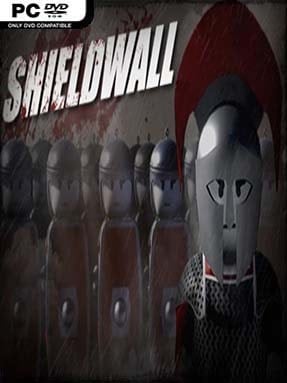
Rome’s expansion becomes a scrappy, chaotic battlefield command exercise in Shieldwall, a third-person tactical simulator that puts the player directly among the legionaries rather than above them. You serve Caesar’s campaign by leading Roman troops against Gaulish and barbarian forces across compact maps filled with forts, roads, villages, and strategic capture points. The tone is deliberately playful instead of historically severe, with exaggerated ragdoll physics and dense clashes giving every charge the feel of a miniature ancient-war sandbox. It is less about carefully recreating Roman military doctrine than delivering the fantasy of standing behind a wall of shields while an entire skirmish erupts around you.
Matches revolve around taking and holding flags, which brings reinforcements to your side and pushes the frontline toward the enemy base. You control a squad from the ground, directing its movement, ordering formations, and deciding when to advance, retreat, defend a position, or throw your soldiers into a decisive melee. Combat is simple and immediate: swing a sword, block incoming attacks, use a shield, and stay alive long enough to keep your unit organized amid the confusion. Victories depend on reading the battlefield, using terrain and numbers sensibly, and avoiding the temptation to charge alone while your troops are scattered.
What makes Shieldwall work is its blend of accessible action and lightweight command tactics; it lands somewhere between the crowd battles of Totally Accurate Battle Simulator and the hands-on squad leadership of Mount & Blade, but with a much more arcade-like approach. Soldiers collide in large, messy formations, forts become natural defensive anchors, and the shifting control-point system keeps even straightforward battles moving. Its rough-edged presentation and intentionally silly physics will not satisfy players seeking a deep historical strategy game, but they suit the premise well. Fans of Roman warfare, casual tactical games, and quick battles where they can personally join the charge should find plenty to enjoy, while strategy veterans should approach it as a breezy battlefield toy rather than a grand campaign simulator.
Installation
- Click the green button below to be redirected to UploadHaven.
- Wait 15 seconds, then hit “Free Download.” (Free downloads may be slower — upgrade to UploadHaven Pro for faster speeds.)
- Once downloaded, right-click the .zip file and choose “Extract to Shieldwall.” (You’ll need 7-Zip for this.)
- Open the extracted folder and run the game as administrator.
- Enjoy! 🎮 If you see missing DLL errors, check the <strong>_Redist</strong> folder inside and install what’s needed.
System Requirements
- Requires a 64-bit processor and operating system
- OS: 64-bit Windows 7, 64-bit Windows 8 (8.1) or 64-bit Windows 10
- Processor: Intel CPU Core i5-2500K 3.3GHz / AMD CPU Phenom II X4 940
- Memory: 4 GB RAM
- Graphics: NVIDIA GeForce GTX 670 or AMD R9 270
- DirectX: Version 11
- Storage: 3 GB available space
Setup Guide & Troubleshooting
How do I fix missing DLL errors for Shieldwall (v1.1.0)?
After extracting Shieldwall (v1.1.0), navigate to the _Redist or _CommonRedist folder inside the game directory and install DirectX, Vcredist, and any other dependencies included.
What should I do if the downloaded file is corrupted?
The full archive is 3.92 GB — make sure your download completed fully before extracting. Use 7-Zip to extract the files. If you still see a "file corrupted" error, re-download and try again.
Why should I run the game as administrator?
Right-click the game executable and select "Run as Administrator" to avoid save file issues and permission errors. This is especially important on the first launch.
How do I update my GPU drivers for this game?
Shieldwall (v1.1.0) requires a NVIDIA GeForce GTX 670 or AMD R9 270 or equivalent. Update your NVIDIA or AMD drivers to the latest version for the best performance.
The game won't launch — what should I try?
This game requires Version 11. Try running in compatibility mode, install the latest DirectX runtime, or install the All-in-One VC Redist Package.
My antivirus is blocking the game — is it safe?
Antivirus false positives are common with pre-installed games. Temporarily pause your antivirus during extraction to prevent it from quarantining game files. You can re-enable it after the extraction completes.