
Game Overview
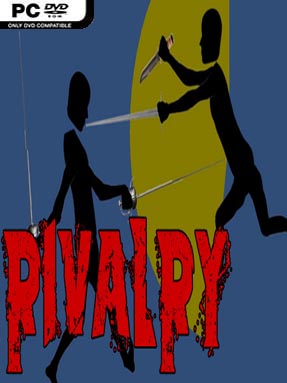
Two fighters, a few blades, and a physics system that refuses to let either duel remain dignified form the heart of Rivalry. Built as a local hotseat contest, it turns sword fighting into a strange mix of careful planning and collapsing rag-doll chaos. Early exchanges carry the tension of a tactical duel, with both players trying to create clean openings and avoid exposing a limb. Once injuries begin to mount, the mood shifts from serious competition to absurd slapstick, as damaged combatants struggle to keep control of their remaining weapons and body parts.
Players alternate turns at the same computer, using the mouse to position a character’s limbs and guide weapons through each action. Rather than relying on fast reflexes alone, success comes from judging angles, reach, momentum, and the likely consequences of every movement before committing. A smart attack can disarm an opponent or remove a useful limb, but a poorly placed swing may leave your own fighter vulnerable or tangled in an awkward pose. Matches naturally create a satisfying escalation: calculated positioning dominates at first, while the later stages become desperate attempts to finish a duel with whatever remains functional.
Rivalry stands out because its physics-driven combat makes failure as entertaining as victory. The stripped-back wireframe presentation puts the focus squarely on readable movement, weapon placement, and the unpredictable comedy created by rag-doll bodies. It feels like a board-game-minded sword duel filtered through the loose physical mayhem of titles such as QWOP or Surgeon Simulator, though its competitive structure is far more direct. Players looking for polished online matchmaking or a large single-player campaign may find its scope limited, but it suits friends who enjoy taking turns, experimenting with weird tactics, and laughing at spectacularly undignified defeats.
Installation
- Click the green button below to be redirected to UploadHaven.
- Wait 15 seconds, then hit “Free Download.” (Free downloads may be slower — upgrade to UploadHaven Pro for faster speeds.)
- Once downloaded, right-click the .zip file and choose “Extract to Rivalry.” (You’ll need 7-Zip for this.)
- Open the extracted folder and run the game as administrator.
- Enjoy! 🎮 If you see missing DLL errors, check the <strong>_Redist</strong> folder inside and install what’s needed.
System Requirements
- OS: Windows® 10 / Windows® 8 / Windows® 7 / Windows® Vista / Windows® XP SP2+
- Processor: 2.4 GHz Intel Pentium 4
- Memory: 2 GB RAM
- Graphics: 720p display. Any graphics card since 2004 should work.
- DirectX: Version 9.0
- Storage: 300 MB available space
Setup Guide & Troubleshooting
How do I fix missing DLL errors for Rivalry (v0.95.6)?
After extracting Rivalry (v0.95.6), navigate to the _Redist or _CommonRedist folder inside the game directory and install DirectX, Vcredist, and any other dependencies included.
What should I do if the downloaded file is corrupted?
The full archive is 84.30 MB — make sure your download completed fully before extracting. Use 7-Zip to extract the files. If you still see a "file corrupted" error, re-download and try again.
Why should I run the game as administrator?
Right-click the game executable and select "Run as Administrator" to avoid save file issues and permission errors. This is especially important on the first launch.
How do I update my GPU drivers for this game?
Rivalry (v0.95.6) requires a 720p display. Any graphics card since 2004 should work. or equivalent. Update your NVIDIA or AMD drivers to the latest version for the best performance.
The game won't launch — what should I try?
This game requires Version 9.0. Try running in compatibility mode, install the latest DirectX runtime, or install the All-in-One VC Redist Package.
My antivirus is blocking the game — is it safe?
Antivirus false positives are common with pre-installed games. Temporarily pause your antivirus during extraction to prevent it from quarantining game files. You can re-enable it after the extraction completes.