
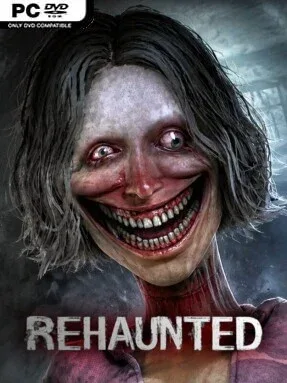
Game Overview
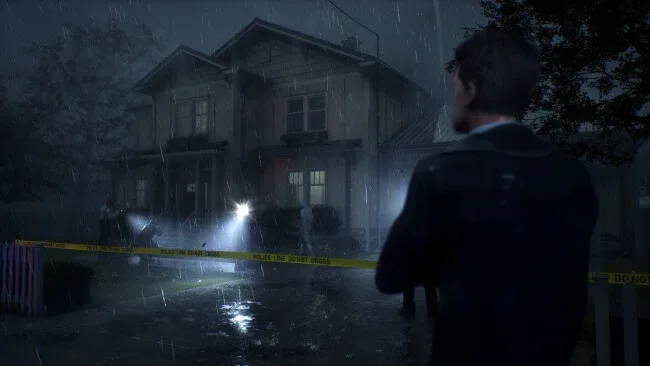
A single murder investigation becomes an increasingly unnerving descent into buried trauma, unreliable evidence, and supernatural dread. You play Connor Raines, a detective called to the home of a young woman whose death initially appears explainable, if tragic. The house soon proves far more threatening than an ordinary crime scene: every bloodstain, abandoned possession, and locked-away recording suggests a version of events that clashes with the last. Its mood is slow-burning and oppressive rather than action-heavy, using silence, cramped domestic spaces, and sudden disturbances to make routine police work feel deeply unsafe.
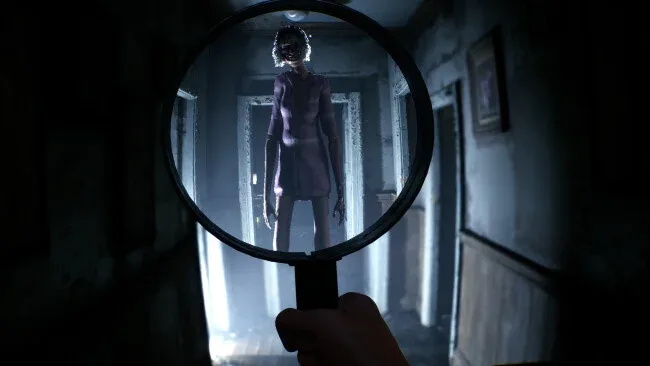
First-person investigation drives the experience. Connor searches room by room for overlooked details, then uses a UV flashlight, camera, magnifier, and other forensic tools to expose clues that are not obvious at a glance. Findings feed into an evidence board where connections between people, objects, and events gradually form a larger theory of the crime. Radio conversations with a fellow detective add dialogue choices and useful perspective, though the case does not hand over a neat solution; players must judge conflicting information and decide what they believe happened. There is no emphasis on fighting monsters or resource management, so observation, patience, and willingness to revisit details matter more than reflexes.
Rehaunted stands out by treating its horror elements as another complication in the investigation instead of separating detective work from scares. The realistic house layout and cinematic presentation give the compact setting a convincing lived-in quality before its darker secrets emerge, while the sound design keeps even quiet searches uneasy. Its roughly two-to-three-hour length makes it a focused, one-sitting mystery rather than an open-ended procedural, and the ambiguous conclusions invite discussion after the credits. Fans of Layers of Fear’s environmental unease or the investigative side of games like The Painscreek Killings should find plenty to like, especially if they prefer psychological horror with a deliberate pace over chase sequences.
Screenshots
Installation
- Click the green button below to be redirected to UploadHaven.
- Wait 15 seconds, then hit “Free Download.” (Free downloads may be slower — upgrade to UploadHaven Pro for faster speeds.)
- Once downloaded, right-click the .zip file and choose “Extract to Rehaunted.” (You’ll need 7-Zip for this.)
- Open the extracted folder and run the game as administrator.
- Enjoy! 🎮 If you see missing DLL errors, check the <strong>_Redist</strong> folder inside and install what’s needed.
System Requirements
- Requires a 64-bit processor and operating system
- OS: Windows 11 64-bit
- Processor: Intel Core i5-8400 or AMD Ryzen 5 2600
- Memory: 16 GB RAM
- Graphics: NVIDIA® GeForce® GTX 1070 Ti | 6GB VRAM
- DirectX: Version 11
- Storage: 12 GB available space
Setup Guide & Troubleshooting
How do I fix missing DLL errors for Rehaunted (v1.3.5)?
After extracting Rehaunted (v1.3.5), navigate to the _Redist or _CommonRedist folder inside the game directory and install DirectX, Vcredist, and any other dependencies included.
What should I do if the downloaded file is corrupted?
The full archive is 9.89 GB — make sure your download completed fully before extracting. Use 7-Zip to extract the files. If you still see a "file corrupted" error, re-download and try again.
Why should I run the game as administrator?
Right-click the game executable and select "Run as Administrator" to avoid save file issues and permission errors. This is especially important on the first launch.
How do I update my GPU drivers for this game?
Rehaunted (v1.3.5) requires a NVIDIA® GeForce® GTX 1070 Ti | 6GB VRAM or equivalent. Update your NVIDIA or AMD drivers to the latest version for the best performance.
The game won't launch — what should I try?
This game requires Version 11. Try running in compatibility mode, install the latest DirectX runtime, or install the All-in-One VC Redist Package.
My antivirus is blocking the game — is it safe?
Antivirus false positives are common with pre-installed games. Temporarily pause your antivirus during extraction to prevent it from quarantining game files. You can re-enable it after the extraction completes.