
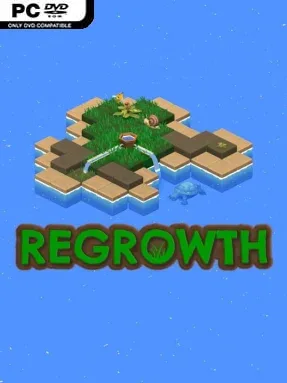
Game Overview
A chain of fragile islands is slipping beneath the water, and every decision determines whether life returns before the ground disappears. Regrowth is a compact, environmentally themed real-time puzzle game built around restoring dry land with carefully placed vegetation, animals, and water-management tools. Its bright natural setting hides a tense race against a shrinking clock: soil dries out, ponds are limited, rainfall is unpredictable, and each island demands an efficient recovery plan. The mood is thoughtful rather than frantic, but failure can arrive quickly when a promising ecosystem runs out of water.
Each level asks you to assess the terrain, identify useful water sources, and place the right organisms where they can do the most good. Plants need moisture to survive and spread their benefits, while the available tools and animal life add further ways to influence the landscape. Success comes from building a functioning sequence instead of simply filling every empty space; poor placement can waste precious water, block a better route, or leave an entire section barren at the worst possible moment. Timing matters as much as layout, since changing seasons, rainfall, drying ground, and the islands’ sinking deadline force you to adapt your plans on the fly.
Regrowth stands out through its focus on ecological chain reactions rather than conventional block-pushing or abstract switches. The challenge lies in optimization: replaying a stage with a cleaner order of actions, smarter positioning, and tighter water use is often the difference between scraping through and fully mastering it. Its approachable premise makes the early puzzles easy to understand, while later scenarios reward players who enjoy analyzing systems under pressure. Fans of minimalist strategy puzzlers such as Islanders, Mini Metro, or Bad North’s concise decision-making will find a similarly elegant, level-based experience here, though the emphasis is firmly on restoring nature rather than building an empire.
Screenshots
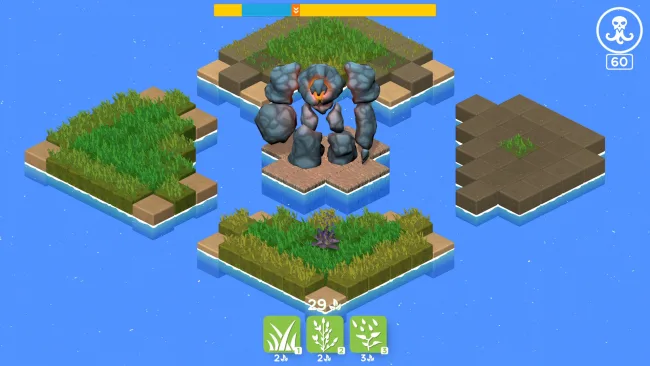
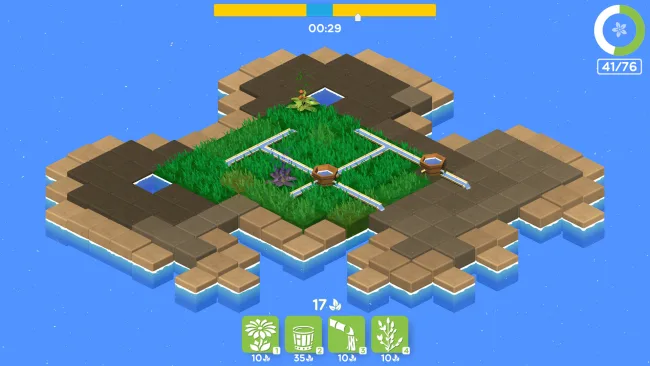
Installation
- Select the <strong>Download</strong> button at the top of this page to open UploadHaven.
- On UploadHaven, wait for any countdown, then select <strong>Free Download</strong>. Optional: UploadHaven Pro for faster downloads.
- When complete, extract the archive to a <strong>Regrowth</strong> folder using 7-Zip.
- Open the extracted folder and start the game normally.
- For errors, check <strong>Setup Guide & Troubleshooting</strong> below. Keep your security software enabled.
System Requirements
- OS: Windows 7 32 bit
- Processor: Intel Core i3-3250 or equivalent
- Memory: 1 GB RAM
- Graphics: GeForce GTX 260 or equivalent
- DirectX: Version 10
- Storage: 1000 MB available space
Setup Guide & Troubleshooting
How do I fix missing DLL errors for Regrowth (v1.1.0)?
After extracting Regrowth (v1.1.0), navigate to the _Redist or _CommonRedist folder inside the game directory and install DirectX, Vcredist, and any other dependencies included.
What should I do if the downloaded file is corrupted?
The full archive is 180.35 MB — make sure your download completed fully before extracting. Use 7-Zip to extract the files. If you still see a "file corrupted" error, re-download and try again.
Why should I run the game as administrator?
Right-click the game executable and select "Run as Administrator" to avoid save file issues and permission errors. This is especially important on the first launch.
How do I update my GPU drivers for this game?
Regrowth (v1.1.0) requires a GeForce GTX 260 or equivalent or equivalent. Update your NVIDIA or AMD drivers to the latest version for the best performance.
The game won't launch — what should I try?
This game requires Version 10. Try running in compatibility mode, install the latest DirectX runtime, or install the All-in-One VC Redist Package.
My antivirus is blocking the game — is it safe?
Antivirus false positives are common with pre-installed games. Temporarily pause your antivirus during extraction to prevent it from quarantining game files. You can re-enable it after the extraction completes.