
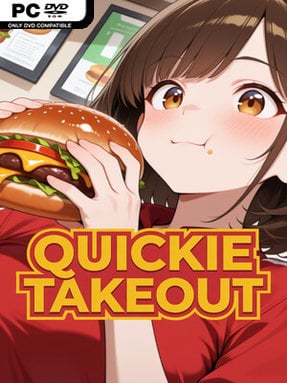
Game Overview
A late-night burger shift becomes a playful adult visual novel built around workplace chaos, flirtation, and a steadily escalating rivalry between fast-food franchises. You play a seasoned employee at a barely functional takeout restaurant, where busted equipment, demanding customers, and absurd management problems create the backdrop for encounters with three distinct coworkers. Sophie brings frazzled managerial warmth, Riley supplies laid-back kitchen energy, and cashier Emma turns every minor task into an enthusiastic disaster. The mood stays goofy and low-stakes rather than dramatic, treating its greasy workplace setting as a platform for raunchy comedy and character banter.
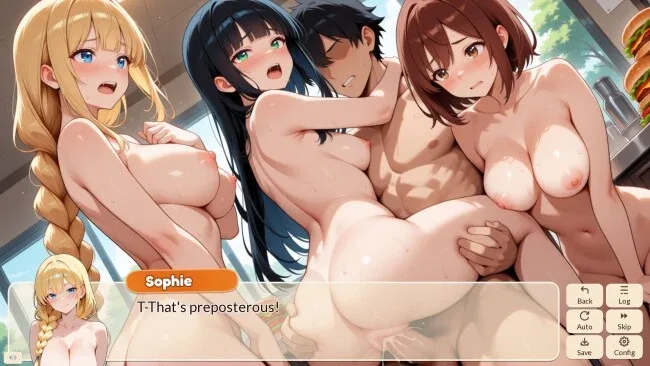
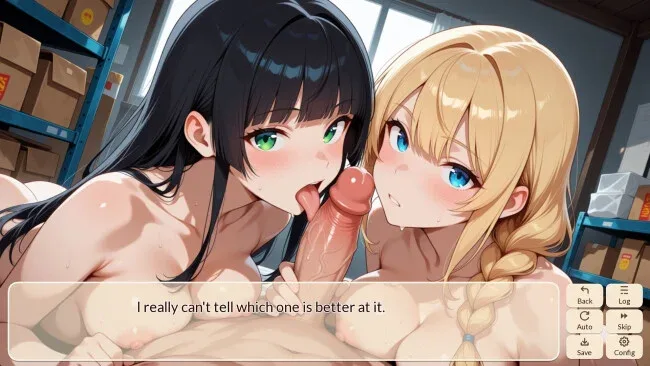
Most of the time is spent reading voiced dialogue, following the day-to-day mess of each shift, and choosing occasional responses that influence the tone of conversations and the order in which scenes unfold. Decisions do not turn the experience into a complex branching RPG, but they provide enough variation to encourage revisiting scenes and seeing different character interactions. A loose campaign thread follows the restaurant’s attempt to outperform competing locations in a local sales contest, giving the episodic scenarios a small sense of direction. Full voice work, including adult material, helps sell the cast’s personalities, while 52 illustrations provide the major visual payoffs across the story.
Quickie Takeout stands out through its commitment to the mundane silliness of food-service work: broken ice cream machines and marketing meetings sit beside its mature content without pretending to be more serious than they are. Its compact roughly two-hour route makes it a better fit for players seeking a direct, character-focused adult VN than a long romance simulation with elaborate choices or emotional stakes. The artwork and humor lean broad and expressive, and the three-person supporting cast offers enough contrast that players can gravitate toward a preferred dynamic. Fans of short, comedic, explicit visual novels with polished voice acting will find an easygoing diversion here, while readers wanting deep branching narratives should temper expectations.
Screenshots
Installation
- Click the green button below to be redirected to UploadHaven.
- Wait 15 seconds, then hit “Free Download.” (Free downloads may be slower — upgrade to UploadHaven Pro for faster speeds.)
- Once downloaded, right-click the .zip file and choose “Extract to Quickie Takeout.” (You’ll need 7-Zip for this.)
- Open the extracted folder and run the game as administrator.
- Enjoy! 🎮 If you see missing DLL errors, check the <strong>_Redist</strong> folder inside and install what’s needed.
System Requirements
- Requires a 64-bit processor and operating system
- OS: Windows 10
- Processor: CPU: 2.0 Ghz 64-bit Intel-compatible
- Memory: 2 GB RAM
- Graphics: Graphics: OpenGL 3.0 or DirectX 11
- DirectX: Version 11
- Storage: 600 MB available space
Setup Guide & Troubleshooting
How do I fix missing DLL errors for Quickie Takeout (v1.0.0 & Uncensored)?
After extracting Quickie Takeout (v1.0.0 & Uncensored), navigate to the _Redist or _CommonRedist folder inside the game directory and install DirectX, Vcredist, and any other dependencies included.
What should I do if the downloaded file is corrupted?
The full archive is 417.38 MB — make sure your download completed fully before extracting. Use 7-Zip to extract the files. If you still see a "file corrupted" error, re-download and try again.
Why should I run the game as administrator?
Right-click the game executable and select "Run as Administrator" to avoid save file issues and permission errors. This is especially important on the first launch.
How do I update my GPU drivers for this game?
Quickie Takeout (v1.0.0 & Uncensored) requires a Graphics: OpenGL 3.0 or DirectX 11 or equivalent. Update your NVIDIA or AMD drivers to the latest version for the best performance.
The game won't launch — what should I try?
This game requires Version 11. Try running in compatibility mode, install the latest DirectX runtime, or install the All-in-One VC Redist Package.
My antivirus is blocking the game — is it safe?
Antivirus false positives are common with pre-installed games. Temporarily pause your antivirus during extraction to prevent it from quarantining game files. You can re-enable it after the extraction completes.