
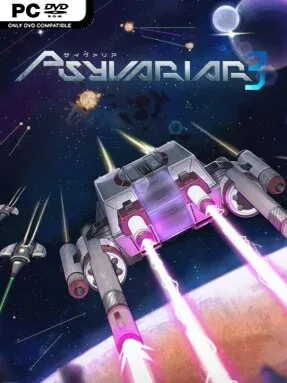
Game Overview
A new alien assault turns humanity’s restored Earth colony into the latest proving ground for elite pilots and impossibly dense enemy fire. Psyvariar 3 is a vertical arcade shoot-’em-up built around the series’ defining thrill: flying deliberately close to incoming bullets rather than simply avoiding them. Its tone is tense, fast, and proudly old-school, pairing a post-invasion science-fiction backdrop with the kind of score-driven action where a near miss can be more valuable than a kill. Seven pilots, plus Cotton as a guest character, bring different ships and personalities to the fight.
Most runs revolve around clearing waves, reading boss patterns, and grazing projectiles to build resources through the Buzz system. Successful grazing strengthens shields, fuels weapon improvements, raises score potential, and can trigger speed benefits, so survival depends on confidently navigating the narrow spaces inside bullet spreads. Each character handles bombs, shots, and scoring differently, while the Roll move offers a controller-friendly evasive option alongside the series’ traditional rapid directional input technique. Arcade and Arrange modes provide the central full-run experience, while Mission mode supplies 49 compact tests, and Caravan, Endless, and Practice modes support score chasers and players trying to master specific scenarios.
Performance influences route difficulty, meaning strong play can lead to tougher stages, altered boss behavior, and encounters less consistent players may never see. That risk-and-reward structure gives the game more depth than a straightforward shooter: chasing a high score actively makes a run more dangerous, but also makes it more satisfying. Its polished retro-futurist 3D look preserves the sharp, arcade-born identity of earlier entries without pretending to be a modern cinematic spectacle. Fans of DoDonPachi, Ikaruga, or Psyvariar’s earlier games should immediately understand the appeal, while newcomers willing to use Practice mode can find an unusually approachable entry into demanding bullet-hell score play.
Screenshots
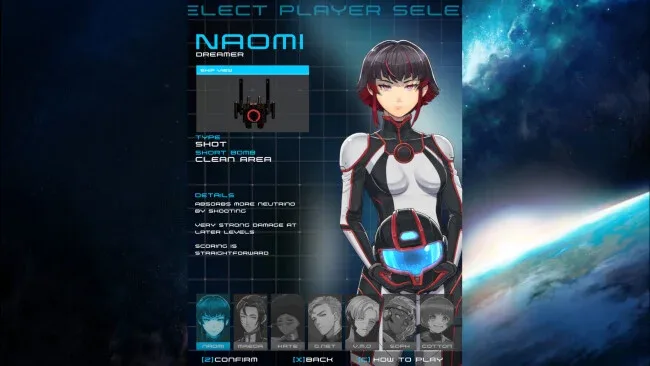
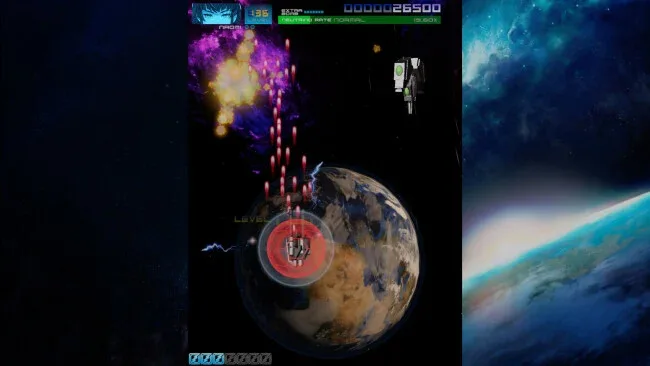
Installation
- Click the green button below to be redirected to UploadHaven.
- Wait 15 seconds, then hit “Free Download.” (Free downloads may be slower — upgrade to UploadHaven Pro for faster speeds.)
- Once downloaded, right-click the .zip file and choose “Extract to Psyvariar 3.” (You’ll need 7-Zip for this.)
- Open the extracted folder and run the game as administrator.
- Enjoy! 🎮 If you see missing DLL errors, check the <strong>_Redist</strong> folder inside and install what’s needed.
System Requirements
- Requires a 64-bit processor and operating system
- OS: Windows 10 / Windows 11
- Processor: Intel Core i3 3.3GHz
- Memory: 3 GB RAM
- Graphics: Nvidia GeForce GT830
- DirectX: Version 10
- Storage: 4 GB available space
Setup Guide & Troubleshooting
How do I fix missing DLL errors for Psyvariar 3 (v1.0.2)?
After extracting Psyvariar 3 (v1.0.2), navigate to the _Redist or _CommonRedist folder inside the game directory and install DirectX, Vcredist, and any other dependencies included.
What should I do if the downloaded file is corrupted?
The full archive is 1.50 GB — make sure your download completed fully before extracting. Use 7-Zip to extract the files. If you still see a "file corrupted" error, re-download and try again.
Why should I run the game as administrator?
Right-click the game executable and select "Run as Administrator" to avoid save file issues and permission errors. This is especially important on the first launch.
How do I update my GPU drivers for this game?
Psyvariar 3 (v1.0.2) requires a Nvidia GeForce GT830 or equivalent. Update your NVIDIA or AMD drivers to the latest version for the best performance.
The game won't launch — what should I try?
This game requires Version 10. Try running in compatibility mode, install the latest DirectX runtime, or install the All-in-One VC Redist Package.
My antivirus is blocking the game — is it safe?
Antivirus false positives are common with pre-installed games. Temporarily pause your antivirus during extraction to prevent it from quarantining game files. You can re-enable it after the extraction completes.