
Game Overview
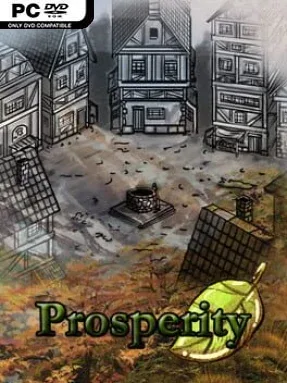
A growing settlement becomes a demanding balancing act where every new workshop, house, and policy creates another problem to solve. Prosperity is an indie city builder focused less on placing attractive streets and more on keeping an economy alive as needs multiply. Its tone is methodical and pragmatic: a successful town depends on food stores, reliable labor, sensible expansion, and the ability to survive when disaster interrupts the plan. Rather than handing players an effortless march toward wealth, it asks whether short-term growth is worth exhausting the materials that keep the city functioning.
Players assign citizens to farms, production sites, and refining buildings, then turn raw goods into the supplies required by an increasingly sophisticated population. Research opens fresh construction options, occupations, and administrative tools, allowing a small settlement to develop into a more capable community with broader demands. Trade and diplomacy matter as well, since neighboring settlements and factions can provide materials unavailable at home, but relationships need attention rather than blind reliance. Crime, shortages, famine, and environmental setbacks force constant adjustment, while policies offer ways to automate or reduce some of the ruler’s growing workload.
What separates Prosperity from a purely decorative builder is its emphasis on sustainability and the changing value of resources over time. A material that seems plentiful early on may become a bottleneck once upgraded industry and a larger population begin consuming it, making planning as important as expansion. The progression steadily adds more variables without abandoning the central loop of gathering, producing, trading, and improving living conditions. Fans of Banished, Anno, or slower economic management games should appreciate its focus on supply chains and civic decision-making, while newcomers who enjoy learning systems through gradual unlocks have a clear path into the genre.
Installation
- Click the green button below to be redirected to UploadHaven.
- Wait 15 seconds, then hit “Free Download.” (Free downloads may be slower — upgrade to UploadHaven Pro for faster speeds.)
- Once downloaded, right-click the .zip file and choose “Extract to Prosperity.” (You’ll need 7-Zip for this.)
- Open the extracted folder and run the game as administrator.
- Enjoy! 🎮 If you see missing DLL errors, check the <strong>_Redist</strong> folder inside and install what’s needed.
System Requirements
- Requires a 64-bit processor and operating system
- OS: Windows 7
- Memory: 2 GB RAM
- Storage: 800 MB available space
Setup Guide & Troubleshooting
How do I fix missing DLL errors for Prosperity (v1.16.7)?
After extracting Prosperity (v1.16.7), navigate to the _Redist or _CommonRedist folder inside the game directory and install DirectX, Vcredist, and any other dependencies included.
What should I do if the downloaded file is corrupted?
The full archive is 562.51 MB — make sure your download completed fully before extracting. Use 7-Zip to extract the files. If you still see a "file corrupted" error, re-download and try again.
Why should I run the game as administrator?
Right-click the game executable and select "Run as Administrator" to avoid save file issues and permission errors. This is especially important on the first launch.
How do I update my GPU drivers for this game?
Update your NVIDIA or AMD drivers to the latest version for the best performance and compatibility.
The game won't launch — what should I try?
Try running in compatibility mode, install the latest DirectX runtime, or install the All-in-One VC Redist Package.
My antivirus is blocking the game — is it safe?
Antivirus false positives are common with pre-installed games. Temporarily pause your antivirus during extraction to prevent it from quarantining game files. You can re-enable it after the extraction completes.