
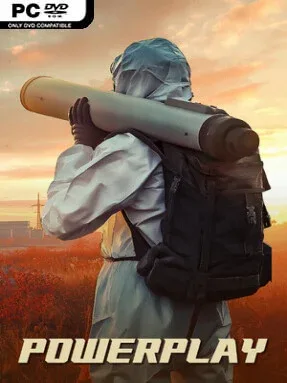
Game Overview
An industrial nation survives only as long as its factories, supply routes, and armed forces remain intact. Powerplay mixes the deliberate construction focus of a logistics sim with the pressure of a traditional real-time strategy game, placing every mine, refinery, belt, and unit on a limited battlefield. Its tone is stern and methodical rather than flashy: territory has value, resources run out, and a poorly defended production line can undo an otherwise powerful war machine. Victory comes from turning a fragile economy into a force capable of controlling land, sea, and sky.
Players begin by claiming essential raw materials, then design conveyor networks to carry them through refining chains and into weapons production. Expansion is never simply about building more structures, since factories need room, routes need protection, and material shortages force difficult choices about what technology or weaponry deserves priority. The familiar RTS layer lets you command large formations across several combat domains, use terrain to create favorable engagements, scout through fog of war, and answer enemy movements before they reach critical infrastructure. A technology tree gradually opens stronger industrial options and military hardware, culminating in devastating tools such as nuclear weapons, while campaign missions and solo skirmishes provide distinct ways to test a strategy.
What separates Powerplay from a standard base-builder is its emphasis on physical resource locality: materials must travel from extraction sites to the places that use them, making logistics as vulnerable and important as frontline troops. The isometric presentation makes roads of belts, sprawling factories, and battlefield positioning easy to read, while an elevation-capable editor supports handcrafted scenarios and open-ended sandbox experiments. Fans of Factorio-style production planning who want military stakes, or RTS players who enjoy the economic weight of games like Supreme Commander, should find plenty to work with here. It best suits patient strategists who enjoy optimizing systems and defending the consequences of every expansion.
Installation
- Click the green button below to be redirected to UploadHaven.
- Wait 15 seconds, then hit “Free Download.” (Free downloads may be slower — upgrade to UploadHaven Pro for faster speeds.)
- Once downloaded, right-click the .zip file and choose “Extract to Powerplay.” (You’ll need 7-Zip for this.)
- Open the extracted folder and run the game as administrator.
- Enjoy! 🎮 If you see missing DLL errors, check the <strong>_Redist</strong> folder inside and install what’s needed.
System Requirements
- Requires a 64-bit processor and operating system
- OS: 7, 8, 10
- Processor: 2 GHz Dual Core +
- Memory: 4 GB RAM
- Graphics: GTX 960 (dedicated graphics card)
- DirectX: Version 11
- Storage: 2 GB available space
- Sound Card: Sound Card
- Additional Notes: Screen Aspect Ratio: 4:3, 16:9, 16:10 and higher
Setup Guide & Troubleshooting
How do I fix missing DLL errors for Powerplay (v0.2.43)?
After extracting Powerplay (v0.2.43), navigate to the _Redist or _CommonRedist folder inside the game directory and install DirectX, Vcredist, and any other dependencies included.
What should I do if the downloaded file is corrupted?
The full archive is 384.16 MB — make sure your download completed fully before extracting. Use 7-Zip to extract the files. If you still see a "file corrupted" error, re-download and try again.
Why should I run the game as administrator?
Right-click the game executable and select "Run as Administrator" to avoid save file issues and permission errors. This is especially important on the first launch.
How do I update my GPU drivers for this game?
Powerplay (v0.2.43) requires a GTX 960 (dedicated graphics card) or equivalent. Update your NVIDIA or AMD drivers to the latest version for the best performance.
The game won't launch — what should I try?
This game requires Version 11. Try running in compatibility mode, install the latest DirectX runtime, or install the All-in-One VC Redist Package.
My antivirus is blocking the game — is it safe?
Antivirus false positives are common with pre-installed games. Temporarily pause your antivirus during extraction to prevent it from quarantining game files. You can re-enable it after the extraction completes.