
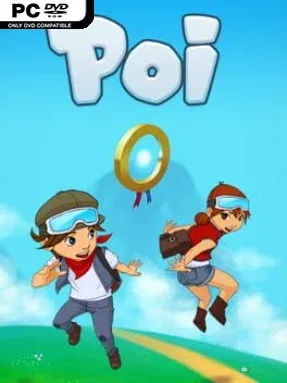
Poi Cover Art

Poi

INDIE 348.79 MB v02.09.2020

Game Overview

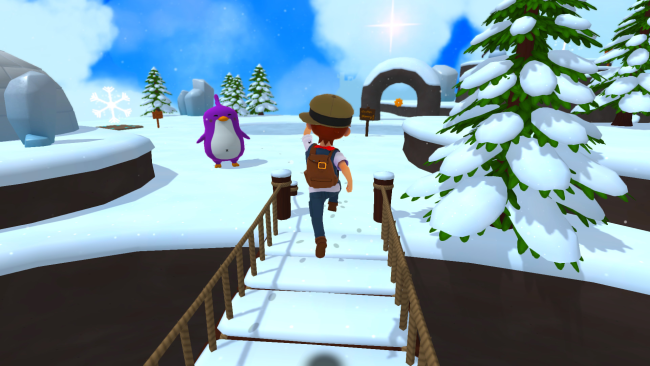
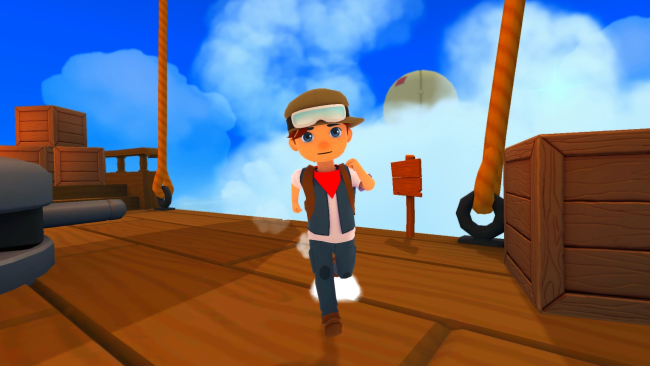
A bright, old-school sense of adventure drives Poi, a 3D collectathon platformer built around acrobatic movement, colorful worlds, and a childlike fascination with the unknown. Two young explorers set out to uncover the secrets of the mysterious Milky Way Globe, traveling through uncharted regions populated by oddball allies and deliberately silly enemies. The tone stays cheerful and energetic rather than dangerous or grim, with each new area feeling like a playground designed for curiosity. Its appeal comes from the simple pleasure of seeing a distant ledge, tower, or hidden path and figuring out how to reach it.

Progress revolves around hunting down more than 100 Explorer Medallions, which reward thorough exploration and careful platforming. Running, jumping, and collecting form the basic loop, but Poi gives its heroes a useful move set that includes wall jumps, triple jumps, rolls, and long jumps, allowing levels to grow more demanding as players improve. Enemies are more comic obstacles than major combat threats, so timing and movement matter far more than fighting skill. Challenge stages offer focused tests of speed and precision, while online leaderboards let dedicated players measure their fastest clears against a wider community. Broad controller support also makes it a comfortable fit for players who prefer analog movement over a keyboard.

Poi stands out through its commitment to the collectathon format at a time when fewer platformers build entire levels around freeform exploration. Its colorful presentation, playful characters, and soundtrack by Lyndon Holland give the journey a warm, upbeat personality, while the advanced jumps provide enough depth for repeat runs and medal cleanup. Players who miss the exploratory freedom of Super Mario 64, Banjo-Kazooie, or A Hat in Time should find plenty to enjoy here, especially if they like mastering movement rather than following a rigid path. Newcomers can enjoy the approachable adventure, while platforming veterans have speed challenges and hidden collectibles to pursue.

Installation

  1. Click the green button below to be redirected to UploadHaven.
  2. Wait 15 seconds, then hit “Free Download.” (Free downloads may be slower — upgrade to UploadHaven Pro for faster speeds.)
  3. Once downloaded, right-click the .zip file and choose “Extract to Poi.” (You’ll need 7-Zip for this.)
  4. Open the extracted folder and run the game as administrator.
  5. Enjoy! 🎮 If you see missing DLL errors, check the <strong>_Redist</strong> folder inside and install what’s needed.

System Requirements

  • OS: Windows XP SP2
  • Processor: Intel Core 2 Duo
  • Memory: 2 GB RAM
  • Graphics: NVIDIA GeForce 200 Series
  • DirectX: Version 9.0c
  • Storage: 1 GB available space

Setup Guide & Troubleshooting

How do I fix missing DLL errors for Poi (v02.09.2020)?

After extracting Poi (v02.09.2020), navigate to the _Redist or _CommonRedist folder inside the game directory and install DirectX, Vcredist, and any other dependencies included.

What should I do if the downloaded file is corrupted?

The full archive is 348.79 MB — make sure your download completed fully before extracting. Use 7-Zip to extract the files. If you still see a "file corrupted" error, re-download and try again.

Why should I run the game as administrator?

Right-click the game executable and select "Run as Administrator" to avoid save file issues and permission errors. This is especially important on the first launch.

How do I update my GPU drivers for this game?

Poi (v02.09.2020) requires a NVIDIA GeForce 200 Series or equivalent. Update your NVIDIA or AMD drivers to the latest version for the best performance.

The game won't launch — what should I try?

This game requires Version 9.0c. Try running in compatibility mode, install the latest DirectX runtime, or install the All-in-One VC Redist Package.

My antivirus is blocking the game — is it safe?

Antivirus false positives are common with pre-installed games. Temporarily pause your antivirus during extraction to prevent it from quarantining game files. You can re-enable it after the extraction completes.

Need more help? Browse our FAQ & Troubleshooting Guide for solutions to common issues.
Looking for something else? Explore all games on Steam Unlocked