
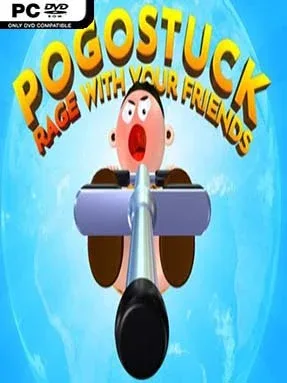
Game Overview
A mountain built to punish overconfidence turns a simple pogo stick into an instrument of triumph, panic, and spectacular failure. Pogostuck: Rage With Your Friends is a precision platformer in the same masochistic family as Getting Over It, where every ledge becomes a test of patience, physics, and nerve. The goal sounds modest—bounce to the summit—but the route is packed with narrow platforms, awkward angles, and drops capable of erasing minutes of careful progress. Its bright, playful presentation keeps the mood funny even when the climb becomes genuinely brutal.
Movement revolves around tilting your jumper, building momentum, and timing each bounce with enough control to land safely rather than launch into empty space. Rotating in midair can charge a powerful boost, letting skilled players clear larger gaps and recover from dangerous situations, while poor timing sends them tumbling back down the mountain. Checkpoints are scarce enough that every successful section feels earned, and learning the course means mastering its geometry as much as mastering the controls. Automatic online matchmaking supports groups of up to 16 climbers, so players can race, cooperate, witness each other’s disasters, or simply share the agony in real time.
What makes Pogostuck memorable is how it turns a solitary rage-platformer climb into a social event without making competition mandatory. Global leaderboards and live rankings give speedrunners and perfectionists a reason to refine routes, while unlockable cosmetic gear offers lighter long-term goals for everyone else. The mountain demands persistence, precise input, and a willingness to laugh after catastrophic mistakes, making it far less relaxing than its cartoonish look suggests. Fans of Getting Over It, Only Up!, and difficult physics platformers should feel immediately at home, while newcomers should arrive with patience and avoid expecting a forgiving first climb.
Installation
- Click the green button below to be redirected to UploadHaven.
- Wait 15 seconds, then hit “Free Download.” (Free downloads may be slower — upgrade to UploadHaven Pro for faster speeds.)
- Once downloaded, right-click the .zip file and choose “Extract to Pogostuck: Rage With Your Friends.” (You’ll need 7-Zip for this.)
- Open the extracted folder and run the game as administrator.
- Enjoy! 🎮 If you see missing DLL errors, check the <strong>_Redist</strong> folder inside and install what’s needed.
System Requirements
- OS: XP Service Pack 3 or newer
- Processor: Dual-Core 2.4GHz
- Memory: 4 GB RAM
- Graphics: Shader Model 3 support, 512MB VRAM
- DirectX: Version 9.0c
- Storage: 600 MB available space
- Additional Notes: Monitor resolution of at least 1024×720.
Setup Guide & Troubleshooting
How do I fix missing DLL errors for Pogostuck: Rage With Your Friends?
After extracting Pogostuck: Rage With Your Friends, navigate to the _Redist or _CommonRedist folder inside the game directory and install DirectX, Vcredist, and any other dependencies included.
What should I do if the downloaded file is corrupted?
The full archive is 922.32 MB — make sure your download completed fully before extracting. Use 7-Zip to extract the files. If you still see a "file corrupted" error, re-download and try again.
Why should I run the game as administrator?
Right-click the game executable and select "Run as Administrator" to avoid save file issues and permission errors. This is especially important on the first launch.
How do I update my GPU drivers for this game?
Pogostuck: Rage With Your Friends requires a Shader Model 3 support, 512MB VRAM or equivalent. Update your NVIDIA or AMD drivers to the latest version for the best performance.
The game won't launch — what should I try?
This game requires Version 9.0c. Try running in compatibility mode, install the latest DirectX runtime, or install the All-in-One VC Redist Package.
My antivirus is blocking the game — is it safe?
Antivirus false positives are common with pre-installed games. Temporarily pause your antivirus during extraction to prevent it from quarantining game files. You can re-enable it after the extraction completes.