
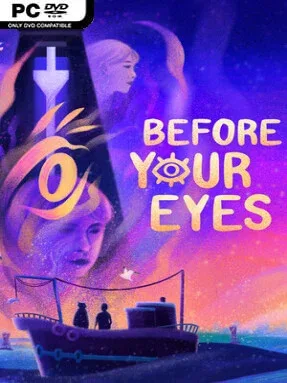
Game Overview
A quiet trip across the afterlife becomes an unusually intimate examination of one life, its ambitions, and the moments that slip away too fast. Before Your Eyes is a first-person narrative adventure set aboard the boat of a mysterious Ferryman, who asks a newly departed soul to justify the story they leave behind. Its mood is tender, melancholy, and often surprisingly warm, moving between childhood memories, family pressures, creative dreams, and first love. Death and grief sit at the center, but the writing treats them with restraint rather than empty tragedy.
The defining interaction uses a webcam to detect real blinks: opening your eyes advances memories, while blinking can make time leap forward before you are ready. That simple idea turns ordinary scenes into something personal, because the instinct to blink becomes part of the tension when a treasured moment is passing. Players relive key episodes through light exploration and small contextual interactions, choosing where to look as conversations and scenes unfold rather than solving conventional adventure-game puzzles. The story remains largely guided, but the presentation makes you feel complicit in the way memories are edited, avoided, and eventually confronted; players unable or unwilling to use a webcam can also use alternate input methods.
What separates Before Your Eyes from most interactive dramas is how elegantly its technology serves its themes. Blink tracking is not a novelty bolted onto a linear story—it reinforces the painful fact that time continues moving even when someone wants to hold onto a particular second. A vivid, stylized visual approach and strong full voice performances give each memory a storybook quality without softening the emotional weight underneath. Fans of What Remains of Edith Finch, Life is Strange, or reflective indie narratives will find a compact, deeply affecting experience here, while newcomers to narrative adventures can enjoy it without needing genre skills or patience for difficult puzzles.
Installation
- Click the green button below to be redirected to UploadHaven.
- Wait 15 seconds, then hit “Free Download.” (Free downloads may be slower — upgrade to UploadHaven Pro for faster speeds.)
- Once downloaded, right-click the .zip file and choose “Extract to Before Your Eyes.” (You’ll need 7-Zip for this.)
- Open the extracted folder and run the game as administrator.
- Enjoy! 🎮 If you see missing DLL errors, check the <strong>_Redist</strong> folder inside and install what’s needed.
System Requirements
- Requires a 64-bit processor and operating system
- OS *: Windows 7 64-bit and above
- Processor: AMD Athlon X4 880K 4Ghz or Intel Pentium G4500 3.5Ghz
- Memory: 8 GB RAM
- Graphics: Intel HD Graphics 520 or AMD Radeon Vega Integrated Graphics
- Storage: 5 GB available space
Setup Guide & Troubleshooting
How do I fix missing DLL errors for Before Your Eyes (v1.2.6.9)?
After extracting Before Your Eyes (v1.2.6.9), navigate to the _Redist or _CommonRedist folder inside the game directory and install DirectX, Vcredist, and any other dependencies included.
What should I do if the downloaded file is corrupted?
The full archive is 2.09 GB — make sure your download completed fully before extracting. Use 7-Zip to extract the files. If you still see a "file corrupted" error, re-download and try again.
Why should I run the game as administrator?
Right-click the game executable and select "Run as Administrator" to avoid save file issues and permission errors. This is especially important on the first launch.
How do I update my GPU drivers for this game?
Before Your Eyes (v1.2.6.9) requires a Intel HD Graphics 520 or AMD Radeon Vega Integrated Graphics or equivalent. Update your NVIDIA or AMD drivers to the latest version for the best performance.
The game won't launch — what should I try?
Try running in compatibility mode, install the latest DirectX runtime, or install the All-in-One VC Redist Package.
My antivirus is blocking the game — is it safe?
Antivirus false positives are common with pre-installed games. Temporarily pause your antivirus during extraction to prevent it from quarantining game files. You can re-enable it after the extraction completes.