
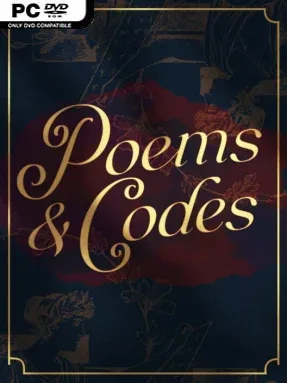
Poems & Codes Cover Art

Poems & Codes

INDIE 412.11 MB v2024.03.01

Game Overview

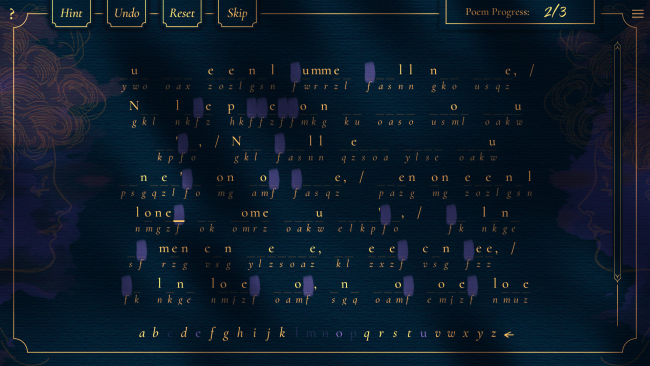
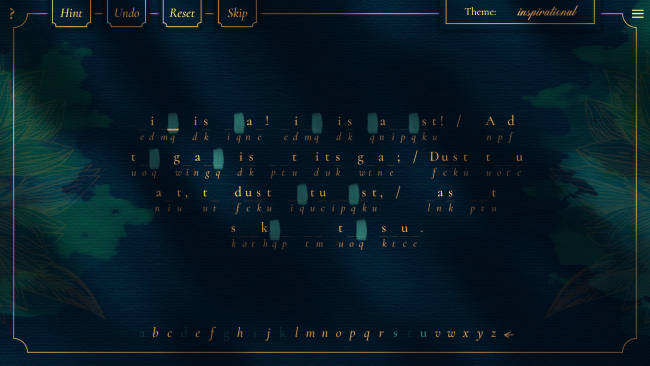
A quiet desk, a page of scrambled verse, and the satisfaction of seeing meaning emerge letter by letter define Poems & Codes. This indie puzzle experience turns classic poetry into a series of substitution-cipher challenges, asking players to uncover lines about romance, grief, nature, longing, and everything in between. Its mood is patient and reflective rather than competitive, supported by a gentle soundtrack and visual options suited to either bright daytime reading or late-night puzzle sessions. The result feels like a crossword collection designed for literature fans, with every solved passage carrying the reward of a real poem behind it.

Players decode more than 400 selected excerpts by matching encrypted symbols to letters, spotting repeated words, testing likely phrases, and gradually building a working alphabet for each cipher. Every puzzle uses the same foundational cryptographic idea, but poem length, vocabulary, punctuation, and thematic clues keep the process from becoming entirely routine. Four difficulty choices let newcomers receive more support while experienced codebreakers can rely on deduction alone, and enlarged text helps make long passages more comfortable to study. Solving an excerpt unlocks the complete work in-game, along with context on its author and links to read further collections online.

What makes Poems & Codes more than a standard cipher app is its thoughtful connection between puzzle-solving and literary discovery. Rather than treating poetry as a dry educational exercise, it lets unfamiliar language reveal itself through active participation, so each breakthrough feels earned. The library includes material that can address difficult subjects, including references to sex, drugs, violence, and suicide, though the presentation remains non-graphic and contextual. Fans of word puzzles, cryptograms, and contemplative games such as Letter Quest-style brainteasers will find an easygoing companion here, while poetry newcomers get a welcoming route into a broad selection of classic writing.

Installation

  1. Click the green button below to be redirected to UploadHaven.
  2. Wait 15 seconds, then hit “Free Download.” (Free downloads may be slower — upgrade to UploadHaven Pro for faster speeds.)
  3. Once downloaded, right-click the .zip file and choose “Extract to Poems & Codes.” (You’ll need 7-Zip for this.)
  4. Open the extracted folder and run the game as administrator.
  5. Enjoy! 🎮 If you see missing DLL errors, check the <strong>_Redist</strong> folder inside and install what’s needed.

System Requirements

  • OS *: Windows 7+ 32bit
  • Processor: Intel Celeron
  • Memory: 2 GB RAM
  • Graphics: Intel HD Graphics
  • Storage: 250 MB available space

Setup Guide & Troubleshooting

How do I fix missing DLL errors for Poems & Codes (v2024.03.01)?

After extracting Poems & Codes (v2024.03.01), navigate to the _Redist or _CommonRedist folder inside the game directory and install DirectX, Vcredist, and any other dependencies included.

What should I do if the downloaded file is corrupted?

The full archive is 412.11 MB — make sure your download completed fully before extracting. Use 7-Zip to extract the files. If you still see a "file corrupted" error, re-download and try again.

Why should I run the game as administrator?

Right-click the game executable and select "Run as Administrator" to avoid save file issues and permission errors. This is especially important on the first launch.

How do I update my GPU drivers for this game?

Poems & Codes (v2024.03.01) requires a Intel HD Graphics or equivalent. Update your NVIDIA or AMD drivers to the latest version for the best performance.

The game won't launch — what should I try?

Try running in compatibility mode, install the latest DirectX runtime, or install the All-in-One VC Redist Package.

My antivirus is blocking the game — is it safe?

Antivirus false positives are common with pre-installed games. Temporarily pause your antivirus during extraction to prevent it from quarantining game files. You can re-enable it after the extraction completes.

Need more help? Browse our FAQ & Troubleshooting Guide for solutions to common issues.
Looking for something else? Explore all games on Steam Unlocked