
Game Overview
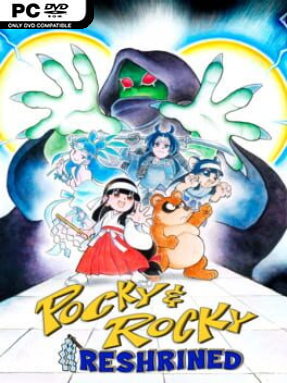
Feudal Japan erupts into a cheerful storm of yokai, bullets, and flying talismans as shrine maiden Pocky and her tanuki partner Rocky return for a fast, demanding top-down shooter. Pocky & Rocky Reshrined continues the spirit of the 16-bit cult classic with crisp pixel art, playful folklore enemies, and an arcade pace that rarely lets up. Its cute presentation hides a legitimately intense action game, balancing colorful villages and haunted forests with screens full of projectiles and bosses that demand sharp reactions. The result feels like a lost Super Nintendo sequel rebuilt with modern polish rather than a nostalgic imitation.
Players push through compact stages, firing Pocky’s ofuda or Rocky’s leaf attacks while dodging enemy patterns, grabbing power-ups, and using a close-range strike to reflect incoming shots. Each encounter rewards smart positioning: clearing a route from a safe distance is useful, but aggressive deflections can turn an opponent’s own attacks back on them. The campaign gradually opens additional playable heroes as coins accumulate, giving repeat runs different weapons, movement styles, and tactical strengths. Story Mode provides an approachable route to the ending for less confident shooter fans, while Free Mode lets players choose unlocked characters and tackle the adventure with fewer restrictions. Two-player local cooperative play is available in Free Mode, making the chaos even more entertaining when partners coordinate attacks and revives.
What stands out is the care given to the old-school formula. TENGO PROJECT preserves the chunky sprite work, expressive animation, and catchy chiptune-driven energy associated with the series, but backgrounds, effects, and enemy density look far richer than their 1990s inspiration. Stages shift between tense survival sections, environmental hazards, and memorable boss duels without abandoning the simple run-and-gun focus. Fans of Wild Guns Reloaded, The Ninja Warriors Once Again, or classic arcade shooters find plenty to like, while newcomers get a forgiving entry point before testing tougher character combinations and cleaner clears.
Installation
- Click the green button below to be redirected to UploadHaven.
- Wait 15 seconds, then hit “Free Download.” (Free downloads may be slower — upgrade to UploadHaven Pro for faster speeds.)
- Once downloaded, right-click the .zip file and choose “Extract to Pocky & Rocky Reshrined.” (You’ll need 7-Zip for this.)
- Open the extracted folder and run the game as administrator.
- Enjoy! 🎮 If you see missing DLL errors, check the <strong>_Redist</strong> folder inside and install what’s needed.
System Requirements
- Requires a 64-bit processor and operating system
- OS: Windows 7, 8.1, 10 x64
- Processor: AMD FX-4350 / Intel® Core™ i3-3210
- Memory: 4 GB RAM
- Graphics: AMD Radeon™ R7 260X (2GB VRAM) / NVIDIA® GeForce® GTX 750(2GB VRAM)
- Storage: 2 GB available space
Setup Guide & Troubleshooting
How do I fix missing DLL errors for Pocky & Rocky Reshrined?
After extracting Pocky & Rocky Reshrined, navigate to the _Redist or _CommonRedist folder inside the game directory and install DirectX, Vcredist, and any other dependencies included.
What should I do if the downloaded file is corrupted?
The full archive is 355.80 MB — make sure your download completed fully before extracting. Use 7-Zip to extract the files. If you still see a "file corrupted" error, re-download and try again.
Why should I run the game as administrator?
Right-click the game executable and select "Run as Administrator" to avoid save file issues and permission errors. This is especially important on the first launch.
How do I update my GPU drivers for this game?
Pocky & Rocky Reshrined requires a AMD Radeon™ R7 260X (2GB VRAM) / NVIDIA® GeForce® GTX 750(2GB VRAM) or equivalent. Update your NVIDIA or AMD drivers to the latest version for the best performance.
The game won't launch — what should I try?
Try running in compatibility mode, install the latest DirectX runtime, or install the All-in-One VC Redist Package.
My antivirus is blocking the game — is it safe?
Antivirus false positives are common with pre-installed games. Temporarily pause your antivirus during extraction to prevent it from quarantining game files. You can re-enable it after the extraction completes.