
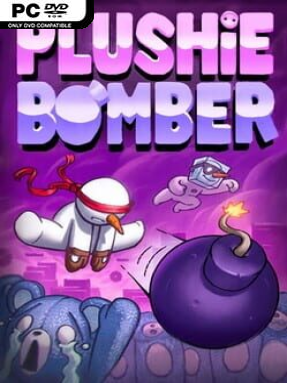
Game Overview
A ruined television sparks a surprisingly serious grudge against an army of adorable but dangerous plush creatures. Plushie Bomber is a compact 2D action-platformer built around a simple reversal of power: the hero carries no weapon, while every enemy comes armed with explosives. Its colorful toy-like presentation keeps the mood playful, but the action demands quick reactions as bombs fly through tightly designed stages. Beneath the cute exterior lies a small mystery involving the plushies’ origins and an island archipelago worth pushing through.
Catching a bomb before it detonates is the central skill, turning incoming attacks into ammunition that can be hurled back in any direction. Fights become quick positioning puzzles: dodge hazards, judge a bomb’s timing, grab it safely, then line up a throw that clears enemies or reaches targets beyond your immediate path. Platforming challenges add the usual precision-jumping pressure, with obstacles and stage layouts asking players to keep moving instead of simply camping at a safe distance. Handcrafted levels introduce fresh ideas regularly, so the game’s hook is not just repeated bomb tossing, while hidden carrots offer an extra reason to revisit stages and inspect suspicious corners.
The lack of a default attack gives every encounter a reactive, almost slapstick rhythm that separates it from conventional run-and-gun platformers. Rather than overpowering foes with upgrades or an arsenal, success comes from timing, movement, and making an opponent’s aggression work against them. The carrot hunt and shifting level mechanics should appeal to completionists who enjoy probing levels for secrets, while the straightforward controls make the basic idea easy to understand. Players who like the responsive platforming of classic indie side-scrollers, along with the enemy-projectile manipulation found in puzzle-action games, should find Plushie Bomber a charming and brisk challenge.
Installation
- Click the green button below to be redirected to UploadHaven.
- Wait 15 seconds, then hit “Free Download.” (Free downloads may be slower — upgrade to UploadHaven Pro for faster speeds.)
- Once downloaded, right-click the .zip file and choose “Extract to Plushie Bomber.” (You’ll need 7-Zip for this.)
- Open the extracted folder and run the game as administrator.
- Enjoy! 🎮 If you see missing DLL errors, check the <strong>_Redist</strong> folder inside and install what’s needed.
System Requirements
- OS: Windows 7 Service Pack 1 or newer (64 bit)
- Processor: Intel core i5-4210 1.7ghz
- Memory: 2 GB RAM
- Graphics: Intel HD Graphics 4400
Setup Guide & Troubleshooting
How do I fix missing DLL errors for Plushie Bomber (v0.4)?
After extracting Plushie Bomber (v0.4), navigate to the _Redist or _CommonRedist folder inside the game directory and install DirectX, Vcredist, and any other dependencies included.
What should I do if the downloaded file is corrupted?
The full archive is 328.82 MB — make sure your download completed fully before extracting. Use 7-Zip to extract the files. If you still see a "file corrupted" error, re-download and try again.
Why should I run the game as administrator?
Right-click the game executable and select "Run as Administrator" to avoid save file issues and permission errors. This is especially important on the first launch.
How do I update my GPU drivers for this game?
Plushie Bomber (v0.4) requires a Intel HD Graphics 4400 or equivalent. Update your NVIDIA or AMD drivers to the latest version for the best performance.
The game won't launch — what should I try?
Try running in compatibility mode, install the latest DirectX runtime, or install the All-in-One VC Redist Package.
My antivirus is blocking the game — is it safe?
Antivirus false positives are common with pre-installed games. Temporarily pause your antivirus during extraction to prevent it from quarantining game files. You can re-enable it after the extraction completes.