
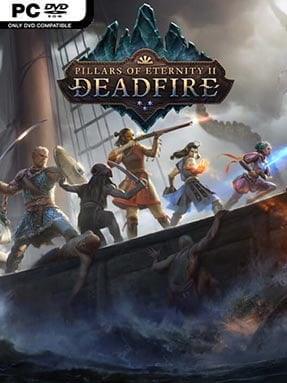
Game Overview
A sun-scorched archipelago, rival colonial powers, ancient gods, and a rampaging giant set the stage for a richly reactive party-based RPG. You return as the Watcher, a soul-sensitive hero whose pursuit of the awakened god Eothas carries from bustling port towns to forgotten ruins and hostile islands. Pillars of Eternity II: Deadfire trades the first game’s largely landlocked journey for an adventurous nautical campaign, but its tone remains thoughtful, political, and often morally uncomfortable. Every major faction has an agenda, and helping one power usually means disappointing another.
Play unfolds through exploration, conversation, tactical encounters, and shipboard travel across a large sea map. Combat supports the series’ pause-and-plan real-time system, while a fully implemented turn-based mode offers a slower, more readable alternative for players who prefer something closer to classic tabletop rules. Character building is exceptionally flexible: choose from numerous classes, create multiclass combinations, assign abilities as you level, and equip a party of memorable companions with their own loyalties and personal quests. Your ship needs a crew, supplies, repairs, and upgrades, while naval encounters can lead to boarding actions or strategic decisions about whether a fight is worth the risk.
Deadfire stands out because its writing treats choice as consequence rather than a simple good-or-evil meter. The islands feel like distinct miniature stories, from pirate havens and sacred settlements to monster-infested caves, and the faction system gives repeat playthroughs real value. Its painted environments, dense lore, and old-school isometric presentation place it near games such as Baldur’s Gate II and Divinity: Original Sin, though it is more text-heavy and politically focused than either. RPG veterans will get the most from its deep systems, but adjustable difficulty, turn-based combat, and strong companion writing make it approachable for patient newcomers willing to read and experiment.
Installation
- Click the green button below to be redirected to UploadHaven.
- Wait 15 seconds, then hit “Free Download.” (Free downloads may be slower — upgrade to UploadHaven Pro for faster speeds.)
- Once downloaded, right-click the .zip file and choose “Extract to Pillars of Eternity II: Deadfire.” (You’ll need 7-Zip for this.)
- Open the extracted folder and run the game as administrator.
- Enjoy! 🎮 If you see missing DLL errors, check the <strong>_Redist</strong> folder inside and install what’s needed.
System Requirements
- Requires a 64-bit processor and operating system
- OS: Windows Vista 64-bit or newer
- Processor: Intel Core i3-2100T @ 2.50 GHz / AMD Phenom II X3 B73
- Memory: 4 GB RAM
- Graphics: DirectX 11 Compatible
- Storage: 45 GB available space
- Sound Card: DirectX Compatible Sound Card
Setup Guide & Troubleshooting
How do I fix missing DLL errors for Pillars of Eternity II: Deadfire (v5.0.0.0040 & ALL DLC)?
After extracting Pillars of Eternity II: Deadfire (v5.0.0.0040 & ALL DLC), navigate to the _Redist or _CommonRedist folder inside the game directory and install DirectX, Vcredist, and any other dependencies included.
What should I do if the downloaded file is corrupted?
The full archive is 27.61 GB — make sure your download completed fully before extracting. Use 7-Zip to extract the files. If you still see a "file corrupted" error, re-download and try again.
Why should I run the game as administrator?
Right-click the game executable and select "Run as Administrator" to avoid save file issues and permission errors. This is especially important on the first launch.
How do I update my GPU drivers for this game?
Pillars of Eternity II: Deadfire (v5.0.0.0040 & ALL DLC) requires a DirectX 11 Compatible or equivalent. Update your NVIDIA or AMD drivers to the latest version for the best performance.
The game won't launch — what should I try?
Try running in compatibility mode, install the latest DirectX runtime, or install the All-in-One VC Redist Package.
My antivirus is blocking the game — is it safe?
Antivirus false positives are common with pre-installed games. Temporarily pause your antivirus during extraction to prevent it from quarantining game files. You can re-enable it after the extraction completes.