
Game Overview
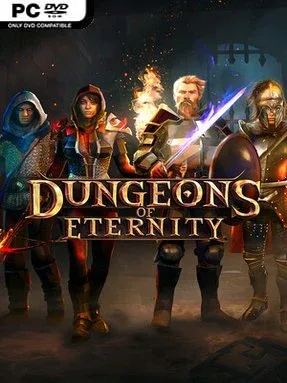
Cold stone corridors, torchlit crypts, and sudden monster ambushes give this VR dungeon crawler a satisfyingly physical take on fantasy adventuring. Dungeons of Eternity is built around the thrill of entering an unknown ruin, scavenging what you can, and surviving whatever waits behind the next door. Its tone lands between heroic co-op adventure and spooky arcade action, with enough traps, skeletons, and hidden chambers to keep every descent tense without becoming a full horror experience. Whether played alone or with friends, it captures the immediate pleasure of grabbing a weapon and making your own way through a hostile fantasy labyrinth.
Combat relies on full-motion VR interactions rather than button-driven attacks: swords are swung, axes are hurled, bows are drawn by hand, and magical staves fire spells into the chaos. Runs move through procedurally assembled dungeons filled with enemy encounters, environmental hazards, puzzles, secret spaces, and rooms that reward careful searching as much as aggression. Weapons arrive with randomized traits, so loot continually pushes players to test new builds and decide whether a newly found blade, bow, or staff suits their approach. Character loadouts, upgrades, and cosmetic options provide longer-term progression, while four-player co-op allows a party to combine ranged support, melee pressure, and magical crowd control; solo players face the same dangers with no teammates to revive them.
What separates it from flatter VR action games is its commitment to tangible world interaction: equipment feels held, thrown, and used rather than merely selected from a menu. Randomized layouts and loot make repeat trips worthwhile, while the changing room types prevent runs from feeling like a single endless combat corridor. It has the accessible, loot-driven appeal of Diablo-style dungeon crawling, but its physical combat gives it a more personal, occasionally chaotic rhythm. Fans of social VR, fantasy hack-and-slash games, and roguelite-style replayability find the most to enjoy here, though newcomers should expect a brief adjustment period for motion-based fighting.
Installation
- Click the green button below to be redirected to UploadHaven.
- Wait 15 seconds, then hit “Free Download.” (Free downloads may be slower — upgrade to UploadHaven Pro for faster speeds.)
- Once downloaded, right-click the .zip file and choose “Extract to Dungeons Of Eternity.” (You’ll need 7-Zip for this.)
- Open the extracted folder and run the game as administrator.
- Enjoy! 🎮 If you see missing DLL errors, check the <strong>_Redist</strong> folder inside and install what’s needed.
System Requirements
- Requires a 64-bit processor and operating system
- OS: Windows 10
- Processor: Intel Core i5-7500 / AMD Ryzen 5 1600
- Memory: 12 GB RAM
- Graphics: NVIDIA GTX 1060 6GB / AMD RX 580 8GB
- Network: Broadband Internet connection
- Storage: 6 GB available space
- VR Support: Meta Quest, Valve Index, HTC Vive, or similar
Setup Guide & Troubleshooting
How do I fix missing DLL errors for Dungeons Of Eternity (v1.2.3764)?
After extracting Dungeons Of Eternity (v1.2.3764), navigate to the _Redist or _CommonRedist folder inside the game directory and install DirectX, Vcredist, and any other dependencies included.
What should I do if the downloaded file is corrupted?
The full archive is 4.66 GB — make sure your download completed fully before extracting. Use 7-Zip to extract the files. If you still see a "file corrupted" error, re-download and try again.
Why should I run the game as administrator?
Right-click the game executable and select "Run as Administrator" to avoid save file issues and permission errors. This is especially important on the first launch.
How do I update my GPU drivers for this game?
Dungeons Of Eternity (v1.2.3764) requires a NVIDIA GTX 1060 6GB / AMD RX 580 8GB or equivalent. Update your NVIDIA or AMD drivers to the latest version for the best performance.
The game won't launch — what should I try?
Try running in compatibility mode, install the latest DirectX runtime, or install the All-in-One VC Redist Package.
My antivirus is blocking the game — is it safe?
Antivirus false positives are common with pre-installed games. Temporarily pause your antivirus during extraction to prevent it from quarantining game files. You can re-enable it after the extraction completes.