
Game Overview
Network administration becomes a hands-on puzzle rather than a wall of diagrams, placing players in a corporate IT environment where a working infrastructure can fail for very tangible reasons. The mood is practical and instructional, with rack-mounted equipment, cable runs, terminals, and threat alerts supplying the tension instead of gunfights or abstract minigames. Rather than treating networking as pure trivia, it frames each assignment around the chain of decisions that keeps a company connected and its systems safe.
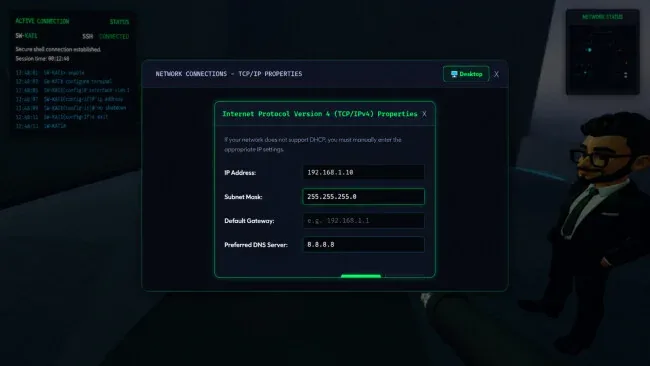
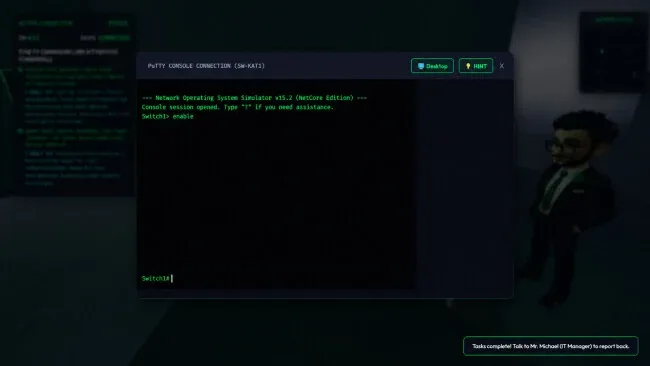
Early tasks involve examining routers and switches, matching Ethernet leads to the correct sockets, and expanding available connections before any software configuration begins. From there, a PuTTY-like command console asks players to use administrative commands to enter privileged mode, organize VLANs, set up SSH access, and configure NAT. Monitoring tools and log-reading challenges turn troubleshooting into the main loop: identify suspicious activity, interpret warning signs, then take the appropriate action before the server infrastructure is compromised. Lessons build from physical topology to traffic management and incident response, so the challenge rises naturally alongside the concepts.
What distinguishes the simulator is its effort to connect hardware handling, command-line configuration, and blue-team security work in one coherent workplace scenario. Attack concepts such as SQL injection and cross-site scripting appear as vulnerabilities to understand and remediate, not as a fantasy hacking power trip; patching weaknesses is the payoff. The visual presentation favors clarity over spectacle, but the tactile cabinet interactions make dry material easier to retain. It suits networking students and curious newcomers who want a guided introduction, while experienced administrators may appreciate it chiefly as a lightweight refresher rather than a deep enterprise-level lab.
Screenshots
Installation
- Select the <strong>Download</strong> button at the top of this page to open UploadHaven.
- On UploadHaven, wait for any countdown, then select <strong>Free Download</strong>. Optional: UploadHaven Pro for faster downloads.
- When complete, extract the archive to a <strong>Network & Cyber Security Simulator</strong> folder using 7-Zip.
- Open the extracted folder and start the game normally.
- For errors, check <strong>Setup Guide & Troubleshooting</strong> below. Keep your security software enabled.
System Requirements
- OS: Windows 10
- Processor: Intel Core i3-4130
- Memory: 2 GB RAM
- Graphics: Intel HD Graphics 4000
- Storage: 1 GB available space
Setup Guide & Troubleshooting
Is Network & Cyber Security Simulator (Latest Full Build) free to download on Steam Unlocked?
Yes, Network & Cyber Security Simulator (Latest Full Build) is available as a full-version direct download on Steam Unlocked with verified mirror links and complete release files.
How do I install Network & Cyber Security Simulator without errors?
Download the complete archive from the mirror links, extract using 7-Zip or WinRAR into a path without special characters, install any required runtime redistributables, and launch the main executable.
Does this release of Network & Cyber Security Simulator include the latest updates?
This listing provides build Latest Full Build of Network & Cyber Security Simulator, tested for offline play and compatibility with modern operating systems and emulators.
What should I do if Network & Cyber Security Simulator crashes on startup?
Verify that your GPU drivers and Visual C++ / DirectX runtimes are updated, run the executable as administrator, and ensure your antivirus did not block any extracted game files.