
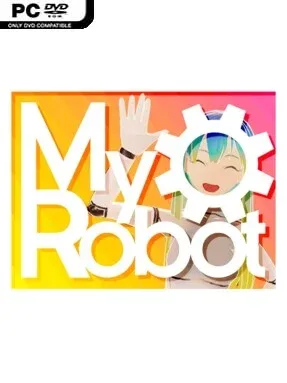
Game Overview
An anime-styled robotic companion sits at the center of a relaxed, unusual sandbox built around conversation, customization, and playful interaction rather than traditional objectives. The appeal comes from treating a designed character less like a menu-driven avatar and more like a responsive presence: players can talk, tease, poke, and generally experiment with how their robot reacts. Its tone is light, affectionate, and deliberately eccentric, prioritizing personal expression over combat, challenge, or story progression. For players who enjoy virtual companions and character creators, the premise offers a hands-on alternative to simply selecting presets.
Most of the experience revolves around building a robot’s look and personality, then interacting with the result. Customization uses tactile tools instead of purely abstract sliders: scissors alter hair, combs help style it, pens can recolor fine details such as eyelashes, and dental tools allow for more offbeat additions like fangs. Optional AI features support spoken conversations and more dynamic emotional responses, while included voice-chat tokens give newcomers a substantial amount of time to test the system. Privacy-minded players are not locked into an online service, since the game supports self-hosted AI models and allows local and online options to be mixed according to preference.
What separates MyRobot from a standard anime dress-up app is the effort to connect visual customization with interaction. A haircut or facial detail is not just cosmetic when it belongs to a character players can address directly and watch respond. The AI layer is optional rather than mandatory, which makes it approachable both for curious players who want conversational role-play and for creators who prefer a more private, self-managed setup. There is little here for anyone seeking missions, competitive systems, or action-heavy gameplay, but fans of virtual companions, VTuber-style character design, and open-ended digital toys may find it a distinctive creative space.
Installation
- Click the green button below to be redirected to UploadHaven.
- Wait 15 seconds, then hit “Free Download.” (Free downloads may be slower — upgrade to UploadHaven Pro for faster speeds.)
- Once downloaded, right-click the .zip file and choose “Extract to MyRobot.” (You’ll need 7-Zip for this.)
- Open the extracted folder and run the game as administrator.
- Enjoy! 🎮 If you see missing DLL errors, check the <strong>_Redist</strong> folder inside and install what’s needed.
System Requirements
- Requires a 64-bit processor and operating system
- OS: 10
- Memory: 4 GB RAM
- Graphics: Nvidia GTX 550
- Network: Broadband Internet connection
- Storage: 1 GB available space
Setup Guide & Troubleshooting
How do I fix missing DLL errors for MyRobot (v2026.07.04)?
After extracting MyRobot (v2026.07.04), navigate to the _Redist or _CommonRedist folder inside the game directory and install DirectX, Vcredist, and any other dependencies included.
What should I do if the downloaded file is corrupted?
The full archive is 1.12 GB — make sure your download completed fully before extracting. Use 7-Zip to extract the files. If you still see a "file corrupted" error, re-download and try again.
Why should I run the game as administrator?
Right-click the game executable and select "Run as Administrator" to avoid save file issues and permission errors. This is especially important on the first launch.
How do I update my GPU drivers for this game?
MyRobot (v2026.07.04) requires a Nvidia GTX 550 or equivalent. Update your NVIDIA or AMD drivers to the latest version for the best performance.
The game won't launch — what should I try?
Try running in compatibility mode, install the latest DirectX runtime, or install the All-in-One VC Redist Package.
My antivirus is blocking the game — is it safe?
Antivirus false positives are common with pre-installed games. Temporarily pause your antivirus during extraction to prevent it from quarantining game files. You can re-enable it after the extraction completes.