
MotionRec Cover Art

MotionRec

INDIE 920.83 MB

Game Overview

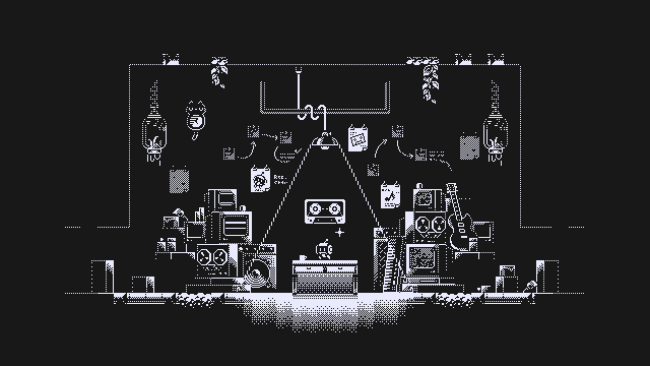
A ruined, machine-controlled landscape becomes a platforming puzzle box in MotionRec, a clever indie action game built around the ability to capture and replay movement. You guide Rec, a robot tasked with preserving traces of civilization, across lonely industrial stages where ordinary jumps rarely provide a safe route forward. The mood is quiet and mysterious rather than combat-heavy, with each broken structure and inaccessible ledge suggesting a world that has already collapsed. Its central idea is simple to grasp but quickly develops into a demanding test of timing, positioning, and creative problem-solving.

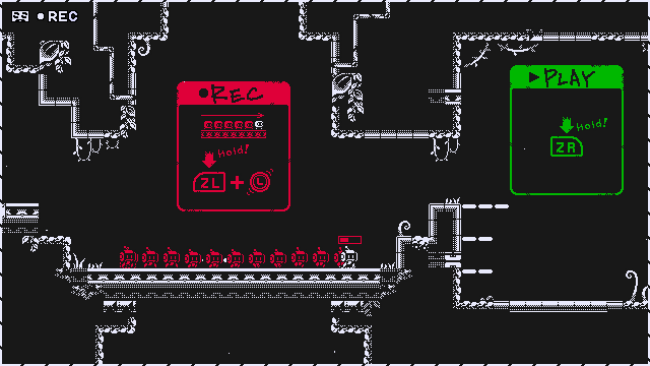
Rec records a stretch of its own movement—running, jumping, falling, and using environmental devices—then replays that recorded path from a different position. A well-made recording can effectively create a temporary route through empty air, carry Rec over a gap, or launch it onto platforms far above its normal reach. Stages introduce gimmicks that complicate those recordings, encouraging players to use momentum and level geometry to construct more elaborate solutions instead of merely reacting with quick reflexes. Playback uses are limited while airborne and refresh on landing, so every challenge asks you to plan a route with the same care as a platformer and a physics puzzle.

What makes MotionRec memorable is the way it turns your previous actions into tools: your own movement becomes the key, platform, and solution. Rather than handing out a conventional double jump or grappling hook, it asks you to understand how a recorded sequence behaves when transplanted somewhere new. The clean robot-and-ruins aesthetic keeps attention on readable hazards and spatial puzzles, while the unfolding mystery gives the journey a sense of purpose beyond clearing rooms. Players who enjoy the inventive traversal logic of Portal, Braid, or precision-focused 2D puzzle platformers should find plenty to like, though newcomers should expect a game that rewards experimentation and patience over brute-force progress.

Installation

  1. Click the green button below to be redirected to UploadHaven.
  2. Wait 15 seconds, then hit “Free Download.” (Free downloads may be slower — upgrade to UploadHaven Pro for faster speeds.)
  3. Once downloaded, right-click the .zip file and choose “Extract to MotionRec.” (You’ll need 7-Zip for this.)
  4. Open the extracted folder and run the game as administrator.
  5. Enjoy! 🎮 If you see missing DLL errors, check the <strong>_Redist</strong> folder inside and install what’s needed.

System Requirements

  • Requires a 64-bit processor and operating system
  • OS *: Windows XP/Vista/7/8/8.1/10 x86/x64
  • Processor: Intel Pentium D 830 (2* 3000) or equivalent / AMD Athlon 64 4000+ (2600) or equivalent
  • Memory: 1 GB RAM
  • Graphics: GeForce 7600 GS (256 MB) / Radeon HD 2400 PRO (256 MB)
  • Storage: 200 MB available space

Setup Guide & Troubleshooting

How do I fix missing DLL errors for MotionRec?

After extracting MotionRec, navigate to the _Redist or _CommonRedist folder inside the game directory and install DirectX, Vcredist, and any other dependencies included.

What should I do if the downloaded file is corrupted?

The full archive is 920.83 MB — make sure your download completed fully before extracting. Use 7-Zip to extract the files. If you still see a "file corrupted" error, re-download and try again.

Why should I run the game as administrator?

Right-click the game executable and select "Run as Administrator" to avoid save file issues and permission errors. This is especially important on the first launch.

How do I update my GPU drivers for this game?

MotionRec requires a GeForce 7600 GS (256 MB) / Radeon HD 2400 PRO (256 MB) or equivalent. Update your NVIDIA or AMD drivers to the latest version for the best performance.

The game won't launch — what should I try?

Try running in compatibility mode, install the latest DirectX runtime, or install the All-in-One VC Redist Package.

My antivirus is blocking the game — is it safe?

Antivirus false positives are common with pre-installed games. Temporarily pause your antivirus during extraction to prevent it from quarantining game files. You can re-enable it after the extraction completes.

Need more help? Browse our FAQ & Troubleshooting Guide for solutions to common issues.
Looking for something else? Explore all games on Steam Unlocked