
Game Overview
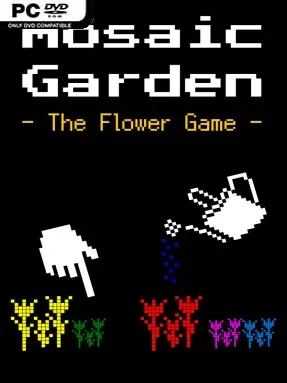
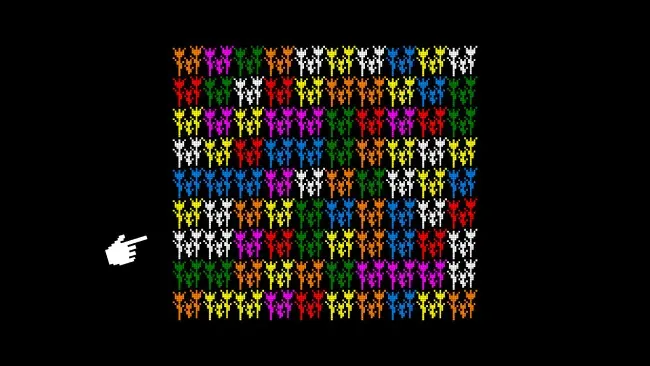
A quiet grid of pixel flowers becomes a surprisingly demanding color puzzle in Mosaic Garden: The Flower Game. Each level asks you to reproduce a target arrangement across a compact 10-by-9 board, but the blooms refuse to behave like ordinary pieces. Flowers spread gradually into neighboring tiles on their own schedule, occasionally shifting into closely related shades as they grow. The result feels gentle and contemplative on the surface, yet every successful pattern comes from carefully managing a system that is always changing beneath your feet.
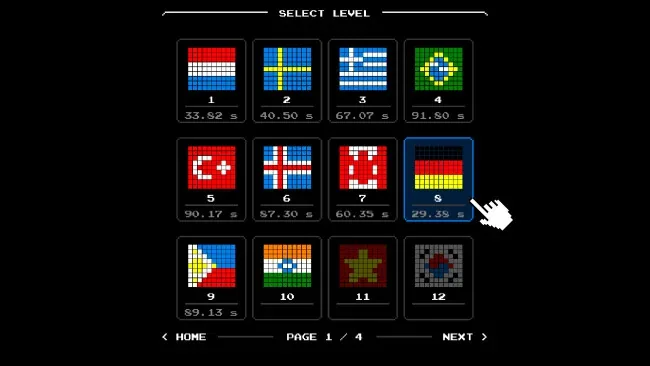
Rather than placing colors exactly where you want them, you influence the garden indirectly. Removing flowers clears routes for a desired color to travel, while a watering can speeds up growth when you need a particular cluster to advance. Since expansion works in the four cardinal directions and mutations introduce an element of uncertainty, solving a board often means dismantling part of an almost-finished design to create the right conditions for the next bloom. Completed mosaics persist into following stages, so every new puzzle is a transformation of your existing garden rather than a completely clean slate. There is no fail screen, countdown, or punishment for experimentation, although players who enjoy optimization can pursue cleaner solutions and faster completion times.
Its most distinctive idea is the balance between planning and acceptance: you can shape the ecosystem, but never command it outright. That makes the puzzles resemble a calmer, more organic cousin to a Rubik’s Cube, where temporary disorder is frequently the only route to a precise final arrangement. Soft ambient audio and restrained retro pixel art reinforce the unhurried mood without making the later challenges feel trivial. A built-in editor also lets dedicated players build custom pattern templates once the included stages are exhausted. Mosaic Garden suits fans of Sokoban-like spatial thinking, color-based logic puzzles, and low-pressure brain teasers, especially those who prefer thoughtful experimentation over strict execution.
Screenshots
Installation
- Select the <strong>Download</strong> button at the top of this page to open UploadHaven.
- On UploadHaven, wait for any countdown, then select <strong>Free Download</strong>. Optional: UploadHaven Pro for faster downloads.
- When complete, extract the archive to a <strong>Mosaic Garden: The Flower Game</strong> folder using 7-Zip.
- Open the extracted folder and start the game normally.
- For errors, check <strong>Setup Guide & Troubleshooting</strong> below. Keep your security software enabled.
System Requirements
- OS: Windows 10 or Windows 11
- Processor: Dual-core 2.0 GHz or better
- Memory: 1 GB RAM
- Graphics: DirectX 11 compatible GPU (integrated or dedicated)
- Storage: 200 MB available space
- Sound Card: DirectX compatible