
Game Overview
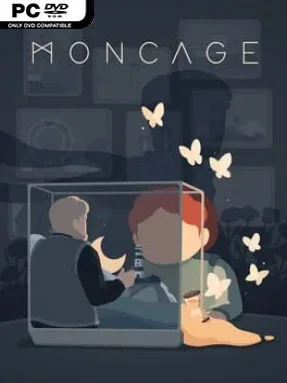
A weathered cube holds an entire puzzle adventure in its six shifting faces, turning abandoned industrial spaces, a lighthouse, a fairground, and sacred ruins into parts of one quietly emotional mystery. Moncage is a compact, tactile indie experience built around observation rather than reflexes, with a dreamlike atmosphere that makes every solved connection feel like a small act of magic. Its environments initially appear unrelated, but the game steadily reveals a carefully constructed tale about family, memory, conflict, and regret. The mood is reflective and occasionally melancholy, while the clean visual presentation keeps the screen readable even when the logic becomes wonderfully strange.
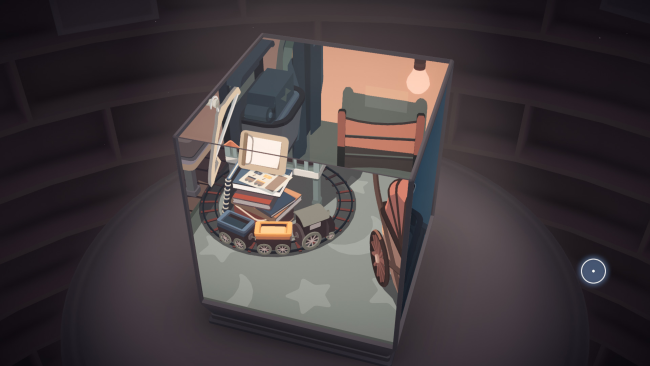
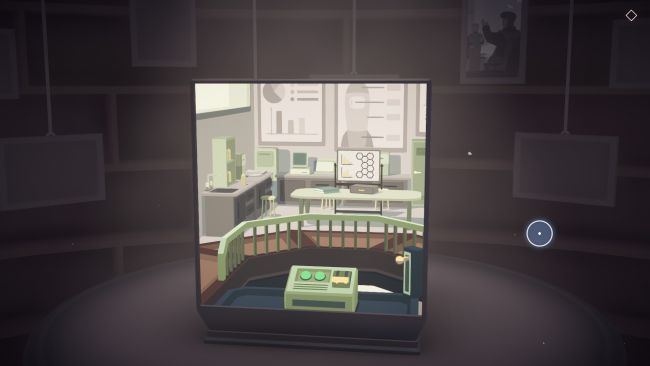
Players rotate the cube freely, inspect each miniature scene, and line up objects from different sides to create impossible but believable interactions. A pipe on one panel may become a bridge on another, a tower’s light can guide machinery elsewhere, and shifting the viewpoint often transforms an ordinary prop into the missing piece of a larger mechanism. Progress comes from manipulating these visual alignments, opening new paths and changing locations until another layer of the cube’s story becomes accessible. Hidden photographs add narrative context for players who want to piece together the full plot, while optional focus prompts, written clues, and unlockable video solutions make it far less punishing than many abstract puzzle games.
What separates Moncage from standard escape-room puzzlers is its commitment to perspective: solutions depend on seeing relationships between places that physically should not connect. The handcrafted diorama art gives every side a distinct identity, yet the transitions make the whole object feel remarkably coherent. Most players can finish the main path in a single evening, though optional photos and 15 achievement medals reward thorough exploration and sharper puzzle solving. Fans of Gorogoa, The Room, and Monument Valley should find plenty to enjoy, and newcomers to surreal logic puzzles can rely on its generous hint systems without losing the satisfaction of discovery.
Installation
- Click the green button below to be redirected to UploadHaven.
- Wait 15 seconds, then hit “Free Download.” (Free downloads may be slower — upgrade to UploadHaven Pro for faster speeds.)
- Once downloaded, right-click the .zip file and choose “Extract to Moncage.” (You’ll need 7-Zip for this.)
- Open the extracted folder and run the game as administrator.
- Enjoy! 🎮 If you see missing DLL errors, check the <strong>_Redist</strong> folder inside and install what’s needed.
System Requirements
- OS: Windows 7/8/8.1/10(64bit)
- Processor: Intel Celeron G1820 | AMD A4-7300
- Memory: 6 GB RAM
- Graphics: NVIDIA GeForce GT 730
- DirectX: Version 11
- Storage: 2500 MB available space
Setup Guide & Troubleshooting
How do I fix missing DLL errors for Moncage (v1.01)?
After extracting Moncage (v1.01), navigate to the _Redist or _CommonRedist folder inside the game directory and install DirectX, Vcredist, and any other dependencies included.
What should I do if the downloaded file is corrupted?
The full archive is 856.65 MB — make sure your download completed fully before extracting. Use 7-Zip to extract the files. If you still see a "file corrupted" error, re-download and try again.
Why should I run the game as administrator?
Right-click the game executable and select "Run as Administrator" to avoid save file issues and permission errors. This is especially important on the first launch.
How do I update my GPU drivers for this game?
Moncage (v1.01) requires a NVIDIA GeForce GT 730 or equivalent. Update your NVIDIA or AMD drivers to the latest version for the best performance.
The game won't launch — what should I try?
This game requires Version 11. Try running in compatibility mode, install the latest DirectX runtime, or install the All-in-One VC Redist Package.
My antivirus is blocking the game — is it safe?
Antivirus false positives are common with pre-installed games. Temporarily pause your antivirus during extraction to prevent it from quarantining game files. You can re-enable it after the extraction completes.