
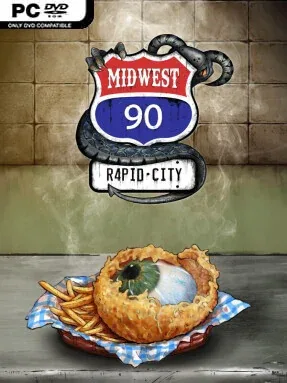
Game Overview
A roadside diner becomes a desperate business venture in a decaying 1990s Midwest, where the pantry is stocked with meat harvested from monsters rather than ordinary livestock. Midwest 90: Rapid City blends management simulation, survival pressure, and choice-driven storytelling into a grimy small-town tycoon experience. The tone is darkly comic and uneasy: every profitable special, staff upgrade, and expansion can help keep the lights on while making the town’s problems worse. Rapid City’s collapsing economy ensures that running a restaurant never feels like a peaceful spreadsheet exercise.
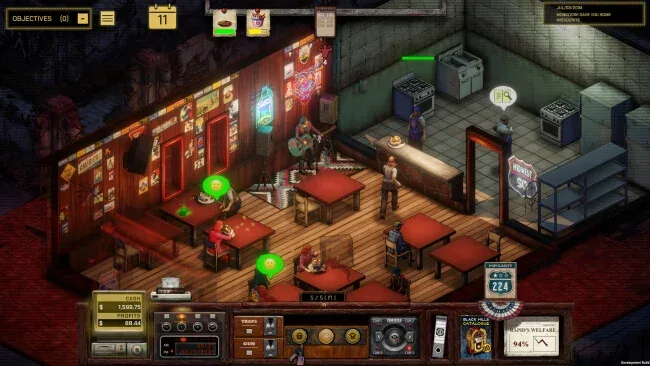
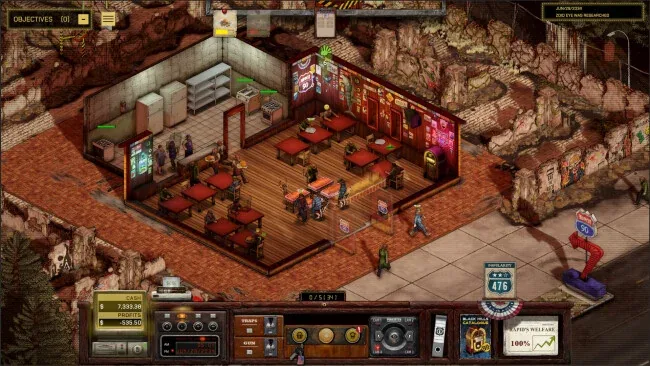
Daily play revolves around planning menus, sourcing ingredients, setting prices, arranging the kitchen, and keeping customers served before a bad shift turns into a financial disaster. Monster-derived dishes carry different benefits and dangers, so recipe research involves more than simply finding the highest-selling item; diners react to quality, effects, cost, and the risks hidden in their meal. Staff need hiring and preparation, supply lines require attention, and a poorly designed restaurant can lose money through inefficiency as quickly as through bad decisions. Threats also arrive at the door, forcing players to spend on traps and protective measures that safeguard guests, employees, and the building without draining every last dollar of profit.
What makes the premise memorable is the way ordinary tycoon concerns collide with horror-survival consequences. A questionable additive may improve revenue, but its fallout can damage safety, public trust, or the wider community, giving the management layer a strong moral edge. Branching decisions and grounded local characters turn the diner into a viewpoint on a city struggling to survive an outbreak, rather than just a restaurant to maximize. Players who enjoy the operational detail of management sims but want the tension and uncomfortable choices of games such as Frostpunk should find plenty to chew on, while newcomers can approach it as a story-rich business sim with teeth.
Screenshots
Installation
- Select the <strong>Download</strong> button at the top of this page to open UploadHaven.
- On UploadHaven, wait for any countdown, then select <strong>Free Download</strong>. Optional: UploadHaven Pro for faster downloads.
- When complete, extract the archive to a <strong>Midwest 90: Rapid City</strong> folder using 7-Zip.
- Open the extracted folder and start the game normally.
- For errors, check <strong>Setup Guide & Troubleshooting</strong> below. Keep your security software enabled.
System Requirements
- Requires a 64-bit processor and operating system
- OS: Windows 10/11
- Processor: Intel i5-6500
- Graphics: Nvidia GeForce 980
- Storage: 5 GB available space
- Sound Card: Any
Setup Guide & Troubleshooting
Is Midwest 90: Rapid City free and safe to download on SteamUnlocked?
Yes, Midwest 90: Rapid City is 100% verified clean and tested before publication. All mirrors are free from malware, adware, or intrusive installers.
Does this release include the latest update build and all DLC?
Yes, this download comes pre-updated to the latest version (0.22.3) with all official patches, hotfixes, and expansion DLC packs included.
How do I install and run Midwest 90: Rapid City on Windows PC?
Extract the downloaded .zip or .rar archive using 7-Zip or WinRAR into a folder of your choice. Open the extracted folder and run the game executable or setup as Administrator.
What should I do if I get a missing DLL or DirectX error when launching?
Missing DLL errors (like MSVCP140.dll or XINPUT1_3.dll) indicate missing Windows libraries. Install the Visual C++ All-In-One Redistributables and update DirectX to resolve them immediately.